Best AI Photo Editors 2026: From Quick Fixes to Professional Retouching
Every AI photo editor I tested this year made the same three promises: remove backgrounds in one click, enhance portraits automatically, and upscale low-resolution images to print quality. Some of them delivered. Others took my credit card number and then made cancellation technically impossible.
I spent several weeks testing six tools across different use cases (quick social media prep, product photography, old photo restoration, and batch processing) to give you a map of what actually works. The short version: the "best" AI photo editor depends on what you are editing and whether you can tolerate a subscription tethered to an opaque credit system.
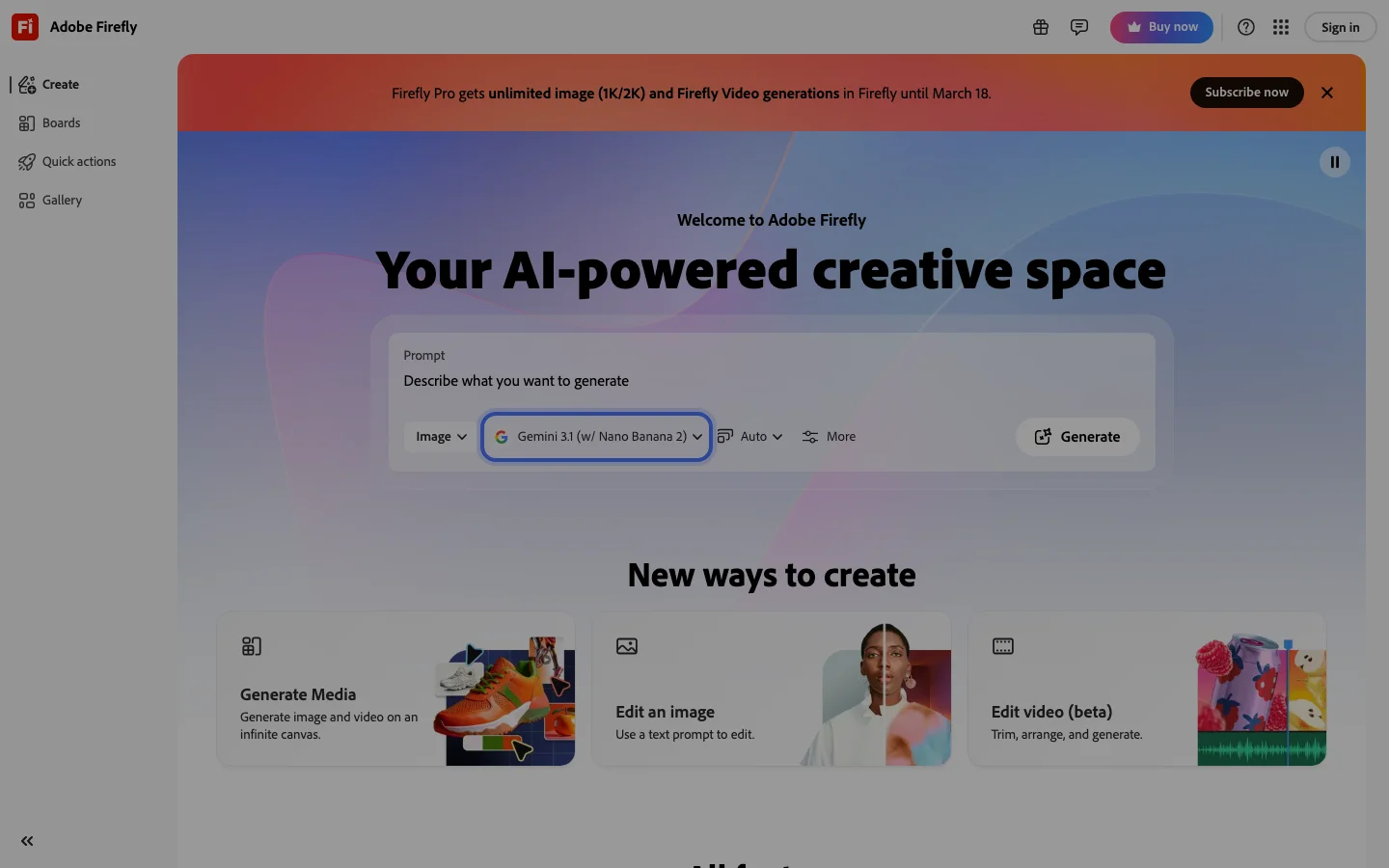
Belreos has a full hands-on review of Fotor with documentation of its billing practices. If you are comparing Fotor to the alternatives here, that review has the complete picture. Our Adobe Firefly review covers the generative AI side of Adobe's toolset for those interested in AI image creation alongside photo editing.
Quick Picks: Best AI Photo Editors by Use Case
- Best overall for casual editors: Canva AI - deepest template library, most forgiving learning curve, clean subscription pricing
- Best free tier (no credit games): Pixlr E - genuinely capable free plan, no credit throttling on core editing tools
- Best for professional retouching: Luminar Neo - the only tool in this roundup built for photographers who want local adjustments and RAW support
- Best for background removal at volume: Remove.bg - the specialist that the generalists copy; API access makes it the choice for developers and batch workflows
- Best for product photography: Photoroom - built specifically for ecommerce, handles product backgrounds and shadow generation better than anything else here
- Best for one-off free edits: Fotor (free tier only) - browser-based, no install, reliable background remover on basic shots
Fotor: Our Reviewed Tool
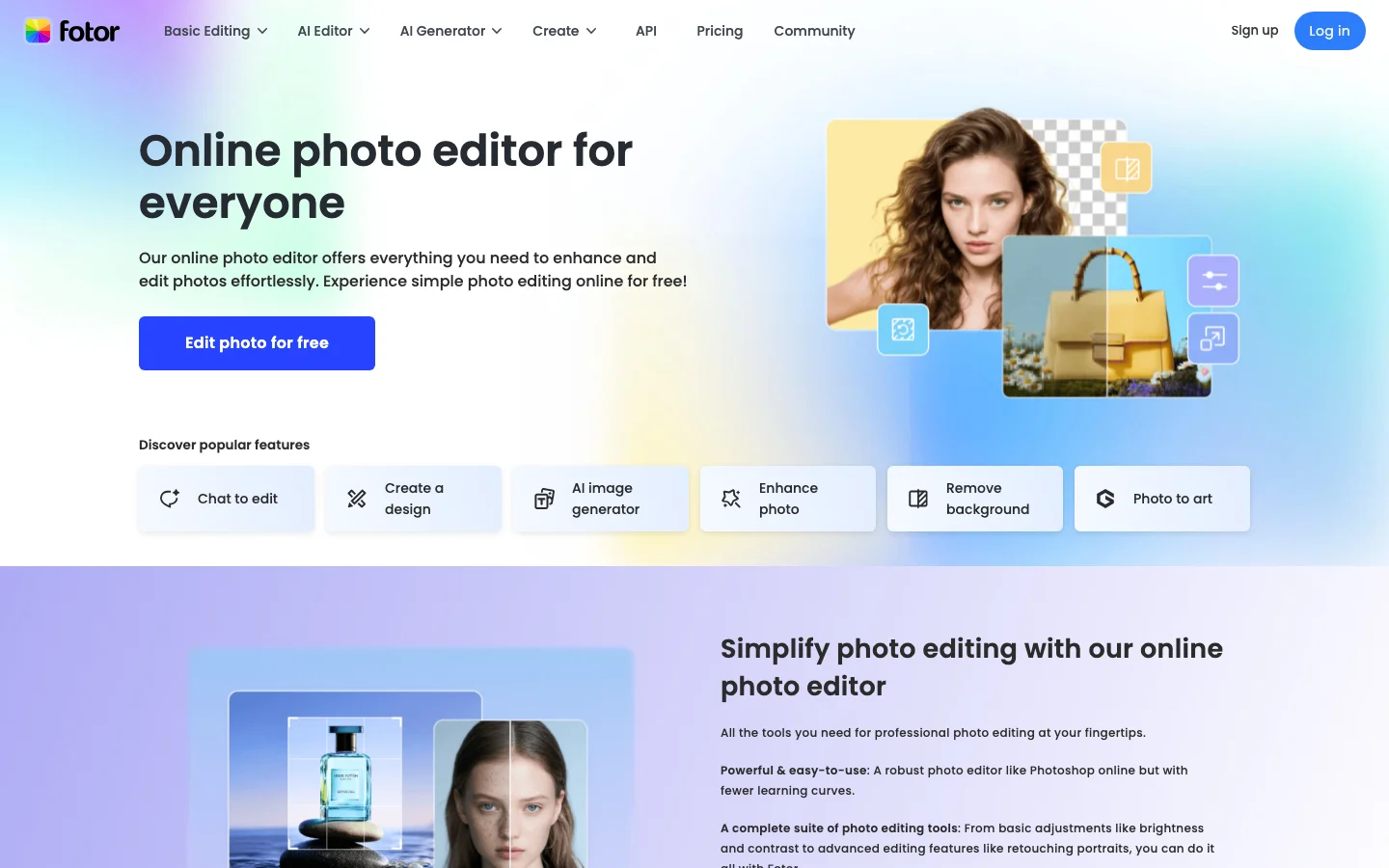
Fotor has been around since 2012, which in the photo editor market is practically geological time. It earned its user base on a simple proposition: browser-based editing with no install, a clean interface, and enough features to handle social media graphics without needing Photoshop. That proposition still holds on the free tier.
The AI feature set covers the bases: background removal, object eraser, portrait enhancement, AI upscaling, and a newer "AI Agent" that lets you describe edits in natural language. The batch editor handles up to 50 images, a real number, not a token gesture. For basic portrait cleanup, old photo grain reduction, and social template assembly, it works.
Where Fotor falls apart is billing and AI quality at the paid tier. The billing situation is documented in detail in our Fotor review. I will summarize it as: a 1,721-upvote r/assholedesign thread exists specifically about the cancellation flow, with top comments advising users to replace their payment method with a disposable card before canceling. Multiple independent r/Scams reports document charges firing after stated cancellations, and refunds are consistently refused. A 2020 data breach exposed 13 million records, which compounds the trust problem.
The AI upscaling quality at the paid tier is described by users who tested it seriously as "plasticy." Several switched to ComfyUI and SeedVR2 for actual quality enhancement. The AI gimmick features (dance video generators, cartoon filters) are aimed at TikTok creators, not photographers.
Internal score: 5.5/10 - worth the free tier for one-off edits, not worth a payment relationship.
Fotor: Fast Facts
- Pricing: Free tier available; Pro ~$8.99/month billed monthly (~$3.33/month annually); Pro+ ~$19.99/month billed monthly
- Best for: Quick one-off photo edits, social media templates
- Platform: Browser-based (no install required)
- AI features: Background removal, object eraser, portrait enhancement, AI upscaling, AI Agent (natural language editing), image-to-image generation
- Honest flag: Use a virtual card. Do not give a real payment method without an independent cancellation mechanism.
Canva AI: The Practical Choice for Most People
Canva has quietly become the most complete AI photo editor for non-photographers by building AI features into a product that already had the deepest template library in the category. Magic Eraser, Background Remover, Magic Edit, and the Dream Lab image generation all live inside the same workspace where you are already building Instagram posts and pitch decks. The 2025 Magic Studio expansion added AI-generated app prototypes and deeper brand automation, though none of that changes the core photo editing value proposition.
The practical advantage over Fotor is workflow coherence. With Canva, the edit-to-publish pipeline is inside one product. You remove the background, drop the subject onto a branded template, add text, and export, without switching tabs. That integration is worth more than any individual AI feature comparison.
On raw AI editing quality, Canva is not trying to compete with Lightroom or Luminar. It does not have local adjustment brushes, RAW support, or serious masking tools. If you are a photographer who needs precise control, Canva will frustrate you. If you are a marketer who needs a clean product shot for an ad, Canva will solve the problem faster than anything else here.
There are two Canva frustrations that come up consistently in user communities and are worth naming before you commit. First, the AI image generation is genuinely weak for a tool at this scale - one designer with 20 years of experience called it "dumber than a bag of rocks" in a r/graphic_design thread, noting it generates wrong subjects and ignores prompts. The Magic Expand tool hallucinates badly on real photographs, adding random unrelated elements instead of extending the scene. If you are using Canva for AI image generation specifically, temper expectations. Its strength is layout and workflow, not generative quality.
Second, the data loss trap: if you work inside a Canva team account and leave that team, whether you change employers or simply upgrade plans, you lose all the designs you created while on that team, including work you did before the team existed. This is by design, not a bug. One thread on r/canva confirmed this via support escalation: "They have designed it that way." If you are building a design library on Canva, make sure you understand the account structure before you accumulate work you cannot take with you.
Canva AI: Fast Facts
- Pricing: Free tier available; Canva Pro ~$15/month billed monthly (~$10/month billed annually at $120/year)
- Best for: Social media content, marketing assets, team collaboration, non-photographers
- Platform: Browser + desktop + mobile apps
- AI features: Magic Eraser, Background Remover, Magic Edit, Magic Expand, Dream Lab (text-to-image), Magic Morph
- Key limitation: Not a photography tool - no RAW, no local adjustments, no histogram. AI image generation quality significantly below dedicated generators.
- Account warning: Leaving a team account deletes all designs created within that team, including pre-team work. Understand this before storing anything important.
Luminar Neo: Built for Photographers Who Want AI Without Giving Up Control
Luminar Neo is the only product in this roundup that targets working photographers rather than content creators. It runs as a desktop application (Mac and Windows), supports RAW files from most camera brands, and integrates with Lightroom as a plugin, which tells you something about the intended audience.
The AI features here are genuinely useful for photography work: Sky AI replaces skies with realistic lighting that matches the original scene, Portrait Bokeh AI adds depth-of-field blur that respects hair and clothing edges, and Relight AI adjusts the apparent light source on a subject. These are tools that would have required skilled masking work five years ago.
The business model is something I want to be direct about, because the community complaints are substantive. Luminar Neo is Skylum's third major product release in five years, after Luminar AI and Luminar 4, and each time they have released what amounts to an incremental upgrade as a new product requiring a new purchase. One r/photography thread put it plainly: "They released Luminar Neo, which seems to be a minor patch/upgrade - they released as a separate product to force people to have to pay." That pattern of incremental product cycles has continued into 2026 with no major new release, but the Extensions upsell has not slowed down.
The Extensions upsell compounds this. The lifetime license gets you the base application. Advanced AI features - many of the ones that make Luminar Neo worth buying in the first place - require additional Extensions purchases on top. Individual Extensions run $29 to $79 each; AI Noiseless, Supersharp AI, and Remove Powerlines AI are all separate purchases. One user discovered this after purchase: "I bought a lifetime thing only to find out later I don't get anything more than what I have to start, anything else is extra." Before you buy any Luminar Neo plan, map out which Extensions you actually need and what they cost. The total price will be higher than the headline license number.
The refund policy is also worth knowing upfront: users report no refunds even on the day of auto-renewal, and support response times have been measured in months, not days. If you are the kind of buyer who wants to be able to exit a software relationship cleanly, Luminar Neo's track record here is not encouraging.
None of this erases the quality of what it actually does. The dust spot removal is called "best on the market, one click" by photographers who have used everything. The AI sharpening outperforms Lightroom's according to multiple users. For hobbyist photographers who want fast AI-powered atmosphere effects without Lightroom's complexity, Luminar Neo delivers. Just buy it with your eyes open to the business practices.
Luminar Neo: Fast Facts
- Pricing: ~$9.95/month billed monthly (~$7.95/month annually); ~$99 perpetual license (base app only - Extensions sold separately at $29-$79 each)
- Best for: Landscape photographers, portrait photographers, Lightroom users who want AI augmentation
- Platform: Desktop (Mac + Windows); Lightroom plugin available
- AI features: Sky AI, Portrait Bokeh AI, Relight AI, Enhance AI; Noiseless AI, Supersharp AI, Remove Powerlines AI (Extensions, priced separately)
- Key limitation: No browser version; desktop-only workflow; Extensions cost adds up significantly beyond the license price
- Business model warning: Serial product abandonment pattern - Luminar AI, Luminar 4, Luminar Neo - each a new paid product. No refund policy. Prepare accordingly.
Pixlr: The Honest Browser Alternative
Pixlr splits its product into two browser-based tools: Pixlr E (the Photoshop-adjacent layer editor) and Pixlr X (the simplified, template-oriented editor). Both run in-browser with no install required, which positions them as direct Fotor competitors.
The key difference from Fotor: Pixlr E has a meaningfully capable free tier without credit throttling on core editing. You get layers, masking tools, healing brush, and clone stamp on the free plan. The AI-specific features (AI Generative Fill, AI Background Removal, AI Cutout) sit behind the premium tier (~$7.99/month billed monthly), but the base editing experience is complete enough to be genuinely useful for free.
I want to be honest about where Pixlr sits in 2026 relative to where it was a few years ago. Community discussion has shifted - most of the active threads recommending Pixlr are pre-2023. Current users note that a UI overhaul actually removed capabilities rather than adding them: "it actually has less features than before." The tool has been largely displaced as the go-to free browser editor by Photopea, which offers more capability without the ad load and export limits that drag down Pixlr's free tier. Pixlr is still worth knowing about for users who need browser-based layer editing without a subscription commitment, but it is not the recommendation it once was.
Pixlr: Fast Facts
- Pricing: Free tier (capable); Pixlr One premium ~$7.99/month billed monthly (~$4.90/month annually)
- Best for: Users who want Photoshop-like tools in a browser, free-tier layer editing
- Platform: Browser-based
- AI features: AI Generative Fill, AI Background Removal, AI Cutout, AI Object Remove (premium)
- Key limitation: Less polished UI than Canva; AI features gated behind premium; declining community relevance vs Photopea
Remove.bg and Photoroom: The Specialists
These two belong in a different mental category from the general-purpose editors above. They do not try to be Photoshop alternatives. They solve specific problems better than any generalist can.
Remove.bg
Remove.bg does one thing: remove backgrounds from images. It does it very well, faster than any general-purpose editor, and it offers an API that makes it the right choice for anyone processing images at scale - ecommerce catalogs, bulk product photography, automated pipelines.
The free tier gives you limited preview downloads per month. Credit packs start around $9 for 40 images. Not cheap at scale, but the quality justifies the cost for professional use. It handles complex hair, transparent objects, and fine edges better than the background removal features in Canva or Fotor.
The one friction point worth flagging, particularly if you are a developer: the API costs $0.133 per image at 500 images/month on a subscription plan, rising to $0.23 per image on credit packs. At casual volumes that is negligible. At production scale (building an ecommerce tool that processes thousands of images), developers on r/alternativeto describe it as "too expensive once you leave the hobby tier," and actively seek alternatives. If you are prototyping, it is fine. If you are building something that needs to process at serious volume, model the API cost before you architect around it.
Photoroom
Photoroom is built specifically for product photography and ecommerce. Its AI background removal is competitive with Remove.bg, but the real differentiator is what comes after: it generates realistic backgrounds (studio-style, contextual product environments), handles shadow and reflection generation, and has batch processing that scales to large product catalogs. The 2025 Photoroom Studio update meaningfully improved the AI background scene quality.
If you are an ecommerce seller producing product images at volume, Photoroom is the right call - with one significant caveat about its pricing history. In mid-2024, Photoroom changed its Pro plan limits retroactively: unlimited batch exports became 500 exports per month, with no grandfathering for existing subscribers. Users who had signed up for unlimited annual plans found their service capability reduced mid-contract. One r/Flipping thread with 50 upvotes captured the sentiment: "They don't give a shit if you were already signed up on a plan." The current Pro plan is ~$9.99/month (billed monthly), with higher tiers available for volume users.
This is documented, not rumored. If you need batch processing above 500 images per month, verify the current plan limits carefully before committing to an annual contract, and understand that those limits have changed once already.
Remove.bg and Photoroom: Fast Facts
- Remove.bg pricing: Free (limited previews); credit packs from ~$9/40 images; subscriptions from $9/month (50 images); API from ~$0.133/image
- Photoroom pricing: Free tier (watermarked exports); Pro ~$9.99/month billed monthly; verify batch limits before buying annual plans
- Best for Remove.bg: Developers, bulk background removal, ecommerce pipelines
- Best for Photoroom: Ecommerce sellers, product photography at scale
- Key limitation: Neither is a general-purpose photo editor - purpose-built only. Photoroom has a history of retroactive plan limit changes.
Comparison Table
| Tool | Best for | Free tier? | Paid from | RAW support? | Browser? | Billing red flags? |
|---|---|---|---|---|---|---|
| Fotor | Quick one-off edits | Yes (limited credits) | ~$8.99/mo | No | Yes | Yes (documented billing issues) |
| Canva AI | Social media, marketing | Yes (generous) | ~$15/mo | No | Yes + apps | Team data loss risk |
| Luminar Neo | Professional retouching | Trial only | ~$9.95/mo or $99 | Yes | No (desktop) | Extensions upsell; serial product abandonment |
| Pixlr E | Free layer editing | Yes (capable) | ~$7.99/mo | No | Yes | No |
| Remove.bg | Background removal at scale | Yes (limited) | $9/mo (50 images) | No | Yes + API | API cost at scale |
| Photoroom | Product photography | Yes (watermarked) | ~$9.99/mo | No | Yes + apps | Retroactive batch limit changes |
Use Case Routing: Which Tool for Which Job
I need to edit social media posts and create branded templates
Use Canva. The template library and the brand kit feature make it the right tool for this workflow, and the AI features are good enough for everything you will encounter at this scale. Fotor has a comparable template library but the billing risk is not worth it. Just make sure you understand the team account data ownership before you build a serious design library on Canva.
I am a photographer shooting RAW and want AI to speed up my retouching
Use Luminar Neo. Nothing else in this list supports RAW or has the local adjustment control that serious retouching requires. Lightroom with its AI-powered masking and Denoise tools is also worth evaluating if you are already in the Adobe ecosystem. If you buy Luminar Neo, audit the Extensions pricing before purchase and use a virtual card for auto-renewals.
I need to remove backgrounds from 200 product images this week
Use Remove.bg (API) or Photoroom (batch processing UI). Both are faster and more accurate than the background removal in Canva or Fotor for this volume. If you need to composite the subjects onto branded backgrounds immediately after removal, Photoroom handles that in a single workflow - but verify the current batch limits on your plan tier before you build a pipeline around them.
I want a free browser editor with real layer support, no credit games
Use Pixlr E. The free tier includes layers, masking, healing brush, and clone stamp, enough for serious editing without a subscription. The AI features require the paid tier but the core editing tools are genuinely free. If you outgrow it or find the feature regression frustrating, Photopea is the community's current go-to free browser alternative.
I occasionally need to clean up a personal photo and I do not want to pay for anything
Fotor free tier or Canva free tier both work for this. Fotor is fine for one-off edits as long as you do not put a real credit card in. Canva's free tier has fewer editing tools but more templates and a cleaner experience.
I am building an ecommerce store and need consistent product photos
Photoroom is purpose-built for this. It generates consistent studio backgrounds, handles shadow and reflection, and scales to catalog size. Pair it with Remove.bg's API if you are working in an automated pipeline - just model the per-image API cost before you commit at volume. See our best AI tools for small business guide for the broader ecommerce stack.
Adobe Lightroom AI: The Elephant in the Room
I did not include Adobe Lightroom in the main comparison because it sits in a different price tier and serves a different audience. But if you are a serious photographer and you are not using Lightroom, it deserves mention: the AI-powered masking (Subject Select, Sky Select, People masking) and the Denoise AI feature have become genuinely excellent. The Denoise AI in particular changed the calculus for shooting high ISO - noise reduction that would have required dedicated software is now one click in Lightroom.
Lightroom costs $9.99/month as a standalone or is included in the Creative Cloud Photography plan at $19.99/month (which also includes Photoshop). Photoshop now integrates Adobe Firefly's generative AI for fill and expand operations - the same technology behind the standalone Adobe Firefly tool, which is worth a look if you are interested in the generative side of Adobe's AI without committing to the full Creative Cloud.
For casual and business users who do not shoot RAW: Lightroom is overkill. Canva or Pixlr will cover your needs at a fraction of the complexity.
AI Photo Editors vs AI Art Generators: Know the Difference
AI photo editors and AI art generators are not the same thing - a distinction that matters when search results mix the two. Photo editors work with real photographs: they remove backgrounds, fix exposure, clean up portraits, and resize for various platforms. Art generators create images from text prompts or reference images.
Fotor, Canva, Luminar Neo, and Pixlr are photo editors. Midjourney, Leonardo AI, and OpenArt are art generators. Adobe Firefly sits at the intersection - it is primarily a generative AI tool for creating images and applying generative fills, not a traditional photo editor, though it integrates tightly with Photoshop for editing workflows. Some tools (Canva's Dream Lab, Fotor's image-to-image) blur the line, but their primary use case is still photo editing.
If you are looking for AI art generation rather than photo editing, see our separate guide: Best AI Art Generators 2026: Leonardo vs Midjourney vs OpenArt.
Frequently Asked Questions
Is there a completely free AI photo editor worth using?
Pixlr E is the strongest free-tier browser editor - genuine layer support, healing brush, and clone stamp without credits or paywalls on core tools. Canva's free tier is better if you need templates and design assets rather than pure photo editing. Fotor free tier is usable for background removal and basic edits, but the credit system limits how much you can evaluate before being pushed toward paid.
Which AI photo editor is best for removing backgrounds?
For volume or API access: Remove.bg. For product photography with background replacement: Photoroom. For one-off removals inside a design workflow: Canva Magic Eraser or Background Remover. Fotor's background removal is reliable for standard portraits but struggles with complex subjects and fine edges.
Is Fotor safe to use?
Fotor is safe to use on the free tier. The documented risk is financial: the subscription billing system has well-documented cancellation blocks, charges after stated cancellation, and refusal to issue refunds. The 2020 data breach affecting 13 million users is also part of the record. If you use Fotor with a subscription, use a virtual card or PayPal with the ability to independently revoke payment access. See the full Fotor review for the complete picture.
What is the best AI photo editor for iPhone?
Canva has the strongest mobile app for photo editing combined with design work. Photoroom has a well-regarded mobile app specifically for product photography and background removal. Adobe Lightroom Mobile is the strongest option for serious photographers on mobile who shoot RAW.
How does AI upscaling compare across these tools?
Fotor's paid AI upscaling has been described as "plasticy" by users who tested it against alternatives. Luminar Neo's Upscale AI is better suited to photographic content. For dedicated upscaling outside an editor, Topaz Gigapixel and Let's Enhance consistently outperform the built-in upscaling in general-purpose editors. If upscaling quality is your primary need, a dedicated tool will produce better results than any upscaling feature bundled into a broader editor.
What is Adobe Firefly and how does it relate to photo editing?
Adobe Firefly is Adobe's standalone generative AI tool - it creates images from text prompts and powers the generative fill and expand features inside Photoshop. It is not a traditional photo editor in the way Fotor or Canva are; it is an AI image generator with deep Adobe integration. The free plan includes 25 generative credits per month. Belreos has a full review at Adobe Firefly. If you are in the Creative Cloud ecosystem, Firefly is already included in your plan.
Conclusion
The AI photo editor market has consolidated into a few clear lanes. Canva owns the casual-to-professional content creator space and is the default recommendation for anyone who is not a photographer. Luminar Neo owns the serious photography space. Remove.bg and Photoroom own specific workflows (background removal at scale, ecommerce product photography) that they execute better than any generalist.
Fotor sits in a complicated middle: genuinely capable on its free tier, genuinely problematic as a paid subscription. The billing practices documented across Reddit are not anecdotal edge cases - they are a consistent pattern that you should factor into any decision to pay for it. Use the free tier if it covers your needs. Use a virtual card if you go paid.
A note on the tools that look clean in this comparison: Luminar Neo's serial product abandonment pattern and Extensions upsell are real friction, not marketing fine print. Photoroom's retroactive batch limit changes are a documented risk for volume sellers. Canva's team data ownership trap catches users who do not read the terms. None of these are reasons to avoid these tools - they are reasons to understand what you are agreeing to before you build your workflow around them.
The honest summary: most people who think they need a sophisticated AI photo editor actually need Canva. Most photographers who already use Lightroom should look at its AI features before buying something new. The specialist tools (Remove.bg, Photoroom) are better than any generalist for their specific jobs. And if you are evaluating Adobe's generative AI tools, our Adobe Firefly review covers that side of the ecosystem.
Browse the full AI photo editor category on Belreos for more hands-on reviews.