Higgsfield Review: Bottom Line
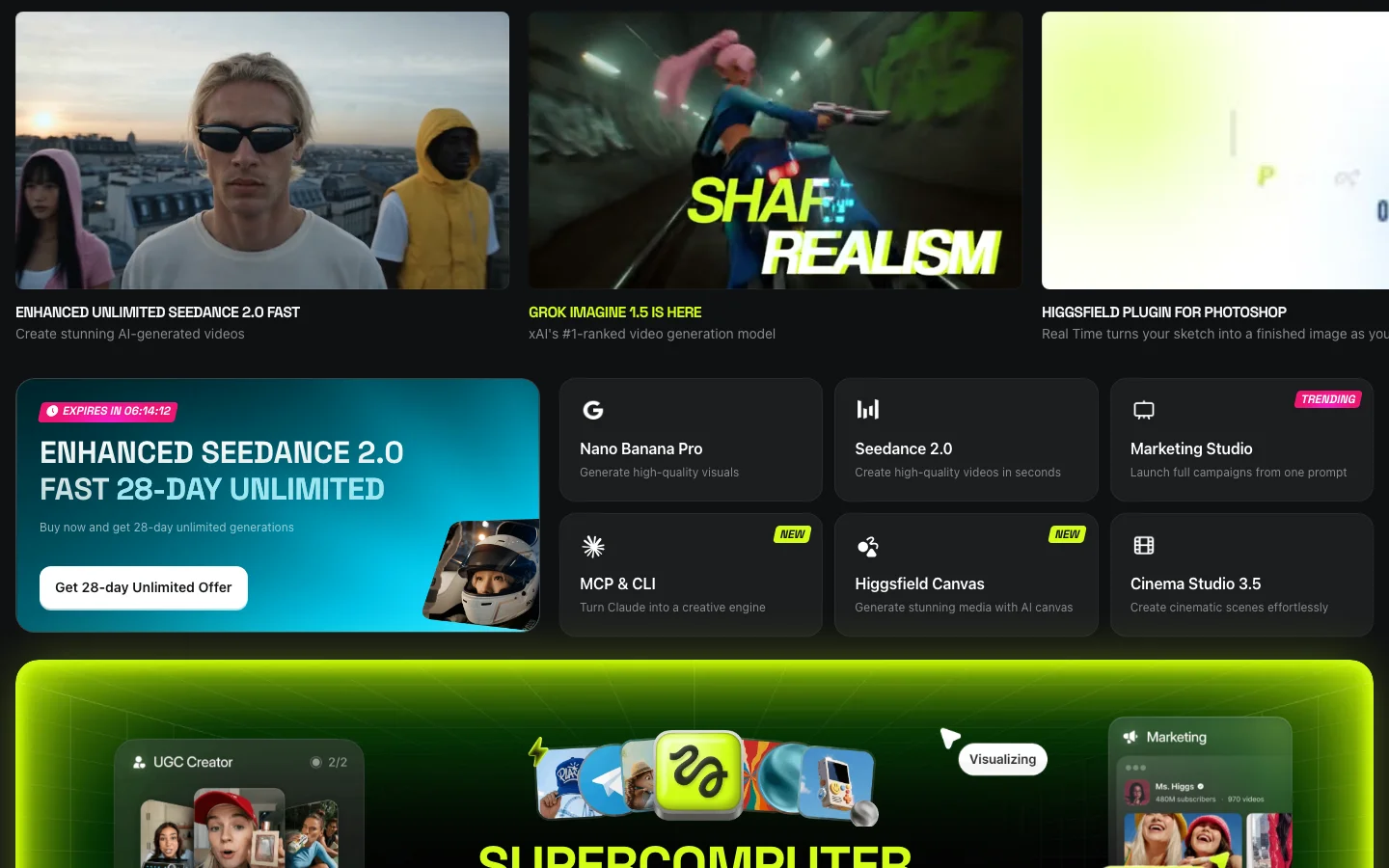
Higgsfield is an AI video and image platform where you pay in credits, built for people who make a lot of videos and images. It fits marketers and agencies running UGC ad campaigns (ads that look like a real person made them). It also fits teams that want the 30-plus AI models Higgsfield lists under one subscription instead of juggling separate accounts. It suits anyone comfortable with credit-based pricing and jobs that take several steps. It doesn't fit someone who wants occasional free clips, because the Free tier has no monthly credits.
For this Higgsfield review, we tested on a complimentary Ultra plan that Higgsfield supplied for review. Higgsfield had no editorial input and did not see this review before publication. Links to Higgsfield on this page are affiliate links, and we may earn a commission if you buy through them.
JobOur pickCredits~Cost
Cheapest per clip (quality varies)Kling 3.0 (MCP connector, the plug-in that lets AI assistants like Claude run Higgsfield)6-7.5$0.30-0.38
Most consistent qualityWan 3.0 or Veo 3.1 Fast (MCP)7-16$0.35-0.80
Cinematic look (best in one run, not reproduced in a retest)Cinema Studio 3.0 (MCP)20-25$1.00-1.25
Branded promo / motion graphicsSupercomputer agent (web, Higgsfield's planning agent)43.42$2.17
Planned multi-take video (estimate ran low)AI Director (web, a planning chat agent)67.27$3.36
One-photo product ad (review the script)Marketing Studio (MCP)60$3.00
UGC / talking-head adWebsite-to-UGC-ad workflow (MCP)~182.6$9.13
Product imagesFlux 2 Pro or Nano Banana Pro1.5-2$0.08-0.10
2D to 3DImage to 3D (MCP)30$1.50
Editing an existing clipGenjutsu (video effects tool)112 (or free via toggle)$5.60 or $0
Dollar figures use Higgsfield's confirmed extra-pack price of about 5 cents per credit. The pricing section below has the exact rate at each extra-pack size and the lower rate on Ultra.
How We Tested This
We built this Higgsfield review on hands-on testing (see our methodology) through two access paths. One was a regular, logged-in browser session on higgsfield.ai. The other was the official Higgsfield MCP connector. A second round reran five video models under matched settings, to check how consistent results are from one generation to the next. A third round reran Cinema Studio 4.0 and four image models, to check timing, playback and brand-color accuracy. A last batch timed the five video models running at once, reran 3D and Genjutsu through MCP, and tried Marketing Studio, AI Director, Dubbing, Elements, Shorts Studio and several quick tools.
Across every round, the test account's balance fell by about 1,350 credits. It started at about 3,000 and ended at about 1,660. That total covers setup images, re-runs, the matched retests and every job in this review, so it's far more than any single job costs. Render times for MCP jobs run from job creation to the moment the output file was uploaded to Higgsfield's servers, close to the real time but not stopwatch-exact. Every branded prompt named our real brand colors, deep forest green #1b4332, warm amber #e9b279 and burnt orange #c65d00, read from the code of the live belreos.com site, so results compare within each group.
Limits of our testing
Playback: both Cinema Studio 4.0 clips played in Higgsfield's own viewer, and both downloaded files opened in QuickTime on a Mac. We haven't tried other players or browsers.
Colors: background colors on the image outputs are rough six-point edge samples.
Judged at thumbnail scale: Elements likeness (the park video shows the presenter at mid-distance), dubbed lip movement and background-removal cutout edges. None was checked frame by frame.
Not tested: the Free tier, Marketing Studio template and product-catalog modes, Soul ID, Kling AI's own app, and the camera presets, color palettes and DaVinci Resolve and Adobe plugins that Higgsfield advertises.
Plan table: we read Basic, Pro and Max logged out, in both the Monthly and Annual toggle states, and Team and Scale in the Ultra test account's upgrade dialog, all on September 29, 2026. The Free row and the videos-at-once column come from the same pages and the compare table's video row.
Team and Scale prices: Team's crossed-out monthly price matches the card's own "Save $168 compared to monthly" line. Scale's crossed-out price is marked "30% off". Its "Save $228 compared to monthly" line implies a smaller gap, so its monthly per-seat rate isn't confirmed.
Plan limits: image limits differ by page (the Basic card says 2 images, the compare table 4), so we didn't tabulate them. The Pro annual and Max cards also advertise "Unlimited paid parallel generations", meaning several videos at the same time, which the table's counts don't reflect.
Ultra's price comes from the billing panel of our Ultra test account, last confirmed September 28, 2026. It shows only an annual rate, with no separate monthly price, and the logged-out page and the upgrade dialog don't show Ultra at all.
Not re-verified on September 29: Ultra's price and its limit of 8 videos at once, both read from the account billing panel on September 28.
Higgsfield Pricing: What Each Job Actually Costs
Higgsfield pricing is credit-based across Free, Basic, Pro, Max, Ultra, and Team tiers, plus a Scale tier for larger teams and custom Enterprise deals. Every plan and workflow on Higgsfield draws from the same credit balance, so the fastest way to answer "is Higgsfield worth it" is to look at what each job actually costs in credits and dollars.
PlanPriceCredits/mo~$/creditVideos at once
FreeFree0 (limited use; commercial use not included)-1
Basic$9/mo (same price billed monthly or annually)120 (fixed, no bonus credits)$0.0752
Pro$29/mo billed monthly; $23/mo billed annually (struck $29, 21% off). A 900-credit tier is $43/mo monthly or $34/mo annually600 (900 on the larger tier)$0.048 monthly, $0.038 annually (900-credit tier: $0.048 and $0.038)3
Max$79/mo billed monthly; $59/mo billed annually (struck $79, 25% off). Larger tiers: 3,600 credits at $158 monthly or $115 annually, 5,400 credits at $237 monthly or $165 annually1,800 (3,600 and 5,400 on the larger tiers)$0.044 monthly, $0.033 annually (larger annual tiers: $0.032 and $0.031)8
Ultra$99/mo billed annually ($129 before the current discount)3,000$0.0338 parallel video and image jobs
Team$65/seat/mo billed annually ($79 crossed out); 2 to 9 seats2,000/mo pooled (1,000/seat)$0.065Not shown
Scale$150/seat/mo billed annually ($215 crossed out, marked "30% off"); 5 to 15 seats12,500/mo pooled (2,500/seat)$0.060Not shown
EnterpriseCustomCustom-Not shown
Team and Scale upgrade dialog from the Ultra test account, the source of the Team and Scale figures in the plan table above.
Pricing as of September 29, 2026, as shown on higgsfield.ai. Prices exclude VAT and local taxes, and promos change. Pro and Max also showed a time-limited bonus-credit promo, and the table counts base credits only. Check the Monthly/Annual toggle and the credit selector on the pricing page at higgsfield.ai directly before committing to a plan.
Extra credit packs
Extra credit packs get cheaper per credit as they grow, though the two largest cost the same. We read these prices from the account's own purchase panel on September 28, 2026.
CreditsPriceCents per creditList priceDiscount
500$265.2$42.5039%
1,000$494.9$8542%
2,000$954.75$17044%
4,000$1904.75$34044%
Higgsfield shows these packs as discounted from a list price of 8.5 cents per credit. Credits from these packs expire 90 days after purchase and don't roll over month to month.
Set against those packs, Max on either billing period, Ultra and annual Pro all beat every extra-pack price. Monthly Pro, at about 5 cents a credit, sits inside the price range of the extra packs. Basic, Team and Scale all work out pricier than buying extra credit packs directly. Every dollar figure elsewhere in this review is computed at roughly 5 cents per credit, matching the confirmed extra-pack price. On Ultra's monthly allowance the effective rate drops to about 3.3 cents per credit, about level with Max billed annually.
What each job costs
Cheap clips cost cents and a finished UGC ad costs several dollars. The table prices the main jobs we ran, at the extra-pack rate and at Ultra's plan rate.
JobCreditsAt the extra-pack rate (~5 cents/credit)At Ultra's plan rate (~3.3 cents/credit)
Kling 3.0 clip (appears as Kling 3.0 Turbo), 4-5s (MCP)6-7.5$0.30-0.38$0.20-0.25
Wan 3.0 clip, 4-5s (MCP)7-8.75$0.35-0.44$0.23-0.29
Veo 3.1 Fast clip, 4s (MCP)16$0.80$0.53
Cinema Studio 3.0 clip, 4-5s (MCP)20-25$1.00-1.25$0.66-0.83
Seedance 2.5 clip, 4-5s (MCP)28-35$1.40-1.75$0.92-1.16
Cinema Studio 4.0 clip, 5s (web)60$3.00$1.98
Supercomputer branded promo (web)43.42$2.17$1.43
Website-to-UGC-ad workflow (MCP)~182.6$9.13$6.03
Genjutsu object swap, 15s source (MCP, charged by the credit)112$5.60$3.70
Genjutsu object swap, 15s source (web, free-generations switch)0 of 3 free (reset cadence not confirmed)$0$0
Image to 3D model with surface detail (MCP)30$1.50$0.99
Product image, Nano Banana Pro or Flux 2 Pro (MCP)1.5-2$0.08-0.10$0.05-0.07
AI Director, storyboard plus two 15s takes (web)67.27$3.36$2.22
Marketing Studio 12s ad from one photo (MCP)60$3.00$1.98
Dubbing English to Spanish, 15s (MCP)45$2.25$1.49
Elements: 3 images (2 credits each) and 2 five-second videos (22.5 each); creating the Element showed no charge51$2.55$1.68
For four of the video models, the price per second stayed the same at both clip lengths we tried, so cost rose in step with clip length.
ModelCredits per secondAt the extra-pack rateAt Ultra's rate
Kling 3.01.5$0.075/s$0.05/s
Wan 3.01.75$0.088/s$0.058/s
Cinema Studio 3.05$0.25/s$0.165/s
Seedance 2.57$0.35/s$0.231/s
Veo 3.1 Fast was tested at only one length, so we can't confirm a per-second rate for it. Kling 3.0 now appears in the connector as Kling 3.0 Turbo at the same price, and the model ID we used in the first round is no longer accepted.
If you're picking a plan, we'd start on Pro billed annually. Its credits cost less than any extra pack, and the 600 it includes each month covers a few UGC ads or a lot of cheap clips. Basic's 120 can't cover even one run of the website-to-UGC-ad workflow, and we suspect anyone making video every week will outgrow it fast. Move up to Max billed annually once you keep using up Pro's credits.
Higgsfield MCP Pricing
Higgsfield's MCP connector bills every generation in credits from the same balance as the web app. It has no Unlimited tag and no free-generation option. Higgsfield's pricing page says so directly: "Unlimited models and Free Generations on plans are accessible only via higgsfield.ai and are not accessible on MCP/CLI, Canvas or Supercomputer." That is why every generation in our connector tests drew paid credits, even on an Ultra plan.
Every price quote we checked before a job that then completed matched the exact amount charged, from a 0.6-credit voice line to the 180-credit video step inside the UGC ad job. The one exception was Shorts Studio, which quoted 45 credits, failed and was not billed. Background removal, video upscaling and dubbing showed no price quote, so we read their charges from the transaction list. The connector exposes Cinema Studio v2 and 3.0, not Cinema Studio 4.0, which is web-app only.
Important: Higgsfield has restructured its pricing plans more than once since 2025, and its promos change often. The plan prices above are as of September 29, 2026, and the extra credit pack prices are as of September 28, 2026. The extra-pack discount has no posted end date. Check current prices and tier names on the pricing page at higgsfield.ai before subscribing.
UGC and Talking-Head Ads
Higgsfield's website-to-UGC-ad workflow is the closest thing here to an AI video ad maker, and it was the most convincing and the most expensive thing we ran. It's a built-in job with several steps, run through the MCP connector, that turns a URL into a finished talking-head ad. Our test generated a Soul 2 presenter and ran a realism pass to tone down plastic, AI-smooth skin. It then made a short vertical talking-head video with speech, overlaid real belreos.com screenshots timed to the spoken words, and added automatic captions. For about 180 credits it produced a human presenter narrating real content from our homepage and tool pages.
Finished website-to-UGC-ad output: Soul 2 presenter narrating real belreos.com screenshots, captioned. About 180 credits total.
Three steps inside Higgsfield's own workflow needed a hand. The step that stamps captions onto the video failed over a wrong setting and needed a manual fix. A caption quality check flagged "Ok" against the spoken "Okay", a good catch that still needed a manual nudge. Site captures needed a longer-running mode that works in the background, because the normal run timed out.
If your brand name is uncommon, listen to the audio. Higgsfield's own transcription heard the AI voice say "Belria's" instead of "Belreos." A phonetic "Bel-RAY-ohss" in the script only partly fixed it, and the same tool then heard "Bell Rayos." Captions were correct both times because they come from the script, not the audio.
Face, hair and build held across the cafe and park scenes we generated from a still of the presenter at a desk, for 25 credits in total. The one drift was a coat rendered olive instead of the requested forest green. A preset-voice line ("Ainsley") cost 0.6 credits.
Expect technical work, because the job runs in a locked-down test environment, uploads files through temporary links and takes several steps in a row.
Marketing Studio: one photo to a UGC-style ad
Higgsfield's Marketing Studio, run through the connector in generic mode with no template or avatar, turned one photo of a Belreos mug into a 12-second vertical talking ad. The run cost 60 credits. It finished in about 8 minutes. It invented a presenter and script, and the mug's logo stayed legible in every frame we sampled. A speech-to-text check (OpenAI's Whisper) caught two problems. The voice said "bull rayos", the same failure as in the URL workflow, and the script added claims nobody supplied, "heavy ceramic" and "handle stays warm". Review and listen to every generated script.
Marketing Studio, generic mode: one photo of a Belreos mug became this 12-second, 9:16 talking ad in about 8 minutes for 60 credits. The presenter and script were invented by the tool, and the script added claims nobody supplied.
Dubbing
Dubbing turned the English talking-head clip into Spanish for 45 credits. The job took about 3 minutes. Local Whisper transcripts of both files showed a faithful translation. The brand name came out as "Belrea", though the English source had also transcribed slightly off. Lip movement looked natural in the thumbnails we pulled.
Dubbing: the 15-second English talking-head clip in Spanish, 45 credits, about 3 minutes.
Elements: reusable characters
Elements are reusable character references. One built from a single frame of an AI-generated presenter, not a real person, was ready instantly, with no credit charge shown. It carried through cafe, park and night-office images, then through cafe and park videos made with Seedance 2.0. The videos took 4 to 6 minutes to render. Face and hair matched in all five outputs. The grey sweater showed in the cafe and office outputs, and a jacket covers it in both park outputs, as prompted. In the park image that jacket reads olive rather than the dark green we asked for. The olive coat in the earlier consistency test came from a run without an Element and a different garment prompt, so this is one scene, not a like-for-like fix.
The Element source frame (an AI-generated presenter), the cafe, park and night office images, and frames from the cafe and park videos. The grey sweater shows in the cafe and office frames, and the jacket appears only in the park scene, as prompted. In the park video she is at mid-distance, so likeness there is judged at thumbnail scale.
Branded Promos and Motion Graphics
Higgsfield's Supercomputer agent plans the job, picks several AI models and runs them from one request. Our test asked for a branded promo and got two moodboard images, which are style-reference pictures that set the look, followed by a finished video. The run cost about 43 credits, including small self-inspection fees. The result was a clean promo built from moving text with correct spelling and on-brand colors. It asks you to approve each step individually, with an "always allow" option, and it asked two useful multiple-choice questions along the way about style and number of takes, each with visual examples.
Supercomputer agent's finished branded promo: about 43 credits, planned and executed from a single prompt with step-by-step approval.
Supercomputer's approval card for the video step, 30 credits, with an "always allow" option. The agent asks and the human approves.
Its own cost estimates were unreliable in our test, missing in both directions. It quoted about 2 credits per moodboard image and charged 6.5. It quoted about 65 to 70 credits for the video and charged 30. For agencies evaluating the Higgsfield Supercomputer, budget for these misses, not just the quoted estimate.
AI Director
AI Director is a chat agent inside the Higgsfield web app. We asked for a three-shot Belreos teaser in the brand colors and told it not to generate anything until we confirmed. It asked two multiple-choice questions, on visual treatment and aspect ratio, then returned a plan after about a minute and a half. The plan was a 15-second teaser with sound effects only and two takes. Every paid step needed a click on an approval card, so it respected the instruction.
It made a storyboard sheet with GPT Image 2 for 6.5 credits. Then it made two MiniMax H3 takes, each at 2K. The takes cost 30 credits each. Each one took about 10 minutes to render. The end card, "Belreos" with "AI tools, reviewed and compared", was spelled correctly in both takes.
AI Director storyboard sheet (GPT Image 2, 6.5 credits) for the 3-shot, 15-second Belreos teaser.
AI Director, take 2 of 2: 15 seconds, 2K, MiniMax H3, 30 credits, about 10 minutes. The end card, "Belreos" with "AI tools, reviewed and compared", is spelled correctly.
The estimate was another matter. It said about 12 to 30 credits, and the actual total was about 67. The estimate appears to have covered one take and left out the storyboard, which is our inference, not something the agent stated. The run took about 23 minutes end to end, including three approval clicks and two answers.
For simpler motion work, Kling 3.0 can animate a still image into a short clip through the MCP connector. Our test turned a static branded banner into a short clip for 7.5 credits. The text stayed stable through the motion and the light streaks moved convincingly.
Kling 3.0 animating a static branded banner: 7.5 credits, through the MCP connector.
Cinematic Shorts
Higgsfield Cinema Studio comes in three versions right now, and they aren't equally available. The MCP connector exposes Cinema Studio v2 and 3.0. Cinema Studio 4.0, the newest version, is web-app only.
Cinema Studio 3.0, run through the connector, gave us the best clip of our first five-model round, with bold 3D lettering that had raised edges and shadows, light streaks landing on cue and a real push-in camera feel. It cost 25 credits at its default length. A same-prompt retest at a matched length came back noticeably softer and didn't reproduce that look. The Cheap, High-Volume Clips section has the full run-to-run comparison across all five models.
Cinema Studio 4.0 won't repeat itself, so budget for several takes. We ran one prompt in the web app twice with identical settings, and the two clips had almost nothing in common beyond a correctly spelled "Belreos". Run one was solid white lettering with amber light rays and floating particles. Run two was glowing neon-outline letters with an orange light streak across a textured green wall. Both looked good to us, but run one is the one we'd use.
Cinema Studio 4.0, run 1: solid white lettering, amber light rays, floating particles. 60 credits, render time about 5 minutes.
Cinema Studio 4.0, run 2, same prompt: glowing neon-outline letters with an orange light streak on a textured green wall. 60 credits, render time about 5 minutes.
Each take also means a wait and a bill. Each clip cost 60 credits, shown as a discount from 80. Both renders took about 5 minutes. That's well behind the MCP models, which finished in 40 seconds to under 4 minutes when we timed five at once. The clips came back with real sound, not silence.
The files come down in HEVC, a video format some browsers can't play (10-bit, H.265 Main 10), which we confirmed by inspecting both downloaded files. We expect Firefox, and Chrome builds without built-in support for that format, to refuse it. Both clips did play in Higgsfield's own viewer, so the format hasn't broken playback for us there. If a downloaded clip won't start in your browser, open it in a desktop player that handles HEVC. On our Mac, both downloaded files opened and played in QuickTime.
If you need the same look every time, upload a still frame as a reference image. We used a frame from the first run as the reference and ran the same prompt twice more. Both new clips matched each other and the reference, with near-identical white lettering, amber rays and end frame, and the price didn't change. The trade-off is less variety and a weaker reveal, because the logo is already on screen at half a second, so the model animates the still instead of building up to it. Run at the same time, the first job finished in about 9 minutes. The second took about 12, against about 5 minutes for one job alone.
Frames at 0.5, 2.5, and 4.5 seconds. Top two rows: the two runs without a reference image, which differ from each other. Bottom two rows: the two runs with a still frame from run 1 as the reference, which look alike and resemble the reference, with the same white wordmark, amber rays and end frame.
Cinema Studio v2's multi-shot mode, through the connector, built coherent shots from one prompt for 15 credits. They were a desk-and-laptop opening, a screen close-up, then a reveal of the brand name, with audio. The screen in the middle shot is an invented, generic app interface, because the prompt never supplied one.
Cinema Studio v2 multi-shot mode: three coherent shots from one prompt, 15 credits, with audio.
Cheap, High-Volume Clips
Higgsfield's own web video generator doesn't always make the cheapest option obvious. It reopens on whatever model and settings you used last, not a fixed platform default. In one session it reopened on Kling 3.0 at a 30-credit setting. That's four times the cost of the 720p connector result. In a separate session it reopened on Seedance 2.0 for 36 credits. After we used Genjutsu, it reopened on Genjutsu. There's no fixed cheapest default to rely on. Check the model name and the exact credit cost the Generate button shows before clicking, or set resolution and duration explicitly through the MCP connector.
We ran the same five video models in two rounds on one prompt. Round one used each model's own default length, which differed. Round two was a fairer retest with the length, resolution and audio setting matched. No single model should be crowned best from one run.
ModelCredits (4s)Credits (5s)Per secondRun 1 resultRun 2 result (matched 4s retest)
Kling 3.067.51.5 cr/sClean, flat light grey wordmark (the Belreos logo text) on a brand-matching greenWordmark rendered dark, off brief
Wan 3.078.751.75 cr/sClose second on value; background skewed tealCream wordmark, forest green, on brand
Veo 3.1 Fast16-Not confirmedSharpest motion; white wordmark (not cream) with gold speed lines on dark greenLargest, crispest wordmark; olive green background
Cinema Studio 3.020255 cr/sBest video quality of the batch: raised edges, light streaks, push-in cameraSofter, peach-toned wordmark on dim teal; didn't reproduce run 1's look
Seedance 2.528357 cr/sMost expensive and weakest: dim, low contrastWeakest again: peach wordmark, dim
Spelling was correct in all ten clips across both rounds. Wan 3.0 and Veo 3.1 Fast held their quality in both rounds, though each drifted off the brand background in at least one run, and Seedance 2.5 was the weakest result both times. Kling 3.0 stayed the cheapest option in both rounds but swung from clean to off-brief. Don't treat Cinema Studio 3.0's first-run result as guaranteed, because it made the best clip in this review and a middling one from the same prompt in the retest. If we were picking for a campaign, we'd start with Wan 3.0 or Veo 3.1 Fast and reach for Kling 3.0 only where price matters most.
Kling 3.0, run 1, 7.5 credits, cheapest of the five MCP video models tested. A same-prompt retest came back off-brief (see table above)
Wan 3.0, run 1, 8.75 credits. The same-prompt retest came out cream on forest green, on brand (see table above)
Veo 3.1 Fast, run 1, 16 credits, sharpest motion; also held up as one of the two consistent results on retest
Seedance 2.5, run 1, 35 credits, most expensive and weakest result; weakest again on the run 2 retest
A third pass reran the first-round prompt with all five models submitted at once through the connector, for about 92 credits in total. Wan 3.0 was the slowest and Seedance 2.5 finished mid-pack. We did not score this run's visuals.
ModelClip lengthTime, all five at once
Veo 3.1 Fast4 sAbout 40 s
Kling 3.0 Turbo5 sAbout 49 s
Seedance 2.55 sAbout 2 min 41 s
Cinema Studio 3.05 sAbout 2 min 46 s
Wan 3.05 sAbout 3 min 42 s
Speed doesn't track price here, since Veo 3.1 Fast came back first and the cheaper Wan 3.0 came back last.
Product Images and 3D
We ran one Belreos banner prompt through four image models, twice each, at the same 2K, 16:9 settings as our first round. Flux 2 Pro was the cleanest and the most on brief, and GPT Image 2 was the one to avoid.
Flux 2 Pro, at 1.5 credits an image, came closest to the brand green (#1b4332) and was the cleanest, with correct spelling in both runs, though one run added a few small invented interface buttons. Nano Banana Pro cost 2 credits an image and spelled the wordmark and tagline correctly both times, with a slightly darker green and decorative particles and network lines. In our first round Nano Banana Pro measured closest on color, so treat the two as near ties on brand accuracy. The Nano Banana Pro jobs are labeled "nano_banana_2" in Higgsfield's job list in both runs, though the charge matched the Pro price.
Retest contact sheet, two runs per model, same banner prompt (rows: Nano Banana Pro, Flux 2 Pro, GPT Image 2, Soul 2). GPT Image 2 built a website mockup around the wordmark in both runs; Soul 2 garbled the tagline in both.
GPT Image 2, at 2 credits an image, spelled the wordmark and tagline correctly, then built a fake website around them. We asked for a banner with a wordmark, a tagline and brand colors, and nothing else. Both retest runs came back with ratings, review counts and other companies' logos we never asked for, and run two alone added dollar prices. None of it is real.
RunRatings shownReview countsPricesCompanies named
First roundA "TOP RATED" star card, no numbersNoneNoneApp logos in a "COMPARE TOOLS" grid
First round, repeat4.7, 4.6, 4.5, 4.3NoneTiers from $ to $$$ChatGPT, Claude, Perplexity, Notion AI
Retest, run 14.8, 4.6, 4.7, 4.5, 4.6"4.7 Based on 200+ reviews" badgeTiers ("Freemium", "Paid"), no dollar amountsChatGPT, Notion AI, Midjourney, Canva AI, GitHub Copilot
Retest, run 24.7, 4.5, 4.4, 4.3642, 512, 438, 389$39, $36, $19, $9 a monthJasper, Copy.ai, Writesonic, Rytr
GPT Image 2, run 2 (crop): Jasper, Copy.ai, Writesonic, and Rytr logos with prices and star ratings, none of which the prompt supplied and none of which reflect a real Belreos comparison.
Count all four runs and GPT Image 2 has invented content four times out of four, with other companies' logos or lookalikes in every one. Don't put its output on a brand banner until you've stripped out everything it added. None of it reflects a real Belreos rating, comparison or claim. It implies endorsements we never made, and the real logos add trademark exposure.
Soul 2 spelled "Belreos" correctly both times but garbled the tagline both times ("reyhed reysred msvew t compated" in one run). It also put the wordmark on an orange lifestyle backdrop instead of the flat green in the prompt. At 0.12 credits an image it's the cheapest of the four, but don't use it for text-heavy graphics.
The Belreos wordmark was spelled correctly in all nine branded outputs from our first round, five MCP videos and four MCP images. It was also right in both Cinema Studio 4.0 clips and all eight retest images. The only brand-name failure we found in testing was in the audio, a mispronunciation that showed up in the UGC ad workflow and again in Marketing Studio.
Higgsfield's Ultra plan tags 8 image models "Unlimited", but generating on one of those models still costs credits unless you flip a separate toggle next to the Generate button, and that toggle defaults off. A real click on that toggle changed a 2-credit generation into a free one. The toggle doesn't exist through the connector, and every image we generated that way was billed, even on Unlimited-tagged models.
For upscaling, we took an existing image from 2752x1536 to 4096x2294 with no re-generation. It cost 2 credits. For 3D, we converted a product image, a Belreos mug, into a 3D model with surface detail through the connector. The timed rerun took about 4 minutes. It cost 30 credits. The output was a 3.2MB file you can open in a 3D viewer (the GLB format). A model without surface detail was quoted at 20 credits. Our first-round log noted about 9 minutes for the same job, though the upload time of that run's output file puts it nearer 5 minutes.
Upscale result: an existing banner image taken from 2752x1536 to 4096x2294 for 2 credits, no re-generation (shown scaled down)
The Belreos mug product image we converted into a 3D model through the connector
Quick edit tools
Higgsfield's quick edit tools are cheap, with one exception.
ToolResultCreditsTime
4K video upscale (Topaz)A 5 s 1080p clip became 3840x2160, audio kept5About 66 s
Reframe to 9:16A 5 s clip, audio kept, green edges extended, logo intact48About 8 min 46 s
Outpaint to 21:9Output came back fully filled to the new edges2Not timed
Background removalAbout 81 percent of the image became transparent1Not timed
Reframe is the one quick tool that stings. It cost far more and took far longer than the others for a very short clip. The rest were cheap and didn't throw a single error.
Editing Existing Video (Genjutsu)
Genjutsu is Higgsfield's video-to-video effects tool. It can swap an object in an existing clip or transfer motion from a reference clip into a new scene. We tested an object swap on a talking-head clip generated earlier in this same test, the UGC ad presenter clip, replacing a prop with a Belreos mug.
What it costs depends on where you click. The default cost for our source clip is 112 credits, and a shorter source costs less. In the web app, a "Use free gens" switch beside the Prompt heading defaults off. Turning it on drops the same job to free, using one of the three free generations the switch listed. The MCP connector has no equivalent free option and bills every job, quoting 42 credits for a shorter source. The free queue runs slower and shows an offer to pay for faster processing.
Default state: 112 credits for a 15-second source
Free-generations toggle on: the 112 is crossed out and the button reads Free, so the same job costs $0
The swap worked. The plain desk mug in the source clip became a forest-green mug with a legible cream "Belreos" wordmark, while the presenter's face, lip movement, plant and lighting stayed unchanged. The pen holder that sat next to the mug disappeared. The free web run cost 0 credits, and the source came back shrunk to 720x1280 at the free tier's default quality. It took roughly 10 to 20 minutes on the free queue, an untimed estimate.
Before and after: plain mug swapped for a forest-green Belreos mug, presenter face, lips, plant, and lighting unchanged
Finished Genjutsu object-swap clip from the web run: free via the "Use free gens" toggle, 0 credits, 720x1280. The 10 to 20 minute free-queue wait was an untimed estimate.
We reran the swap through the MCP connector, paid. It cost 112 credits. It took about 5 minutes and returned a clip with audio. The mug turned dark green in all three frames we sampled and the presenter and scene were otherwise unchanged, but the pen holder covers the last letters of the logo, so all that's readable in the 720p crop is "Belre". The connector run and the web run used different paths and queues, so they aren't a like-for-like speed comparison.
Genjutsu rerun through the MCP connector, mug crops at 2, 8 and 13 seconds (source left, result right). The white mug became dark green with an orange stripe near the rim and a cream "Belre" wordmark, the last letters hidden by the pen holder in the footage. The hair, wall and pen holder look unchanged. 112 credits, about 5 minutes.
Rough Edges
Clicking Generate on Cinema Studio 4.0 auto-created a new project rather than asking which project to file the result in.
A "2k" resolution request isn't a fixed pixel target across models. Our four "2k" image requests came back at four different actual sizes, from 1920x1088 up to 2752x1536.
Resolution defaults can be sticky per browser session rather than fixed platform-wide. One session defaulted Nano Banana Pro to 1K; a separate session that had previously used 2K kept defaulting to 2K. Check the resolution dropdown before generating.
The web video generator also carries this same last-used-session behavior for model choice, not just resolution: it reopens on whatever video model you generated with last, so always check the Generate button's model name and cost before clicking.
Genjutsu through the MCP connector returned an error (code 422) until we set the resolution explicitly; with 720p passed, the job was accepted.
Shorts Studio failed both clips on a 15-second source with the "Green Contrast" preset and produced no usable output, although the session status read "completed". The connector had quoted 45 credits, but nothing was charged, because the account balance fell by exactly the sum of the other logged charges, so a failed Shorts Studio job did not bill.
Pros
Higgsfield lists 30+ models, including Veo 3.1, Kling 3.0, and Seedance 2.0, under one subscription, so you don't need separate model accounts
The MCP connector was dependable for almost every job we ran, including a lengthy UGC ad job that takes several steps (Shorts Studio failed): every price quote we checked before a completed job matched the exact charge
The Belreos wordmark was spelled correctly in all nine first-round branded outputs (five videos, four images) and in every retest clip and image we checked
Kling 3.0 was the cheapest video model we tested at 6-7.5 credits per clip, though its quality varied between test runs
Wan 3.0 and Veo 3.1 Fast held their quality across two test rounds on the same prompt, the most reliable picks of the five video models tested
Cinema Studio 3.0 produced the best single video result we saw in initial testing: bold 3D lettering, light streaks on cue, and a real push-in camera feel
Cinema Studio 4.0 with a still frame as a reference image gave matching looks in 2 of 2 runs at the same 60 credits, a practical way to keep a brand look consistent, at the cost of less variety and a weaker reveal
Face consistency held up across two new generated scenes from a still reference image, with only one minor color drift
Supercomputer planned and executed a multi-model promo video from a single prompt with step-by-step approval
Flux 2 Pro and Nano Banana Pro spelled every word correctly in every run and stayed close to the brand green, with no invented ratings or logos
Ultra's $99/mo annual rate works out to about 3.3 cents per credit, cheaper than every extra credit pack and about level with Max billed annually
Elements built a reusable character from one image instantly, and the same face, hair, and clothes held across 3 images and 2 videos, with clothing changing only when the prompt asked (likeness judged at thumbnail scale)
AI Director asked before spending: every paid step needed an approval click, and the end card was spelled correctly in both 15-second takes
The quick tools were cheap and ran without errors: 4K video upscale for 5 credits in about 66 seconds, background removal for 1 credit, outpaint for 2
Dubbing turned a 15-second English clip into a faithful Spanish version in about 3 minutes
Fully cloud-based, no local GPU required
Cons
Video quality varied between test runs. With an identical prompt and settings, Cinema Studio 4.0 gave two very different styles. On the same prompt at a shorter matched length, Kling 3.0's wordmark rendered dark instead of cream and Cinema Studio 3.0's raised-edge, push-in look wasn't reproduced
Cinema Studio 4.0 took about 5 minutes and 60 credits for each 5-second clip, and its 10-bit HEVC files may not play in some browsers, so download a clip if it won't play
The Unlimited toggle on the generation panel defaults off, and generating on an "Unlimited"-tagged image model without switching it on still costs credits; it isn't accessible at all through MCP, CLI, Canvas, or Supercomputer, and no video model carries the tag
GPT Image 2 invented content in all four of its runs across two rounds. Both of the retest runs added made-up ratings, review counts and other companies' logos around the banner, and one also added dollar prices. Not safe to publish verbatim
Soul 2 garbled the banner tagline in both retest runs, so it isn't suited to text-heavy graphics
The MCP connector only exposes Cinema Studio v2 and 3.0; Cinema Studio 4.0, the current version on the web app, isn't available through MCP at all
Seedance 2.5 was the most expensive of the five video models we compared and also the weakest result in both a first test and a same-prompt retest: the dimmest colors and least accurate brand match each time
The website-to-UGC-ad workflow needed manual fixes during our test: the step that stamps captions onto the video failed over a wrong setting, and a caption quality check flagged "Ok" against the spoken "Okay"
The AI voice in that same workflow mispronounced "Belreos" on the first attempt, and Higgsfield's own transcription heard "Belria's". A phonetic spelling in the script only partly fixed it, so budget extra passes for any brand name that isn't a common word
Genjutsu defaults to 112 credits for a 15-second edit; the free-generation toggle that drops it to $0 defaults off, and the MCP connector has no free option at all
Supercomputer's own cost estimates missed in both directions in our test
The Free tier includes 0 monthly credits and no commercial-use rights, so we expect it works as an account shell, not a way to try the tool for free
Pricing has changed more than once since 2025, and Pro and Max show different prices by billing period and credit tier
AI Director's estimate of about 12 to 30 credits missed the real total of about 67 credits, which included less than 1 credit in small fees for its own quality checks
Marketing Studio invented a presenter, a script, and product claims ("heavy ceramic", "handle stays warm"), and the voice said "bull rayos", so every generated script needs a review
Reframe cost 48 credits and about 9 minutes for a 5-second clip
Shorts Studio failed both clips in our test and produced no usable output, though the session status still read "completed"
Batch and parallel generation scales with plan: Free and Basic are capped at 1-2 video jobs at once, while Max and Ultra allow up to 8
About Higgsfield
Higgsfield, founded in 2023 and launched in 2025, is an AI video and image platform led by co-founder and CEO Alex Mashrabov. The company reports 25 million users. It puts its valuation at over $1.3 billion. We rate it 3.5 out of 5.
Frequently Asked Questions
Is Higgsfield worth it for AI video and image work?
Higgsfield is worth it if you produce AI video or images in volume and want the 30-plus models Higgsfield lists under one subscription instead of separate accounts. We found the MCP connector dependable for most jobs, though Shorts Studio failed. Ultra's per-credit rate beats every extra credit pack and sits about level with annual Max. It's a weaker fit if you want one free tool for occasional clips, because the Free tier includes no monthly credits and results changed between runs.
How much does Higgsfield cost per video?
It depends on the model and length, so there's no single price. These figures use the extra-pack rate of about 5 cents per credit. A short Kling 3.0 clip cost about $0.30. A Cinema Studio 3.0 clip cost $1.00 to $1.25. A Cinema Studio 4.0 clip on the web app cost $3.00. The full UGC ad job, which takes several steps, cost about $9. On the Ultra plan's own credit rate, every one of those figures drops by roughly a third.
How much does Higgsfield cost per month?
Higgsfield's cheapest paid plan, Basic, is $9 a month, the same price billed monthly or annually. Pro is $29 a month billed monthly or $23 a month billed annually. Max is $79 a month billed monthly or $59 a month billed annually. Ultra is $99 a month billed annually. Team and Scale are per-seat plans for groups, and Enterprise is custom. The Free tier includes 0 credits a month, so we expect it's a poor way to try video generation, though we didn't test it. Extra credit packs cost about 5 cents a credit. We read these prices on September 28 and 29, 2026, and promos change, so check the pricing page before you subscribe.
How long does Higgsfield Cinema Studio 4.0 take to render?
Higgsfield Cinema Studio 4.0 took about 5 minutes for one render. A second render of the same prompt also took about 5 minutes. Each cost 60 credits for a 1080p clip. The same prompt produced two very different styles. The files are 10-bit HEVC, which some browsers can't play, so you'll need to download a clip if it won't play in yours. A still frame used as a reference image made two further runs match each other and the reference at the same price, with a weaker reveal.
How does Higgsfield MCP pricing work?
Higgsfield's MCP connector bills every generation in credits from the same balance as the web app, with no Unlimited tag and no free-generation option. Higgsfield's pricing page says: "Unlimited models and Free Generations on plans are accessible only via higgsfield.ai and are not accessible on MCP/CLI, Canvas or Supercomputer." Every price quote we checked before a job that then completed matched the charge exactly, from a 0.6-credit voice line to the 180-credit video step inside the UGC ad job. Background removal, video upscaling and dubbing showed no price quote, so we read their charges from the transaction list. The connector exposes v2 and 3.0, not 4.0, because it's web-app only.
Higgsfield vs Kling: which should I use?
This compares Kling 3.0 used through Higgsfield, not Kling AI's own standalone app, which we haven't tested. Inside Higgsfield, Kling was the cheapest video model we ran at 6 to 7.5 credits per clip, but its quality wasn't consistent. A same-prompt retest came back with the wordmark rendered dark instead of cream. If you want Kling AI's own interface and pricing rather than Higgsfield's model bundle, see our Kling AI review.
What are the best Higgsfield alternatives?
We haven't tested these tools head-to-head against Higgsfield, but our separate reviews cover each one. RunwayML is a single-model alternative built around camera control rather than a multi-model bundle. Kling AI is the same video model Higgsfield bundles, available on its own if you don't need the rest of Higgsfield's catalog. Synthesia focuses narrowly on enterprise presenter and training video rather than Higgsfield's broader UGC-ad and cinematic range. Pollo AI is closest in shape, a multi-model aggregator bundling Kling, Veo, Wan and Seedream, though our own review found billing complaints there and recommends its free tier only.
Can Higgsfield make UGC ads and talking-head videos?
Yes. Higgsfield says it can make a UGC-style ad from a URL or from one product photo. We tested the website-to-UGC-ad workflow, which takes a URL and returns a captioned, talking-head ad. It cost about 180 credits and produced a convincing presenter narrating real site content, though a caption step needed a manual fix and the AI voice mispronounced the brand name. Marketing Studio in generic mode turned one product photo into a 12-second ad. It cost 60 credits, but its script invented product claims, so you'll want to review every generated script before publishing.
Can Higgsfield turn an image into a video?
Yes. Through Higgsfield's connector for AI assistants, Kling 3.0 turned a static branded banner into a short clip for 7.5 credits, with stable text and light streaks that moved convincingly. On the web app, Cinema Studio 4.0 accepts a still frame as a reference image, and two runs that used one matched each other and the reference at 60 credits each. The trade-off is that the model animates the still instead of building up to the logo. Elements, Higgsfield's reusable character feature, also carried one presenter image into two Seedance 2.0 videos with the same face, hair and sweater.
Does Higgsfield have a free plan?
Higgsfield's pricing page lists a Free tier, but it includes 0 credits per month and no commercial-use rights. Because every video model is charged by the credit, we expect that to make video generation impractical, and we didn't test the tier. The cheapest paid plan, Basic, is $9 per month, the same price billed monthly or annually. It includes 120 credits.
What AI models does Higgsfield include?
Higgsfield lists 30+ models. In our testing that included Veo 3.1, Kling 3.0, Seedance 2.0 and 2.5, Wan 3.0, Nano Banana Pro, Soul V2 and Flux.2 Pro. Sora wasn't available. Higgsfield's pricing page still listed Sora 2, but the video model picker and the MCP model search both returned nothing for it.
What is Higgsfield AI Director?
Higgsfield AI Director is a chat agent inside the Higgsfield web app that plans a video, then asks you to approve every paid step before it generates anything. In our test it asked two questions, returned a plan, then made a storyboard image and two 15-second MiniMax H3 takes at 2K, with the end card spelled correctly in both. It estimated about 12 to 30 credits, and the real total was about 67. The run took about 23 minutes.
Does Higgsfield keep the same character across images and videos?
Yes, with Elements. We created an Element from a single image of an AI-generated presenter, and it was ready instantly with no credit charge shown. The same face, hair and clothes appeared across three images and two videos, and the clothing changed only where the prompt asked for it. Higgsfield also offers Soul ID, a separate character-training option that we didn't test.
Related Tools and Higgsfield Alternatives
For a broader comparison of AI video generators, see Best AI Video Generation Tools 2026. If you want a single-model alternative built around camera control, read our RunwayML review. For more on Kling specifically, see our Kling AI review. For enterprise presenter and training video instead of UGC ads, see our Synthesia review. For another multi-model aggregator, see our Pollo AI review, though our own review found real billing complaints there. If you're after a simple, cheaper option for occasional clips instead of a volume workflow, see our free AI video generator roundup. Nano Banana Pro's image quality is covered in more depth in our Nano Banana explainer. Every video tool we cover is in the AI video category.