Is Your AI-Built App a Data Breach Waiting to Happen? The Best Security Scanners for Vibe-Coded Apps in 2026
In January 2026, a founder who, by their own account, "wrote zero lines of code" shipped an app built entirely with AI tools. Within five days its production database was exposed: security researchers at Wiz documented roughly 1.5 million API tokens, 35,000 email addresses, and private user messages sitting open to anyone who looked. The app worked perfectly. It just had no one checking whether it was safe.
That story, the Moltbook breach, is not an outlier. It is the headline example of a pattern that broke into the mainstream through r/SaaS, r/webdev, and Hacker News across the first half of 2026. The numbers behind the panic are real, and they are worth stating plainly before anyone reassures you it is fine.
| Finding | Source |
|---|---|
| 45% of AI-generated code introduces an OWASP Top 10 vulnerability | Veracode 2025 GenAI Code Security Report |
| AI-produced code has a 2.74x higher vulnerability rate than human-written code | CodeRabbit analysis |
| 5,600 vibe-coded apps scanned turned up 2,000+ vulnerabilities, 400+ exposed secrets, and 175 PII leaks | Escape.tech |
| 91.5% of vibe-coded apps contain at least one vulnerability | Q1 2026 research (SoftwareSeni summary) |
| 380,000+ publicly accessible vibe-coded assets; 2,000+ leaking corporate or PII data | "Shadow Builders" report, May 2026 |
Here is the part the fear misses. The recurring conclusion across the security community is not "AI cannot write code." It is this: the code is not the problem: the lack of a security review step is. AI-generated software is fine if you add scanning and review before you ship. This guide explains why AI writes insecure code, then compares the scanners that catch it, and ends with a five-minute checklist. No affiliate relationship influences the recommendations, and every statistic above is attributed because the sources are what carry the weight, not our opinion.
Why AI writes insecure code: the three failure modes
AI coding tools do not fail randomly. They fail in the same three ways over and over, and knowing them tells you what to scan for.
1. Injection
By one analysis, injection accounts for around 33% of confirmed AI-code vulnerabilities. The AI wires user input straight into a SQL query, a shell command, or evaluated code without validating or parameterizing it. The feature works in the demo; it also lets an attacker run their own queries or commands. Static analysis (SAST) tools catch most of these because injection has recognizable patterns.
2. Broken authorization (IDOR)
This is the sneaky one. The AI correctly checks that a user is logged in, then forgets to check that the logged-in user actually owns the resource they are requesting. So any authenticated user can change an ID in the URL and read anyone else's data. It is hard to auto-detect because the code looks correct; catching it reliably needs SAST plus human review.
3. Exposed secrets and bad dependencies
Hardcoded API keys committed to the repo, admin-by-default deployments, and a newer twist: slopsquatting. AI models sometimes hallucinate package names that do not exist, attackers register those exact names with malicious code inside, and the next developer who runs the AI's suggested install command pulls the malware. One report found 45% of AI-generated repositories had hardcoded secrets. Secret scanning plus software composition analysis (SCA) is the defense.
The scanners compared
| Tool | Type | Free tier | Paid from | Best for |
|---|---|---|---|---|
| Snyk | SCA + SAST + IaC + Container | Yes (individual) | $25/dev/mo (Team) | Dependency CVEs and auto-fix PRs |
| Semgrep | SAST (pattern engine) | Yes (up to 10 contributors, 10 repos) | ~$30/contributor/mo (Team plan) | Custom rules and catching insecure logic |
| Socket | Supply-chain / dependency | Yes (GitHub app) | Team pricing | Malicious and typosquatted packages |
| GitHub Advanced Security | SAST (CodeQL) + secrets + SCA | Free for public repos | $19/committer/mo (Secret Protection) or $49/committer/mo combined with Code Security; no GH Enterprise required | Teams already all-in on GitHub |
| Aikido | All-in-one (SAST/DAST/SCA/IaC/secrets) | Yes | $350/mo (Basic); includes 10 users | Solo founders wanting one dashboard |
| Endor Labs | SCA + reachability | Trial | Custom | Prioritizing by reachability at scale |
A few notes that do not fit in a table. Snyk is the de-facto standard for catching vulnerable and hallucinated dependencies, and its auto-fix pull requests reduce the manual work of patching. Semgrep is the strongest at finding insecure logic in your own code, such as injection and broken authorization, and its custom-rule engine lets you encode your own security patterns. Socket specializes in the slopsquatting problem: it catches malicious and typosquatted packages that most SCA tools miss because they only check for known CVEs, not brand-new malicious uploads. Its 2026 acquisition of Coana also added reachability-based CVE triage, narrowing the gap with dedicated reachability tools like Endor Labs. Aikido bundles every category into a single subscription and advertises an AutoTriage feature that it says cuts noise substantially, which matters a lot if you are not a security expert. GitHub Advanced Security is the zero-friction default if your code already lives on GitHub.
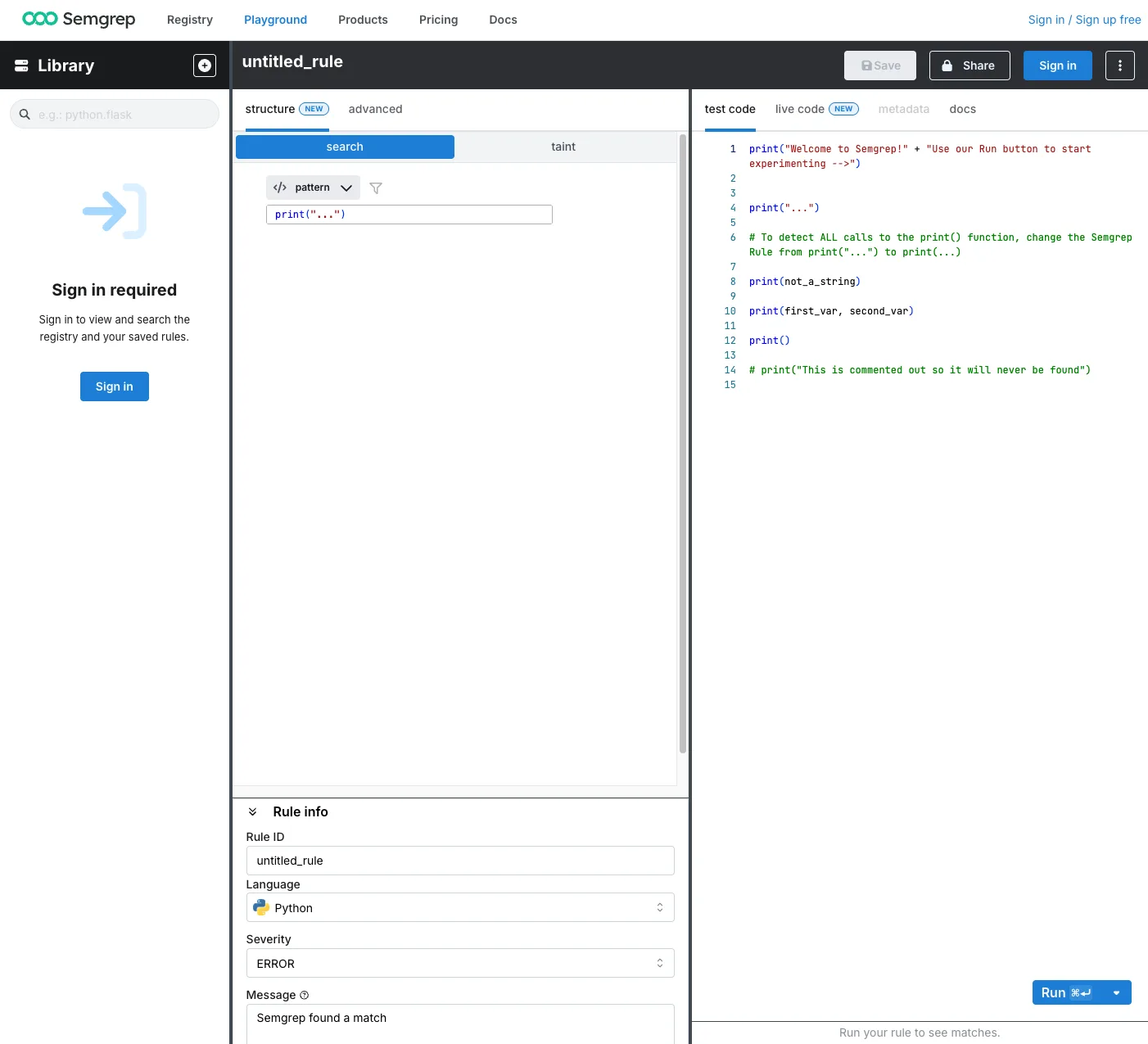
Semgrep's Playground: write a detection pattern, test it against real code, and see the rule metadata before shipping it as a custom rule.
The practitioner's stack
Ask working developers what they actually run and a common answer emerges: Snyk for SCA plus Semgrep for SAST. That pairing covers vulnerable dependencies and insecure logic, and it is usually cheaper than a single enterprise all-in-one license. It does assume you are comfortable wiring two tools into your CI pipeline.
If you are a non-technical founder, that stack is more than you want to manage. For you, a single all-in-one dashboard like Aikido, or GitHub Advanced Security if your repo is already on GitHub, is the lower-friction path. The best scanner is the one you will actually keep running.
Which one should you pick?
- Non-technical founder who shipped with an AI builder → Aikido (every scan type in one subscription) or GitHub Advanced Security (if already on GitHub).
- Developer or small team → Snyk for dependencies plus Semgrep for code logic.
- Already all-in on GitHub → GitHub Advanced Security, then add tools as needed.
- Worried specifically about supply-chain and hallucinated packages → add Socket to whatever you already run.
- Large team drowning in false positives → Endor Labs for reachability-based prioritization.
The five-minute security checklist
Before you touch any scanner, these four steps close the most common holes from the failure modes above:
- Get secrets out of the code. Move every API key, database password, and token into environment variables or a secrets manager, then rotate anything that was ever committed.
- Add a scanner to CI. Wire at least one of the tools above into your pipeline so every change is scanned before it merges. A scanner you run once and forget protects nothing.
- Check authorization on every endpoint. For each route that returns user data, confirm it verifies the requester owns that data, not just that they are logged in. This closes the IDOR gap that scanners struggle to catch.
- Lock down the deployment. Make sure your database is not publicly reachable and that no admin interface ships with default or no credentials. This is exactly what the Moltbook breach failed to do.
Scanning is half the job; review is the other half
A security scanner finds known vulnerability patterns. It will not catch every logic bug or regression an AI introduces, which is where an automated code reviewer comes in. The two layers are complementary, and teams shipping AI-generated code should run both. See our guide to the best AI code review tools in 2026 for the review half of the stack.
If you are choosing the AI coding tool in the first place, both major options can produce the insecure patterns above, so the review and scanning steps apply regardless. Compare them in our Claude Code vs Cursor and Cursor vs GitHub Copilot guides.
Frequently asked questions
Is AI-generated code secure?
Not by default. Research cited above found that around 45% of AI-generated code introduces an OWASP Top 10 vulnerability and that AI code has a 2.74x higher vulnerability rate than human-written code, with one summary reporting 91.5% of vibe-coded apps containing at least one vulnerability. However, AI code can be made secure by adding a scanning and review step before shipping. The problem is the missing review process, not the AI itself.
What is the best security scanner for AI-generated apps in 2026?
It depends on your skill level. Non-technical founders are best served by an all-in-one tool like Aikido or by GitHub Advanced Security if their code is on GitHub. Developers and small teams commonly run Snyk for dependency scanning plus Semgrep for code-logic scanning. Teams worried about malicious or hallucinated packages should add Socket for supply-chain protection.
What is slopsquatting?
Slopsquatting is a supply-chain attack that exploits AI hallucinations. AI coding tools sometimes suggest installing packages that do not actually exist. Attackers register those exact hallucinated names with malicious code, so a developer who follows the AI's suggested install command downloads malware. Standard dependency scanners that only check for known CVEs often miss it; supply-chain tools like Socket are designed to catch it.
How do I secure an app I built with AI?
Start with four steps: move all secrets out of the code and into environment variables, add a security scanner to your CI pipeline, verify that every endpoint checks the user owns the data they request (not just that they are logged in), and lock down your deployment so the database is not publicly exposed and no admin interface uses default credentials. Then adopt a scanner matched to your skill level for ongoing coverage.