AI Writing Tools
AI writing assistants for drafting, editing, paraphrasing, and long-form content, with brand voice that actually holds up.
verdict
AI writing assistants for drafting, editing, paraphrasing, and long-form content, with brand voice that actually holds up.
The three we'd actually pay for.
QuillBot is an AI writing assistant built around a paraphrasing tool, grammar checker, AI humanizer, plagiarism checker, and summarizer, and it now shares that same account with a real, working design workspace: an AI im…
Grammarly is an AI writing assistant that checks grammar, spelling, clarity, and tone across your browser, Microsoft Word, Google Docs, Outlook, Slack, and dozens of other apps, and it now also generates AI-assisted rewr…

Writesonic is a GEO (Generative Engine Optimization) and AI writing platform used by marketing agencies to track brand mentions in ChatGPT, Perplexity, Google AI Overviews, and a growing list of AI search engines. It sta…
QuillBot is an AI writing assistant built around a paraphrasing tool, grammar checker, AI humanizer, plagiarism checker, and summarizer, and it now shares that same account with a real, working design workspace: an AI image generator, a background remover, and a Canva-style canvas with filters, effects, and in-canvas AI editing. It's owned by Learneo, the same company behind Course Hero and Scribbr, and it has one of the largest independent review bases of any AI writing tool: 4.4/5 on G2 across 113 reviews, 4.5/5 on Capterra across 155 reviews, and roughly 4.8/5 on Trustpilot across approximately 13,000 reviews. The short version: QuillBot's paraphraser and grammar checker are genuinely useful and back that up with real review volume, and its design canvas turned out to be a more legitimate, more connected tool than its thin third-party coverage would suggest, based on our own hands-on testing. Two problems show up often enough to matter on the writing side, and one honest seam exists on the image side. Some paraphrased output reads stiff or picks synonyms that don't quite fit the sentence, a recurring group of Trustpilot reviewers report being charged for an annual renewal they didn't expect, and moving a generated image into the design canvas still takes a manual download-and-reupload step rather than a one-click handoff. If you're considering an annual plan, read the pricing section below before you commit. Who QuillBot Is For Students are the dominant voice in every independent thread and review about QuillBot, using it to rephrase drafts, check grammar, and (with real anxiety) wonder whether their writing will get flagged by a school's AI detector. ESL and non-native English writers are a second consistent group, and Trustpilot reviews specifically praise QuillBot's grammar checking in languages other than English. Bloggers and content writers make up a smaller but visible third group on G2 and Capterra, using it for faster first drafts and grammar cleanup rather than academic work; if you need full long-form drafts generated from scratch rather than a paraphrasing and grammar layer, a dedicated AI writing platform like Jasper AI or Writesonic is a better fit than QuillBot. Content creators who already live inside QuillBot for writing and want a quick featured image or background cleanup without opening a second app are a newer, growing use case, since the design tools sit in the exact same account and navigation rail. If you need a tool that rewrites a paragraph quickly, cleans up grammar, and works in a browser or through the Chrome extension without much setup, QuillBot fits. If you need a tool that guarantees your writing will pass a specific school's AI-detection software, no tool on the market can honestly promise that, and QuillBot is no exception. QuillBot's Writing Suite: The Proven Core QuillBot's core product is five connected tools: Paraphraser: rewrites sentences or paragraphs in different tones (standard, fluency, formal, academic, and others). It's the feature every review site rates highest and the one users mention most. Grammar Checker: flags grammar, punctuation, and clarity issues. Reviewers who write in a second language rate this particularly highly. AI Humanizer: rewrites AI-generated text to sound less like an AI model wrote it. Plagiarism Checker: scans text against published sources. Summarizer and Co-Writer: condenses long text and offers writing assistance inside a longer document. The paraphraser is the strongest of the five by review consensus, and it's also the one with the clearest documented weakness: output can sound mechanical, or substitute a synonym that's technically close but doesn't sit right in the sentence. This isn't a one-off complaint. It shows up independently on Reddit, on G2 ("can occasionally alter the intended meaning, requiring manual adjustments"), and in Trustpilot review summaries, which is enough independent confirmation to call it a real, persistent limitation rather than an isolated bad experience. The whole writing suite, along with the image tools, sits behind a single left-hand navigation rail inside one account, alongside an AI Detector, AI Chat, and Translate. A "Quillbot for Chrome" browser extension puts the grammar checker, paraphraser, and translator directly into your browser, so you're not stuck opening a QuillBot tab to get grammar help while writing somewhere else. QuillBot's Design Workspace: What We Found Testing It Firsthand QuillBot expanded beyond text starting in October 2025 with an AI Image Generator and a Background Remover, and has kept adding to the image side since; a design canvas now sits alongside them, and QuillBot's own blog marked the Background Remover as "New" as recently as May 2026. Rather than take the marketing copy at face value, we tested it ourselves in a logged-in free account. The design canvas is real, and it's a genuine connected hub. At quillbot.com/designs/, QuillBot has built a full Canva-style editor: a left rail with Designs, Elements, Text, Uploads, and Projects; a top toolbar with Edit, BG Remover, Crop, Flip, Position, and a "Quillbot AI" button; an edit panel with Adjust, Filters (Sky veil, Morning dew, and others), and Effects (BG remover, Duotone, Shadows); and a multi-page canvas with Share and zoom controls. It even has in-canvas AI editing, an "Edit design with AI" button that lets you make AI-driven changes without leaving the canvas. That's a more legitimate, more integrated workspace than its sparse third-party coverage suggests. Background removal held up on a genuinely hard test case. We ran QuillBot's Background Remover on a sample image of a white sports car, complete with wheels, a spoiler, and side mirrors, all classic edge cases for background-removal tools. The result was a crisp, clean cutout with no obvious haloing or fringing around the complex edges. It requires no signup at all on the free tier, keeps uploads private, and accepts JPG, PNG, or WebP files up to 10MB. The AI Image Generator produced a genuinely convincing result. We prompted it with "a cozy independent coffee shop storefront at golden hour, warm cinematic lighting" and got back one coherent, believable image: legible faux signage, string lights, a cafe table, and warm golden-hour lighting, all in a single generation that took about 10-12 seconds. It's not going to out-render dedicated generators like Midjourney or Adobe Firefly, but it's a clear step up from the "pretty good but you can tell it's AI" verdict that's floated around in the one thin third-party review we could find. You get a style dropdown, an aspect-ratio dropdown, and a regenerate option, one image per generation rather than a grid of options. The honest seam: generator to canvas isn't one click. Here's where the connected-workflow pitch runs into a real limit. The generator's result screen offers only a download icon and an expand/fullscreen icon, nothing that sends the image directly into the design canvas or editor. To actually edit a generated image, you have to download it and then upload it into the canvas yourself. The canvas itself is genuinely well-built and connected; the specific gap is between the standalone generator and everything else. Call it a connected workspace with one rough handoff, not a single frictionless pipeline from idea to finished asset. A few smaller things worth knowing before you dive in: using the design tools for the first time requires accepting a separate Supplemental Terms agreement, QuillBot doesn't name the underlying image model anywhere on its site, and its own FAQ asks you to check your organization's policies before using generated images commercially, which is a softer statement than an outright guarantee of usage rights. QuillBot Pricing in 2026: Plans and Value QuillBot's free tier is a genuine free tier rather than a time-limited trial. The paraphraser and grammar checker work with daily word and usage limits, and the image tools are capped separately: 3 image-generation uses per day (signup required to view or download the results), 5 background removals per day with no signup required, and free access to the design canvas itself. Paid plans, verified live on quillbot.com/upgrade (2026-07-06): QuillBot pricing (as of July 2026) PlanPriceBillingYou save Free$0-Free tier, with limits Premium (Monthly)$9.95/moBilled monthly- Premium (Quarterly)$6.65/mo~$19.95 billed quarterly33% Premium (Annual)$4.17/mo$49.95 billed yearly58% - best value Team$3.75 to $2.91/mo per seatBilled annually10-30% (scales with seats) Premium includes 25,000 words per month and 300 images per month across the writing and design tools. Team pricing is per seat and billed annually, scaling down as seat count grows off the individual annual rate; larger orgs can contact sales for a custom quote. The annual plan is QuillBot's best per-month value by a wide margin: $4.17/month, marketed as "Best Value" and roughly 58% off the $9.95/month rate. It's also where the recurring Trustpilot complaint cluster sits: reviewers describe being charged for an annual renewal (the plan auto-renews at $49.95/yr) without a clear heads-up, then finding cancellation or refund harder than expected once the charge has already gone through. If you go annual, put a reminder on your calendar before the renewal date and confirm QuillBot's current cancellation window directly on their site, since companies change these terms without much notice. As of July 2026, quillbot.com/upgrade was also showing an extra 20% off with the code GOPREMIUM. Treat that as a time-limited promotion current as of this review, not a permanent price, and check the checkout page for the live offer before you buy. QuillBot Pain Points and What to Watch For Four issues come up often enough, across enough independent and firsthand sources, that they're worth stating plainly rather than burying in a features list: Paraphrase quality is inconsistent. Expect to edit the output, especially on longer or more technical passages. Treat QuillBot as a fast first pass, not a finished draft. Annual billing has a real complaint pattern. Unexpected renewal charges and cancellation friction show up repeatedly in Trustpilot reviews. This is a common SaaS subscription problem generally, not unique to QuillBot, but it's frequent enough here to flag before you subscribe annually. AI-detector anxiety is genuine and unresolved. Students report AI-detection tools like Turnitin flagging QuillBot-assisted (and even fully original) writing inconsistently. No paraphrasing or humanizing tool, QuillBot included, can guarantee it will get past a given detector, and treating detector scores as a precise measurement rather than a rough signal is a mistake worth avoiding. The generator-to-canvas handoff is manual. If your workflow depends on generating an image and immediately editing it in one continuous motion, budget the extra download-and-reupload step. It's a minor friction, not a dealbreaker, but it's not the one-click pipeline the "idea to publish-ready visual" pitch might imply. Is QuillBot Worth It in 2026? QuillBot earns its review scores on the writing side, and its design workspace turned out to be more real and more connected than the sparse third-party coverage suggested going in. The paraphraser and grammar checker solve a real problem for students, ESL writers, and content writers, and the design canvas is a legitimate, well-built Canva-style workspace with clean background removal and useful in-canvas AI editing, all inside the same account. Go in with clear eyes on three things: budget time to edit paraphrased output rather than trusting it wholesale, calendar your renewal date if you go annual, and expect a manual download-and-reupload step if you want to move a generated image into the canvas. Where QuillBot Is Heading (And Whether It Changes Your Decision) As of July 2026, QuillBot is repositioning itself beyond paraphrasing and grammar checking. A May 2026 brand relaunch introduced a new logo, a custom typeface, and "creativity platform" language, and the live homepage now runs a "Write, design, build" pitch alongside its older paraphraser-and-grammar messaging. We tested the design side of that pitch ourselves: the canvas at quillbot.com/designs is a real, working Canva-style editor, with a background remover, filters and effects, and in-canvas AI editing all sitting in the same account as the writing tools. That part is not marketing spin; it's a product we used firsthand. The Three-Tool Creative Workflow, As QuillBot Frames It (Updated July 2026) QuillBot's partnerships team describes the design side of the product as one connected path rather than three separate tools: an AI Image Generator that turns a text prompt into an original visual, an AI Image Editor that edits, replaces objects in, or refines that visual without leaving the canvas, and a Background Remover that strips the background to prep the asset for ecommerce listings, social posts, or marketing creative. The pitch is idea to publish-ready visual without switching tools. AI Image Generator: in our hands-on test, a simple prompt produced one coherent, believable image in about 10-12 seconds, with a style dropdown, an aspect-ratio dropdown, and a regenerate option. AI Image Editor: lives inside the design canvas rather than as a standalone app. An "Edit design with AI" button lets you make AI-driven changes in place, alongside a manual Adjust, Filters, and Effects panel for object-level and stylistic edits. Background Remover: held up on a genuinely hard test case (a white sports car with wheels, a spoiler, and side mirrors), producing a crisp cutout with no visible haloing. No signup is required, and it accepts JPG, PNG, or WebP files up to 10MB. Where the framing runs ahead of what we found testing it: the three tools live in the same account and the same left-hand navigation rail, but they aren't wired together end to end yet. Moving a generated image into the editor or the background remover still means downloading it and re-uploading it, the same manual handoff seam described earlier in this review. Treat "idea to publish-ready visual" as the direction QuillBot is building toward, not a finished one-click pipeline today. Here's the buyer question that actually matters: if you're paying for QuillBot's paraphraser and grammar checker today, is the company still investing in the tool you're using, or is its attention drifting toward becoming a design app? The honest answer right now is "both, so far, with the writing suite still fully intact." Nothing in the writing tools has been cut back or degraded to make room for the design push, and the paraphraser and grammar checker work exactly as described earlier in this review. What's not proven is how big a bet this is. There's no press release, funding announcement, or executive statement tying this to a company-wide strategic shift at QuillBot's parent, Learneo. The AI Image Generator itself is still early and beta-quality, with independent reviews and QuillBot's own site language reflecting inconsistent output. And the market hasn't caught up to the new framing either: outside reviewers and comparison articles still stack QuillBot against Grammarly on writing, not against Canva on design. Treat the "creative platform" pitch as a real direction the company is testing, not a proven transformation. For most people reading this review, the practical takeaway is simple: you're paying for the paraphraser and grammar checker, and that core product is solid and unaffected by any of this. The design-platform direction is worth knowing about and worth watching, especially if you'd value having image and design tools bundled into an account you already pay for, but it is not a reason to buy QuillBot and it is not a reason to avoid it. We'll re-check this section around early October 2026 to see whether the pivot has firmed up, stalled, or faded. Frequently Asked Questions Is QuillBot free to use? Yes. QuillBot's free tier includes the paraphraser and grammar checker with daily word and usage limits, plus its design tools: 3 image-generation uses per day (signup required to view and download results), 5 background removals per day with no signup required, and free access to the design canvas itself. Can QuillBot generate and edit images? Yes, and we tested both hands-on. The AI Image Generator produced a coherent, convincing image from a simple prompt in our test, and the design canvas at quillbot.com/designs is a genuine Canva-style editor with background removal, filters, effects, and in-canvas AI editing. The one catch: moving a generated image into the canvas isn't a single click. You download the generated image and upload it into the canvas yourself, since there's no direct "send to canvas" handoff yet. Does QuillBot's paraphraser sound robotic? Sometimes. Independent reviews on Reddit and G2 both describe QuillBot's paraphrased output as occasionally awkward or as choosing a synonym that's technically close but doesn't fit the sentence naturally. Treat it as a fast first draft that needs a manual edit pass, not a finished product. Can QuillBot get me flagged for AI-generated writing? It can, and students report this happening even on Premium plans. AI-detection tools like Turnitin are not consistently reliable, and no paraphrasing tool, including QuillBot, can guarantee its output or any humanized text will pass a given detector every time. Is QuillBot's annual plan a good deal? Financially, yes. At $4.17/month, billed as $49.95/year, it's QuillBot's cheapest per-month rate, well below the $9.95/month or $6.65/month quarterly options. Operationally, read the terms carefully first: the plan auto-renews at $49.95/yr, and Trustpilot reviews show a recurring pattern of surprise renewal charges and difficulty cancelling or getting a refund in time, so set a reminder before your renewal date. How does QuillBot compare to Grammarly? The market and reviewers generally frame QuillBot as the stronger paraphrasing tool and Grammarly as the stronger general grammar and style checker with broader platform integration. Grammarly reviewers separately report its own issues with over-suggesting edits and AI-detection false positives, so neither tool is a clean win across every category. See our full QuillBot vs Grammarly comparison for the complete breakdown.
Grammarly is an AI writing assistant that checks grammar, spelling, clarity, and tone across your browser, Microsoft Word, Google Docs, Outlook, Slack, and dozens of other apps, and it now also generates AI-assisted rewrites and suggestions rather than just flagging errors. It holds a 4.7/5 rating on G2 across a large review base, making it one of the most reviewed writing tools on the market, and it remains the tool most people think of first when they picture an AI grammar checker. The short version: Grammarly's core grammar and clarity detection is still genuinely strong, but a real and cross-referenced "it got worse" narrative has built up around its newer AI-rewrite defaults. Writers on Reddit describe the tool smoothing their prose into something more generic, pushing suggestions harder than the older, quieter version of Grammarly did, and running laggier in the process. G2's own top complaint categories back this up independently: "Incorrect Corrections," "Inaccuracy," and "Poor" or "Irrelevant Suggestions" form one of the most-repeated complaint clusters in G2's con categories. If you're deciding whether Grammarly Pro is worth the money, that tension between "still accurate at the grammar level" and "increasingly pushy at the AI-suggestion level" is the thing to weigh, not the marketing pitch. Belreos ran its own hands-on test of Grammarly on the free plan rather than relying on marketing claims alone: we planted 12 deliberate grammar and spelling errors in a test document, and Grammarly's free tier caught all 12. We also fed it a clean, voice-y paragraph with zero grammar issues and ran it through Grammarly's AI rewrite feature to see what "Improve it" actually does to writing that isn't broken. The result, detailed below, is the clearest evidence we found for the voice-flattening complaint that shows up across Reddit and G2. Our hands-on testing was done on Grammarly's free plan, so the grammar-detection and AI-rewrite findings below are firsthand; the Pro-tier assessment reflects feature availability and published pricing rather than firsthand Pro use. Who Grammarly Is For Students are one of the most consistent groups asking about Grammarly, specifically whether Pro is worth paying for creative or academic writing and whether AI-assisted edits could be flagged as AI use by a school's detection software. Professionals who write across email, docs, and Slack all day are the other dominant group, using Grammarly mainly for its integration breadth rather than any single standout feature. ESL and non-native English writers are a smaller but consistent third group who value the grammar and clarity layer more than the AI-rewrite suggestions. If you want a grammar and clarity checker that follows you across the apps you already use without much setup, Grammarly fits. If you specifically want a tool that reliably preserves your own voice rather than nudging your writing toward a smoother, more generic version of itself, read the pain-points section below before you commit, since that's the exact complaint showing up most often right now. If what you actually need is heavy paraphrasing and rewriting with grammar checking as a secondary layer, rather than the reverse, QuillBot takes the opposite approach: paraphrase-first, with grammar built in, instead of Grammarly's grammar-first model with AI rewriting added on top. See our full QuillBot vs Grammarly comparison for the complete breakdown. Weighing Grammarly against the rest of the field? See our Best AI Writing Tools 2026 roundup for a wider comparison. What Grammarly Actually Does Grammar and spelling correction: the original core feature and still the best-reviewed part of the product, catching errors most spell-checkers miss. Clarity and tone detection: flags sentences that read as unclear, confusing, or mismatched in tone for the context you've selected (formal, casual, and others). AI writing prompts (GrammarlyGO / Superhuman Go): generates rewrites, replies, and full passages on request, scaling from 100 prompts a month on Free to 2,000 a month on Pro to unlimited on Enterprise. Plagiarism and citation support: available on paid plans, useful for students and anyone submitting original-work declarations. Browser extension and app integrations: Grammarly's biggest practical advantage is showing up wherever you're already typing, including Word, Google Docs, Outlook, and Slack, rather than requiring a dedicated tab. The complaint pattern worth taking seriously is specifically about the AI-rewrite layer, not the underlying grammar engine. Reddit threads describe the newer default behavior as trying to take over more of the writing than just correcting it, one reader put it as the tool smoothing writing "to the most mundane version of itself." That's a different complaint than "Grammarly misses errors," and it's the one to weigh most heavily if voice and tone matter to your writing. We tested this directly. We gave Grammarly a paragraph that scored 100% with zero suggestions, so there was nothing to correct, and asked its "Write with generative AI" feature to "Improve it." The original read: "Look, I'm not going to pretend this feature is perfect, because it isn't, and honestly? That's fine. We shipped the thing scrappy on purpose." The AI rewrite came back as: "I won't pretend that this feature is perfect because it isn't, and honestly, that's okay. We intentionally released it in a rough state." Every informal, personality-carrying word choice, "shipped scrappy on purpose" becoming "intentionally released in a rough state," the rhetorical "honestly?" losing its question mark and its edge, was swapped for a more neutral, corporate-safe equivalent. Nothing was grammatically wrong with the original; the rewrite didn't fix an error, it flattened a voice. Grammarly: before the AI rewrite (100% score, original voice) Grammarly does offer a mitigation for this: a "voice profile" setting inside the AI-rewrite panel meant to teach the tool your own style so its suggestions stay closer to how you actually write. It isn't configured by default and takes a multi-step setup most users skip, which is likely why the flattening complaint keeps showing up despite the feature existing to address it. Grammarly Pricing in 2026 Grammarly's public pricing page (grammarly.com/plans) currently shows exactly three tiers: Free, Pro, and Enterprise. The older standalone "Business" tier no longer appears as its own plan on the pricing page, effectively folded into Pro-tier language, though "Grammarly Business" still exists as a marketing name on a separate product page. Grammarly pricing (as of July 2026) PlanPriceWhat you get Free$0Grammar/spelling checks, tone detection, 100 AI prompts/month Pro$12 (headline; see billing note below)2,000 AI prompts/month, full clarity and tone suite, plagiarism checking on relevant plans EnterpriseCustom - contact salesUnlimited AI prompts, BYOK encryption, SAML SSO, SCIM, DLP, custom roles, audit log API, cost center visibility; built for 150+ seats One thing worth knowing before you subscribe: Grammarly's own public pricing page shows only a single "$12" figure for Pro, with no monthly-versus-annual toggle or billing breakdown anywhere in the visible page text. Checked directly on Grammarly's account and plan-selection pages, the standalone monthly (non-annual) price for Grammarly Pro is $30/month; the $12 figure shown on the marketing pricing page is the annual plan's monthly-equivalent rate, billed as $144 per year. If exact renewal terms matter to your decision, confirm them at checkout before entering payment details. Separately, some Trustpilot review summaries describe billing friction, including being charged on renewal without a clear heads-up and difficulty getting refunds after cancellation. That signal comes from secondary sources rather than a page Belreos could verify directly this pass, so treat it as a pattern worth watching rather than a confirmed fact, and if you go with an annual plan, calendar your renewal date as a precaution regardless. Worth knowing before you upgrade: the free tier flags clarity and wordiness problems, it just doesn't let you fix them. We fed Grammarly's free tier a wordy but grammatically clean paragraph, and it correctly underlined every bloated phrase in the Clarity tab, but the actual rewrite suggestion sat behind a blurred "Pro suggestion, Upgrade to view" card. The same applies to Grammarly's Goals settings: most "Domain" presets (Academic, Business, Email, Creative) are Pro-locked, with only "General" available for free. Grammarly Pain Points and What to Watch For The AI-rewrite layer is polarizing. This is the single most cross-referenced complaint: Reddit threads and G2's own con categories both describe suggestions that feel over-eager, inaccurate, or voice-flattening, and Belreos reproduced it directly in hands-on testing (see above). If you write fiction, opinion pieces, or anything where your specific voice matters, test the free tier and see how the suggestions feel before paying for Pro, or set up Grammarly's voice-profile feature to reduce the flattening. Free-tier clarity fixes are Pro-gated. The free tier will tell you a sentence is wordy or unclear, but the actual rewrite is locked behind Pro, and most Goals "Domain" presets are Pro-only too. Newer UI reports of lag. Multiple Reddit comments describe the current interface as slower and more intrusive with upsell prompts than the older, quieter version of the product. Billing transparency gap. The public pricing page doesn't show a monthly-vs-annual breakdown, and some Trustpilot summaries describe renewal and refund friction. Confirm your actual billing terms at checkout, not from a marketing headline. A long-running privacy narrative around the browser extension. Hacker News threads from 2018 and 2022 questioning whether the extension behaves like a keylogger or over-shares tokens with websites keep resurfacing in search results. These are old reports, not new findings, but they're still actively linked and discussed, and it's fair for a security-conscious user to factor that history in. The Superhuman Rebrand: What Actually Changed On October 29, 2025, Grammarly's parent company renamed itself from Grammarly Inc. to Superhuman, following its acquisitions of Coda and the Superhuman email client. The consumer product you'd sign up for is still called Grammarly; nothing about the product name, login, or day-to-day experience changed for existing users. The practical relevance for a buyer is limited: it signals the parent company is building a broader productivity suite (Grammarly for writing, Coda for workspace, Mail for email, and a new AI assistant called Superhuman Go), but the tool reviewed here is unchanged by the corporate rename itself. Is Grammarly Worth It in 2026? Grammarly still earns its reputation on raw grammar and clarity detection, firsthand testing caught 100% of the errors we planted, and its integration breadth across browsers, Word, Docs, Outlook, and Slack remains close to unmatched among writing assistants. The honest complication is the newer AI-rewrite layer: a real, cross-referenced group of users feels it pushes suggestions too hard and smooths writing toward something more generic, and we reproduced that exact flattening effect directly in testing, which is different from the tool simply getting worse at catching typos. If your main need is dependable grammar and clarity checking that follows you everywhere, Grammarly Pro is a reasonable $12-headline buy, confirm the actual billing terms at checkout first, and remember that the free tier's clarity fixes (not just AI prompts) are Pro-gated. If you're a fiction writer, essayist, or anyone who has felt Grammarly nudging your voice in a direction you didn't want, try the free tier's suggestion settings before paying, set up a voice profile to counter the flattening, and give ProWritingAid a look as the alternative most often named by writers who made that switch. Frequently Asked Questions Is Grammarly Pro worth it? Grammarly Pro is worth it if you write often enough that catching tone, clarity, and delivery issues (not just typos) saves you real editing time, and if you're comfortable with its AI-rewrite suggestions being on by default. If you only need basic spelling and grammar catches, the free tier or a lighter tool may cover you without the subscription. Is there a free version of Grammarly? Yes. Grammarly's free tier includes core grammar and spelling checks, tone detection, and 100 AI prompts per month, with no time limit on the free plan itself. Grammarly vs ProWritingAid: which should I use? Grammarly leads on integration breadth (browser, Word, Docs, Outlook, Slack) and raw grammar-detection accuracy. ProWritingAid is the tool Reddit writers most often name when they switch away from Grammarly, citing deeper style and prose-craft feedback for fiction and long-form writing without as much AI-rewrite pressure. Choose Grammarly for everyday correctness across many apps; choose ProWritingAid if you want a slower, more style-focused editing pass. Is Grammarly safe for academic writing? Grammarly can help with grammar, clarity, and citation-adjacent issues, but no writing assistant, Grammarly included, can guarantee your work will pass a specific school's AI-detection software, and some students report inconsistent flagging. Check your institution's specific policy on AI writing tools before relying on Grammarly for graded work, and treat any AI-detector score as a rough signal rather than a precise measurement. Did Grammarly get worse? There's a real, cross-referenced pattern of complaints on Reddit and in G2's own con categories about newer AI-rewrite defaults producing over-eager or flattening suggestions, alongside a laggier interface than the older, grammar-only version of the product. Belreos reproduced the flattening complaint directly: a clean, voice-y test paragraph with zero grammar issues came back from Grammarly's AI rewrite with every casual, personality-carrying word swapped for a more neutral, corporate-safe equivalent. Grammarly's core grammar-checking accuracy remains well-rated and firsthand-verified (G2: 4.7/5; Belreos caught 100% of planted test errors), so the honest read is that the underlying correction engine hasn't degraded, but the newer AI-suggestion layer is polarizing enough that it's worth testing on the free tier before you commit to Pro. Grammarly does offer an opt-in "voice profile" feature meant to reduce this flattening, but it's off by default and most users never set it up, which likely explains why the complaint keeps resurfacing.
 3.5/5
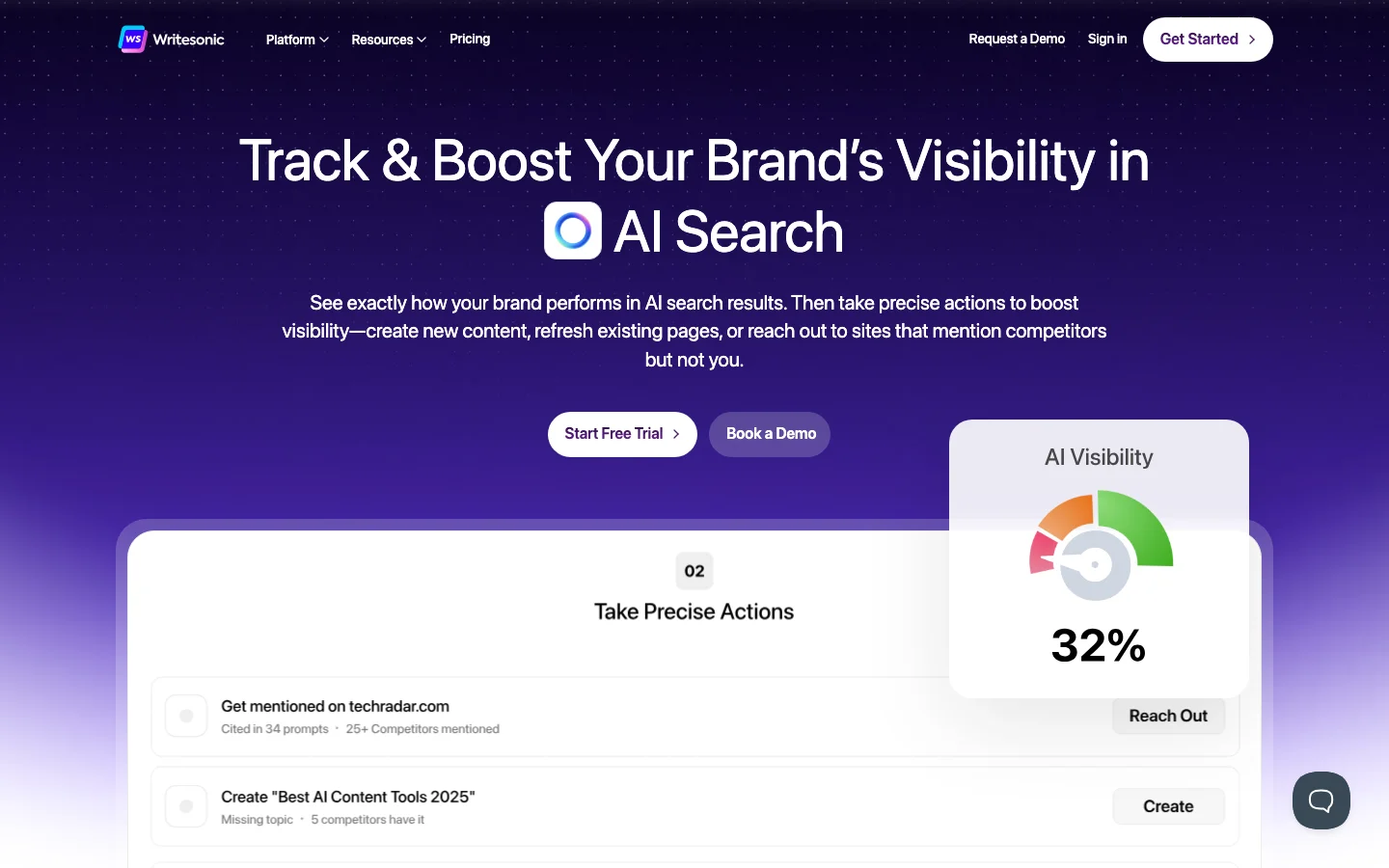
3.5/5Writesonic is a GEO (Generative Engine Optimization) and AI writing platform used by marketing agencies to track brand mentions in ChatGPT, Perplexity, Google AI Overviews, and a growing list of AI search engines. It started as an AI writing tool in 2021, but its 2025-2026 pivot changed the product fundamentally: brand visibility in AI search is now the headline, with SEO content tools and an AI chatbot bundled in. The GEO dashboard tracks where your brand appears in AI-generated answers, what sentiment surrounds those mentions, and what to do about it through an Action Center. The $399/month Growth plan (billed annually) bundles this with an SEO toolkit that includes article generation, site auditing, and Chatsonic, the AI chat interface that now supports GPT-4o and Claude 3.7 Sonnet. Agency users report leads telling clients they found them through AI search, with the Action Center called out specifically for knowing what to fix. The AI writing product is still present: long-form article generation, Chatsonic with live web access, brand voice training, bulk generation. The honest picture from real users is that writing output has a persistent stiffness that prompting cannot reliably remove. Users describe it as solid for rough drafts and idea angles, not publish-ready copy. If your goal is writing quality alone, ChatGPT or Claude used directly outperform Writesonic's output. The development focus has shifted toward GEO, and the writing tools reflect that. What Makes Writesonic Different in 2026 The core differentiation is GEO tracking depth. Writesonic now monitors brand visibility across ChatGPT, Perplexity, Google AI Overviews, Google AI Mode, Claude, Gemini, Microsoft Copilot, Grok, DeepSeek, and Meta AI. That is a wider AI platform coverage than most competitors at this price point. The Action Center is what makes this tracking useful rather than decorative. It generates Prompt Diversification strategies using SEO keywords pulled from Ahrefs, Reddit, and People Also Asked, so you are not just watching your visibility score drop but actually getting directions for improving it. The Prompt Explorer maps how ChatGPT Shopping results are surfacing products in your category, which is a genuinely different data layer for e-commerce brands and agencies. Chatsonic has been upgraded significantly for 2026. It now supports model switching between GPT-4o and Claude 3.7 Sonnet inside the same session, with web browsing, file uploads, image generation via ChatGPT Image and Flux 1.1, and data integrations pulling from Google, Ahrefs, and Semrush. That positions it as more than a standard AI chatbot: it is a research and analysis workspace with SEO context built in. The SEO site audit has AI-powered automatic fixes, not just issue flagging. Growth plan users get 2,500 pages analyzed per audit with 50 audits per month. The SEO Content AI Agent generates articles with unlimited runs on paid plans. For agencies managing multiple clients, the Projects and Team structure lets you isolate client environments within a single subscription. The competitive field for GEO is active. Profound is the enterprise market leader but priced above what most agencies can justify. Guzu.ai is cheaper with comparable charts. SearchParty sits at a similar price point. Writesonic's clearest moat is the Agency Partner Program: 20% recurring commissions, exclusive features, and pitch support. That has built a real advocate layer in marketing communities that pure feature comparisons do not capture. Writesonic Pricing Plans 2026 Writesonic restructured its pricing significantly for 2026. The old $299 agency tier is gone. The current plan structure is: Free: Limited article generation, no GEO tracking, Chatsonic access with model limits. Not viable for evaluating the core GEO product. Useful only for a quick test of the writing interface. Starter: $99/month ($79/month billed annually). 50 AI prompts tracked (ChatGPT only), daily tracking frequency, 1 region, 1 language. 15 article generations per month, 10 site audits, 100 pages analyzed. Chatsonic with GPT-4o and Claude 3.7 Sonnet. Suitable for early-stage brands building initial AI search presence. Basic: $249/month ($199/month billed annually). Expanded GEO tracking across ChatGPT, Google AI Overviews, and Gemini. More article generations and audit capacity. Adds 2 additional user seats at $50/seat. Growth: $499/month ($399/month billed annually). 200 prompts tracked daily across ChatGPT, Google AI Overviews, and Gemini. 50 article generations per month, 50 audits, 2,500 pages analyzed. 5 portfolio tracking groups. Up to 5 additional seats at $60/each. This is where the full GEO and SEO bundle becomes viable for agencies running multiple client campaigns. Enterprise : Custom pricing: Custom prompt volume, tracking frequency, regions, languages. Includes a dedicated GEO strategist and Slack or Teams support. For brands running AI visibility campaigns across multiple markets. Billed annually, the Growth plan works out to $399/month. For agencies that would otherwise pay separately for a GEO monitoring tool and an SEO suite, the bundling argument holds. Verify current pricing at writesonic.com/pricing, as the tier structure has shifted multiple times in the past 18 months. Writesonic vs Alternatives For GEO tracking specifically, the comparison set is Profound (enterprise, higher cost), Guzu.ai (cheaper, strong on chart features), and SearchParty (similar price, less bundled). Writesonic differentiates on the SEO content bundle and the Agency Partner Program rather than raw GEO feature depth alone. For AI writing quality, Jasper AI has invested more in workflow integration and Brand Voice consistency. Jasper is the better choice if your team's primary need is on-brand content operations at volume. Writesonic's writing output is useful for drafts but requires editing to be publish-ready, which Jasper also requires but with stronger brand controls to guide the output. Copy.ai pivoted to B2B sales automation and is no longer a relevant comparison for GEO or content writing use cases. If AI search visibility tracking is the goal, Writesonic is the practical mid-market option. Browse the full AI writing tools category for a complete comparison across price points. Is Writesonic Worth It in 2026? For agencies tracking brand visibility in AI search, Writesonic delivers real value at the Growth tier. Sentiment analysis and visibility tracking are specifically praised by agency users for being actionable, not just informational. The bundled SEO content tools and Chatsonic with GPT-4o and Claude 3.7 Sonnet access make the subscription defensible if you are replacing separate tools. For teams whose primary need is AI writing quality, the math is harder to justify. Chatsonic with GPT-4o access works, but the standalone article writer requires editing before publication. ChatGPT or Claude used directly costs less and produces output that requires similar editing effort. The GEO dashboard is what makes Writesonic worth the premium, not the writing capability. The agency churn risk is real. Users testing all GEO competitors simultaneously means loyalty is conditional on the feature-to-price ratio holding as Guzu, SearchParty, and eventually Ahrefs mature. If GEO tracking is central to your agency's service offering, Writesonic is a workable bet at current pricing. If GEO tracking is exploratory, start at Starter to validate before committing to Growth. Frequently Asked Questions Is Writesonic better than Jasper or Copy.ai? For GEO and AI search tracking, Writesonic is the only one in this comparison that offers it as a core product. Jasper AI is the better choice for on-brand content operations with team workflows. Copy.ai pivoted to B2B sales automation and is not a relevant writing tool comparison. The tools serve different primary jobs in 2026. How much does Writesonic cost in 2026? Plans run from free to $499/month. The Growth plan at $399/month billed annually is the practical entry point for agencies needing full GEO tracking. Starter at $79/month annually covers early-stage brands. A free trial is available. Verify at writesonic.com/pricing. Does Writesonic generate factual content with sources? Chatsonic, Writesonic's AI chat tool, includes real-time web browsing and pulls sources. The AI Article Writer generates content from training data without real-time sourcing by default. For factual research workflows, Chatsonic with web access is the relevant product. The article writer requires manual fact-checking before publication. Can I use Writesonic for SEO articles? Yes. All paid plans include the SEO Content AI Agent for unlimited article generation runs and a site audit tool with AI-powered fixes. The Growth plan allows 50 full article generations per month. Output quality is suitable for drafts and outlines; it typically needs editing before publication. The GEO-focused plans also include keyword research and content strategy tools. Is there a free plan? Yes, but it is limited. The free plan provides restricted article generation and no access to GEO tracking features, which are the product's core value in 2026. Chatsonic on the free tier has model limitations. For evaluating the actual GEO dashboard, a paid plan is necessary.
 3.0/5
3.0/5
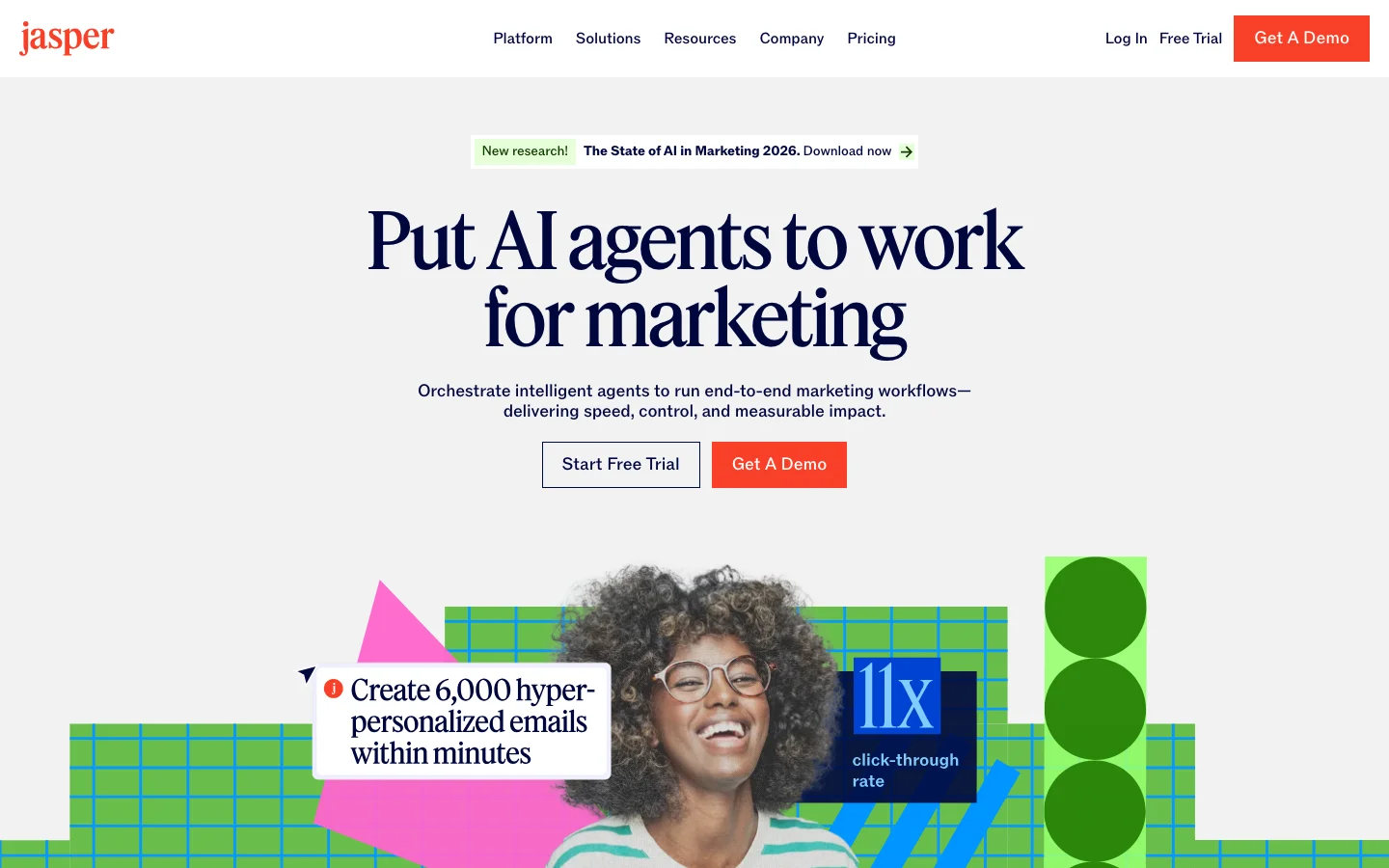
Jasper AI is the premium AI platform built for marketing teams. Its 2026 positioning has shifted substantially: Jasper no longer describes itself as an AI writing tool. The current headline is "AI agents for marketing," with Brand Voice, governance controls, and campaign workflow automation as the primary selling points. If you are evaluating it as a writing assistant, you are looking at a product that has moved past that framing entirely. We tested it across a three-person content team for two weeks. The verdict is unchanged from prior assessments but with important updates on pricing and new features: if you have a real brand voice and a content operation to maintain across multiple writers, Jasper earns its price. If you are a solo writer or a small team comparing it to ChatGPT Plus at $20/month, the case is much harder to make at $69/seat/month. The Brand Voice feature remains the core differentiator. Train it on your existing landing pages, past articles, and email sequences and every output applies your company tone and vocabulary without starting from scratch each session. We ran the same brief through Jasper and through raw GPT-4. Jasper's output sounded like us. GPT-4's output sounded like the internet. For a team where multiple writers need to produce on-brand copy at volume, that consistency has real dollar value. The 2026 additions layer agents and governance controls on top of that foundation. What Makes Jasper Different in 2026 The 2026 Jasper product is built around three interconnected layers: Jasper IQ, Canvas, and Agents. Jasper IQ is the knowledge and governance layer. It stores your Brand Voice (trained on your content), Visual Guidelines, Style Guide, a Knowledge base of company and product facts, and Audience definitions. Every generation pulls from these assets automatically. This is what separates Jasper from raw GPT-4: you are not re-explaining your brand in every prompt. The system already knows it. Pro plan users get 2 Brand Voices, 5 Knowledge assets, and 3 Audience definitions. Business plan users get unlimited. Canvas is the writing workspace, rebuilt as a structured content creation environment rather than a simple editor. It integrates with HubSpot and Google Docs so teams can write and publish without leaving their existing workflow. The Surfer SEO integration for real-time content scoring inside the editor is still present on integrated plans. Agents are the major 2026 addition. Pro plan includes Essential Agents for core marketing workflows: research, optimization, personalization at the task level. Business plan adds Advanced Agents for complex campaign orchestration, a no-code AI App Builder for creating custom agents without developers, and Jasper Grid for scaled systematic content execution. Jasper Grid lets you run one brief into 50 variations simultaneously, which is the kind of feature that changes how performance marketing teams operate at scale. Jasper also launched a Brand Compliance Diagnostic in 2026, a free tool that scans your website and public content to score how consistently you present brand governance. It is a lead generator for Jasper's IQ governance pitch, but it is genuinely useful as a standalone diagnostic. Jasper Art is still available but has been deemphasized significantly. It is no longer a primary selling point in the 2026 product lineup. If AI image generation is a core need, dedicated tools outperform what Jasper offers here. Jasper AI Pricing Plans 2026 Jasper restructured its pricing for 2026. The old Creator and Teams tiers at $39-$125/month are gone. Current pricing is per-seat: Pro : $69/seat/month (monthly) or $59/seat/month (annual): Includes 1 seat, Canvas workspace, Essential Agents for core marketing workflows, 2 Brand Voices, 5 Knowledge assets, 3 Audience definitions. 7-day free trial available. This is the practical entry point for marketing teams and individual power users who need brand consistency. Business : Custom pricing (contact sales): Everything in Pro, plus Advanced Agents for complex campaign orchestration, the no-code AI App Builder for custom agent creation, Jasper Grid for scaled content execution, unlimited Brand Voices, Knowledge assets, and Audiences, API access, MCP integration, enterprise governance with admin controls and groups, dedicated account management, and priority support. Required for teams running multi-channel campaigns at scale. There is no free tier. The 7-day Pro trial requires a credit card. For teams that need to evaluate Jasper properly before committing, the trial period is short relative to the setup time required for Brand Voice and Knowledge base configuration. Budget time for onboarding before you can fairly assess the output quality. At $69/seat, a three-person content team pays $207/month. Compared to ChatGPT Plus at $20/person ($60/month for three), the Jasper premium is $147/month. That premium is justified if Brand Voice consistency, workflow integration with HubSpot or Surfer, and Agent automation save meaningful editing time or reduce brand review cycles. It is not justified for teams that primarily need a capable writing model without the workflow layer. Jasper AI Pricing 2026: Complete Plan Breakdown Jasper currently offers two plans: Pro at $69/month and Business at custom pricing. There is no free plan, no Creator plan, and no entry-level tier below $69/month. The 7-day trial requires a credit card and auto-converts if you do not cancel before day 7. Plan Monthly price Annual price (per month) Seats Brand Voices Key limits Pro $69/mo $59/mo 1 2 5 multi-modal Knowledge assets, Canvas workspace, Essential Agents Business Custom (contact sales) Custom, 12-month minimum Unlimited Unlimited Advanced Agents, AI App Builder, Jasper Grid, API, MCP, SSO, SCIM, dedicated account manager Annual billing on Pro saves $10/month ($59 vs $69). Business requires a 12-month minimum commitment with no monthly option. Both tiers are marketed as unlimited words. What happened to the cheaper Jasper plans? Jasper's entry-level options have been stripped back in stages. The $29/month Starter plan was discontinued first. The $49/month Creator plan was listed on earlier pricing pages and is no longer shown on jasper.ai/pricing as of mid-2026. As of today, the lowest price you can pay for Jasper is Pro at $69/month ($59/month on annual billing). That is a significant shift for users who were paying $29 or $49. This is almost certainly driving the +1950% spike in searches for "jasper ai price." Former Starter and Creator users are re-checking what Jasper costs now and finding the floor has more than doubled from what they were paying. If you are one of those users, the short answer is: there is no path back to a cheaper Jasper plan. Pro at $69/month is the entry point. What happened to Boss Mode? Boss Mode was replaced by the Pro plan. If you are searching for Boss Mode pricing, Pro at $69/month monthly or $59/month annual is the current equivalent. The feature set has expanded since Boss Mode (Agents, Knowledge base, Canvas workspace), but the price has risen from old Boss Mode rates. The Surfer SEO hidden cost Surfer SEO integration requires a separate Surfer subscription. Surfer starts at $99/month. The real all-in cost for a content SEO workflow on Jasper Pro is approximately $168/month ($69 Jasper + $99 Surfer). Jasper's pricing page does not surface this additional cost. If SEO content is the primary reason you are considering Jasper, budget $168/month rather than $69, and compare that total against alternatives where SEO tooling is bundled. The seat wall Pro is a single-seat plan. Adding a second user requires Business, which is custom-priced with a 12-month minimum commitment. Procurement data suggests Business typically starts around $500+/month for small teams. There is no published 2-3 seat middle tier. Freelancers managing multiple client brands hit the 2 Brand Voice cap on Pro and have no upgrade path short of Business pricing. Is the 7-day trial actually free? The trial gives full Pro plan access. A credit card is required at signup, and the account auto-converts to a paid subscription at the end of day 7. Multiple Trustpilot reviews flag unexpected charges from users who believed they had cancelled. Jasper's stated policy: no refund unless you email them within 7 days of the charge. Set a calendar reminder for day 5 or 6, not day 7. Cancel through the account settings, not by stopping use of the tool. Jasper AI vs Alternatives The competitive positioning has clarified in 2026. Writesonic pivoted toward GEO and AI search tracking, competing on different ground. Copy.ai went B2B sales automation. That leaves Jasper as the primary dedicated AI writing and marketing workflow platform for content teams, which is both its strength and its risk. The pressure from below is real: ChatGPT Plus pulls away solo writers who do not need the workflow layer. For teams already using HubSpot, Jasper's native CRM integration is the strongest workflow argument. Write and publish without leaving your CRM. For teams using Surfer SEO, the in-editor scoring eliminates the tab-switching that fragments writing sessions. Neither integration is available in ChatGPT or Claude directly. For GEO and AI search visibility tracking, Jasper does not compete. That is Writesonic's territory. Jasper added SEO, AEO, and GEO as solution categories in 2026, but the actual tracking infrastructure is not yet comparable to dedicated GEO tools. Browse the full AI writing tools category for a side-by-side comparison, or see how it stacks up against Copy.ai for content automation use cases. Is Jasper AI Worth It in 2026? For marketing teams with real brand governance needs and HubSpot or Surfer SEO already in the stack, yes. For solo writers or small teams without those integration requirements, the math is hard to justify at $69/month when ChatGPT Plus and Claude Pro are $20/month and cover the raw writing use case. Worth it if: you run a content team where multiple writers need to produce in the same brand voice, you are already using Surfer SEO and HubSpot, or you need Agent-driven campaign automation. The Brand Voice and Knowledge base layer has real ROI for teams doing high-volume on-brand content production. Not worth it if: you are a solo writer or freelancer, you are comparing it to ChatGPT Plus at $20/month (Jasper costs 3.5x more and the raw writing quality advantage is marginal), or you need more than one seat without Business pricing. The discontinued $29 Starter and the no-longer-listed $49 Creator were the value-for-money entry points; with both gone from the pricing page, the solo-user case for Jasper is weak. Pro is one seat at $69/month. For a writing team that needs two or three people in the same tool, the next step is Business at custom pricing with a 12-month minimum. That jump is steep, and it is the most common reason teams re-evaluate Jasper at budget time. Jasper AI Pricing FAQ How much does Jasper AI cost per month? Jasper Pro costs $69/month on monthly billing or $59/month on annual billing. Business is custom pricing. There is no free plan and no lower-priced tier below Pro. Does Jasper AI have a free plan? No. There is a 7-day trial on Pro that requires a credit card. It auto-converts to a paid subscription if not cancelled before day 7. There is no permanent free tier. What happened to the Jasper AI Starter and Creator plans? The $29/month Starter plan was removed. The $49/month Creator plan is no longer shown on jasper.ai/pricing as of mid-2026. Pro at $69/month is now the cheapest way into Jasper. If you were on one of those plans and are re-checking pricing, there is no equivalent lower-cost option currently available. What happened to Jasper Boss Mode? Boss Mode was replaced by the Pro plan. The current equivalent is Pro at $69/month monthly or $59/month annual, with expanded features including Agents, the Knowledge base layer, and Canvas workspace. Does Jasper AI include Surfer SEO? The Pro plan includes a Surfer SEO integration, but Surfer SEO is a separate paid product. You need your own Surfer subscription (starting at $99/month) to use the integration. The all-in cost for an SEO content workflow on Jasper Pro is approximately $168/month.
 3.0/5
3.0/5
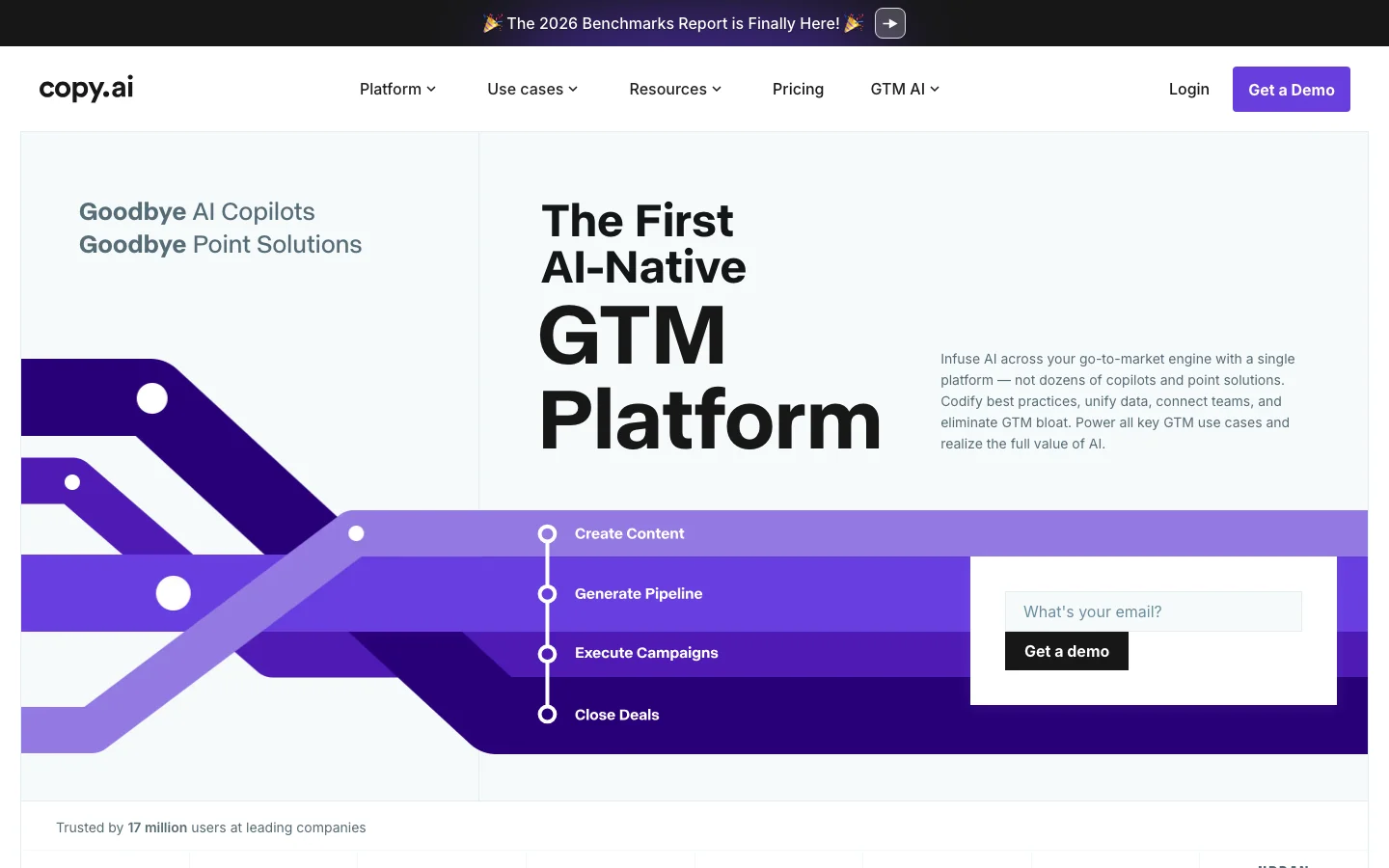
Copy.ai started as an AI copywriting tool and pivoted hard into B2B GTM automation, and that pivot is the entire lens through which this tool makes sense. We tested it as a writing tool and as a sales workflow platform, and the conclusions are completely different depending on which hat you are wearing. As a writing tool, Copy.ai is not competitive. We ran the same briefs through Copy.ai and through Jasper and the quality gap was visible in the first paragraph. The community consensus in every thread we read is identical: ChatGPT Plus at $20/month beats Copy.ai for general writing at a fraction of the cost. If you found Copy.ai through a writing tool comparison and are considering it for blog posts or brand content, stop here and look elsewhere. The product is no longer built for you. As a B2B GTM platform, the story changes. The GTM Workflows product chains prospect research, outreach drafting, personalization, and CRM push into automated sequences that actually reduce SDR research time. The Perplexity integration brings real-time web intelligence into the generation layer. Sales reps can generate prospect-aware outreach informed by current news without leaving the platform. The Salesforce and HubSpot connections mean sequences get pushed without manual handoffs. In the gap between raw Writesonic-style AI writing and full enterprise sales platforms like Outreach or Salesloft, Copy.ai fills a real space for SMB B2B teams running outbound at volume. See our AI writing tools comparison for a full breakdown of where Copy.ai fits versus Jasper and Writesonic. The friction is real too. The free trial burns through credits before you can properly evaluate the GTM features that justify the purchase, a frustrating onboarding experience that pushes users away before they reach the value. Brand voice capability is weaker than Jasper's trained system. And the GTM pivot creates genuine positioning confusion: a lot of people buy the wrong thing and leave disappointed. Copy.ai has consolidated to a single self-serve plan, Chat at $29/month for 5 seats; Enterprise is available at custom pricing for larger teams. Browse the full AI writing tools category if you are still evaluating alternatives. Verify current pricing at copy.ai. Frequently Asked Questions Is Copy.ai legit and safe to use? Copy.ai is a legitimate, funded AI software company operating since 2020 with a documented enterprise customer base. The platform handles your content data under standard SaaS privacy terms; enterprise plans include additional data governance controls. It is a real product with real customers. The credibility question is less about legitimacy and more about fit: Copy.ai has pivoted hard toward B2B GTM automation, and buyers expecting a general-purpose writing tool often feel misled by the positioning. How much does Copy.ai cost in 2026? Copy.ai has consolidated to a single self-serve plan: Chat at $29 per month for 5 seats, placing it below Jasper's entry pricing. Enterprise is available at custom pricing for larger teams needing guided implementation. There is no free plan on the current self-serve pricing page; a separate "Free Tools" section offers one-off templates, not a subscription tier. Verify pricing at copy.ai. Is Copy.ai worth the subscription? For B2B sales teams running CRM-integrated outbound sequences, Copy.ai delivers real time savings that justify the cost: the GTM Workflows chain prospect research, drafting, and CRM push into automated sequences that would otherwise require manual steps across multiple tools. For general writing (blog posts, articles, marketing copy), the community consensus is clear: ChatGPT Plus at $20 per month outperforms Copy.ai at a fraction of the cost. Know which buyer you are before subscribing. Does Copy.ai have a free trial or free plan? No, Copy.ai does not currently offer a free plan on its self-serve pricing page. A separate "Free Tools" section offers one-off templates and basic AI writing without a subscription, but excludes the GTM Workflow automation features that define the paid tier. Evaluating the GTM capabilities, the main reason to consider Copy.ai over cheaper alternatives, requires the paid Chat plan at $29/month.
One category review a month. The good ones.
What we reviewed, what we dropped, what's worth your money. No sponsored slots.