QuillBot is an AI writing assistant built around a paraphrasing tool, grammar checker, AI humanizer, plagiarism checker, and summarizer, and it now shares that same account with a real, working design workspace: an AI image generator, a background remover, and a Canva-style canvas with filters, effects, and in-canvas AI editing. It's owned by Learneo, the same company behind Course Hero and Scribbr, and it has one of the largest independent review bases of any AI writing tool: 4.4/5 on G2 across 113 reviews, 4.5/5 on Capterra across 155 reviews, and roughly 4.8/5 on Trustpilot across approximately 13,000 reviews.
The short version: QuillBot's paraphraser and grammar checker are genuinely useful and back that up with real review volume, and its design canvas turned out to be a more legitimate, more connected tool than its thin third-party coverage would suggest, based on our own hands-on testing. Two problems show up often enough to matter on the writing side, and one honest seam exists on the image side. Some paraphrased output reads stiff or picks synonyms that don't quite fit the sentence, a recurring group of Trustpilot reviewers report being charged for an annual renewal they didn't expect, and moving a generated image into the design canvas still takes a manual download-and-reupload step rather than a one-click handoff. If you're considering an annual plan, read the pricing section below before you commit.
Who QuillBot Is For
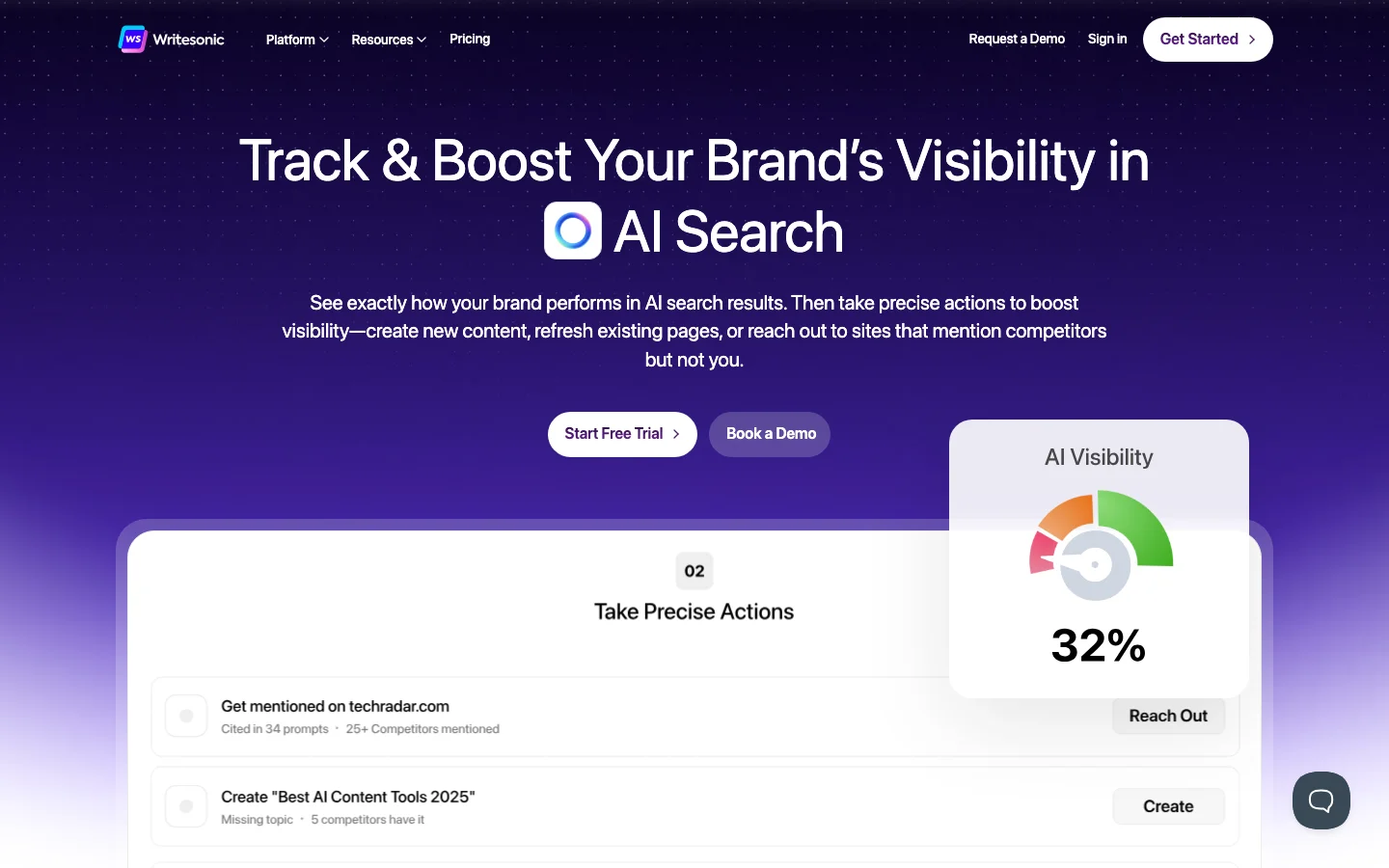
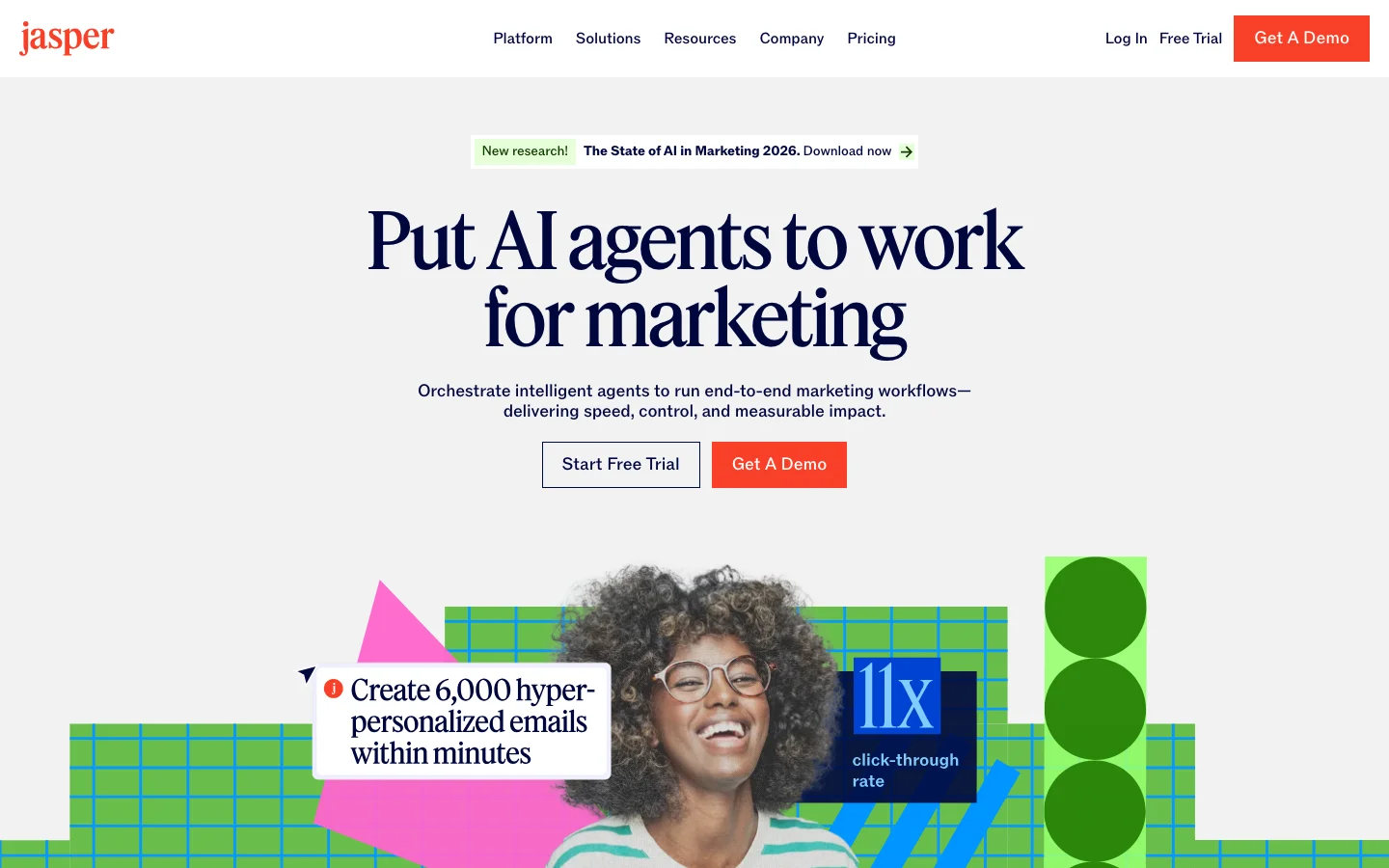
Students are the dominant voice in every independent thread and review about QuillBot, using it to rephrase drafts, check grammar, and (with real anxiety) wonder whether their writing will get flagged by a school's AI detector. ESL and non-native English writers are a second consistent group, and Trustpilot reviews specifically praise QuillBot's grammar checking in languages other than English. Bloggers and content writers make up a smaller but visible third group on G2 and Capterra, using it for faster first drafts and grammar cleanup rather than academic work; if you need full long-form drafts generated from scratch rather than a paraphrasing and grammar layer, a dedicated AI writing platform like Jasper AI or Writesonic is a better fit than QuillBot. Content creators who already live inside QuillBot for writing and want a quick featured image or background cleanup without opening a second app are a newer, growing use case, since the design tools sit in the exact same account and navigation rail.
If you need a tool that rewrites a paragraph quickly, cleans up grammar, and works in a browser or through the Chrome extension without much setup, QuillBot fits. If you need a tool that guarantees your writing will pass a specific school's AI-detection software, no tool on the market can honestly promise that, and QuillBot is no exception.
QuillBot's Writing Suite: The Proven Core
QuillBot's core product is five connected tools:
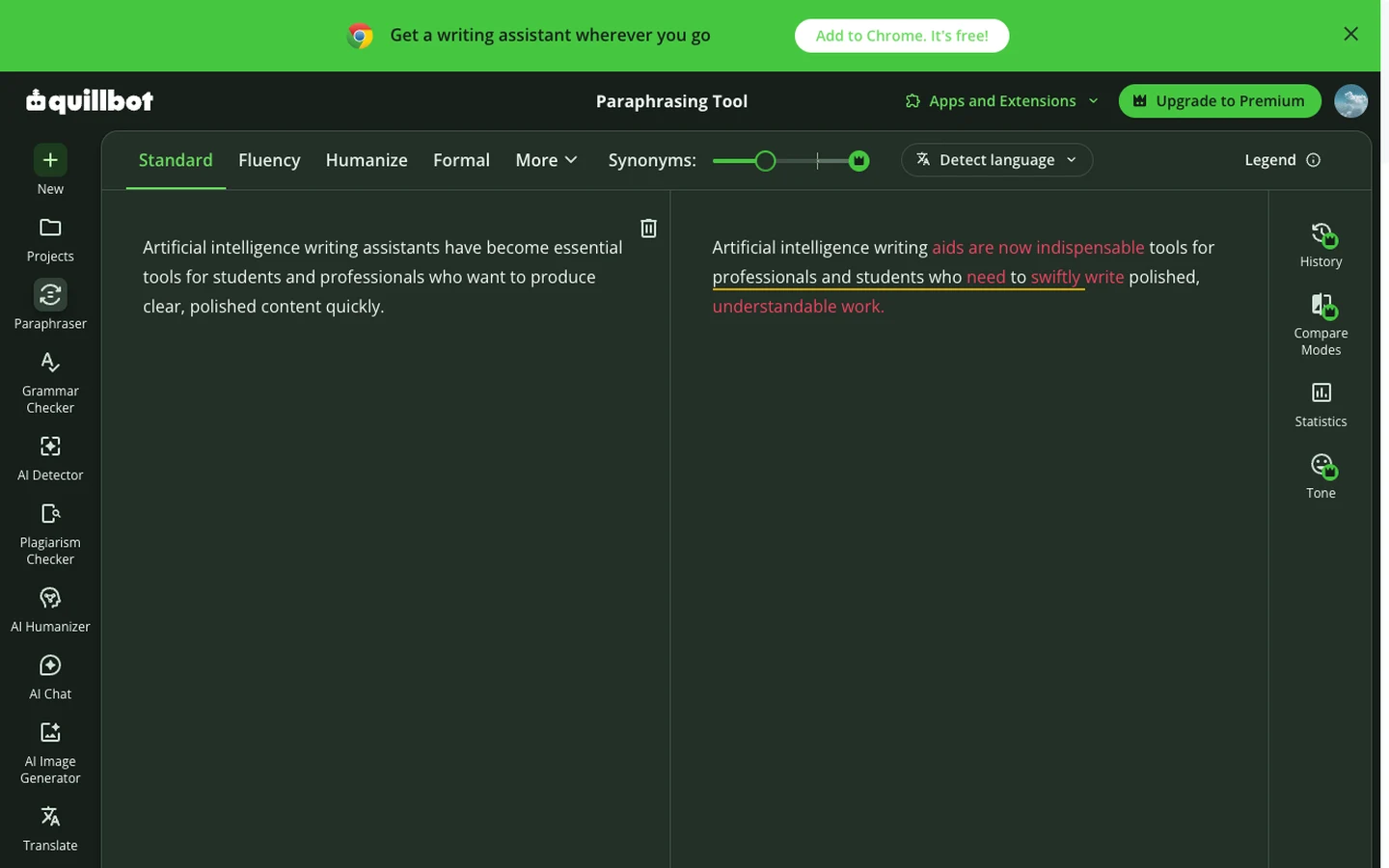
- Paraphraser: rewrites sentences or paragraphs in different tones (standard, fluency, formal, academic, and others). It's the feature every review site rates highest and the one users mention most.
- Grammar Checker: flags grammar, punctuation, and clarity issues. Reviewers who write in a second language rate this particularly highly.
- AI Humanizer: rewrites AI-generated text to sound less like an AI model wrote it.
- Plagiarism Checker: scans text against published sources.
- Summarizer and Co-Writer: condenses long text and offers writing assistance inside a longer document.
The paraphraser is the strongest of the five by review consensus, and it's also the one with the clearest documented weakness: output can sound mechanical, or substitute a synonym that's technically close but doesn't sit right in the sentence. This isn't a one-off complaint. It shows up independently on Reddit, on G2 ("can occasionally alter the intended meaning, requiring manual adjustments"), and in Trustpilot review summaries, which is enough independent confirmation to call it a real, persistent limitation rather than an isolated bad experience.
The whole writing suite, along with the image tools, sits behind a single left-hand navigation rail inside one account, alongside an AI Detector, AI Chat, and Translate. A "Quillbot for Chrome" browser extension puts the grammar checker, paraphraser, and translator directly into your browser, so you're not stuck opening a QuillBot tab to get grammar help while writing somewhere else.
QuillBot's Design Workspace: What We Found Testing It Firsthand
QuillBot expanded beyond text starting in October 2025 with an AI Image Generator and a Background Remover, and has kept adding to the image side since; a design canvas now sits alongside them, and QuillBot's own blog marked the Background Remover as "New" as recently as May 2026. Rather than take the marketing copy at face value, we tested it ourselves in a logged-in free account.
- The design canvas is real, and it's a genuine connected hub. At quillbot.com/designs/, QuillBot has built a full Canva-style editor: a left rail with Designs, Elements, Text, Uploads, and Projects; a top toolbar with Edit, BG Remover, Crop, Flip, Position, and a "Quillbot AI" button; an edit panel with Adjust, Filters (Sky veil, Morning dew, and others), and Effects (BG remover, Duotone, Shadows); and a multi-page canvas with Share and zoom controls. It even has in-canvas AI editing, an "Edit design with AI" button that lets you make AI-driven changes without leaving the canvas. That's a more legitimate, more integrated workspace than its sparse third-party coverage suggests.
- Background removal held up on a genuinely hard test case. We ran QuillBot's Background Remover on a sample image of a white sports car, complete with wheels, a spoiler, and side mirrors, all classic edge cases for background-removal tools. The result was a crisp, clean cutout with no obvious haloing or fringing around the complex edges. It requires no signup at all on the free tier, keeps uploads private, and accepts JPG, PNG, or WebP files up to 10MB.
- The AI Image Generator produced a genuinely convincing result. We prompted it with "a cozy independent coffee shop storefront at golden hour, warm cinematic lighting" and got back one coherent, believable image: legible faux signage, string lights, a cafe table, and warm golden-hour lighting, all in a single generation that took about 10-12 seconds. It's not going to out-render dedicated generators like Midjourney or Adobe Firefly, but it's a clear step up from the "pretty good but you can tell it's AI" verdict that's floated around in the one thin third-party review we could find. You get a style dropdown, an aspect-ratio dropdown, and a regenerate option, one image per generation rather than a grid of options.
- The honest seam: generator to canvas isn't one click. Here's where the connected-workflow pitch runs into a real limit. The generator's result screen offers only a download icon and an expand/fullscreen icon, nothing that sends the image directly into the design canvas or editor. To actually edit a generated image, you have to download it and then upload it into the canvas yourself. The canvas itself is genuinely well-built and connected; the specific gap is between the standalone generator and everything else. Call it a connected workspace with one rough handoff, not a single frictionless pipeline from idea to finished asset.
A few smaller things worth knowing before you dive in: using the design tools for the first time requires accepting a separate Supplemental Terms agreement, QuillBot doesn't name the underlying image model anywhere on its site, and its own FAQ asks you to check your organization's policies before using generated images commercially, which is a softer statement than an outright guarantee of usage rights.
QuillBot Pricing in 2026: Plans and Value
QuillBot's free tier is a genuine free tier rather than a time-limited trial. The paraphraser and grammar checker work with daily word and usage limits, and the image tools are capped separately: 3 image-generation uses per day (signup required to view or download the results), 5 background removals per day with no signup required, and free access to the design canvas itself.
Paid plans, verified live on quillbot.com/upgrade (2026-07-06):
| Plan | Price | Billing | You save |
|---|---|---|---|
| Free | $0 | - | Free tier, with limits |
| Premium (Monthly) | $9.95/mo | Billed monthly | - |
| Premium (Quarterly) | $6.65/mo | ~$19.95 billed quarterly | 33% |
| Premium (Annual) | $4.17/mo | $49.95 billed yearly | 58% - best value |
| Team | $3.75 to $2.91/mo per seat | Billed annually | 10-30% (scales with seats) |
Premium includes 25,000 words per month and 300 images per month across the writing and design tools. Team pricing is per seat and billed annually, scaling down as seat count grows off the individual annual rate; larger orgs can contact sales for a custom quote.
The annual plan is QuillBot's best per-month value by a wide margin: $4.17/month, marketed as "Best Value" and roughly 58% off the $9.95/month rate. It's also where the recurring Trustpilot complaint cluster sits: reviewers describe being charged for an annual renewal (the plan auto-renews at $49.95/yr) without a clear heads-up, then finding cancellation or refund harder than expected once the charge has already gone through. If you go annual, put a reminder on your calendar before the renewal date and confirm QuillBot's current cancellation window directly on their site, since companies change these terms without much notice.
As of July 2026, quillbot.com/upgrade was also showing an extra 20% off with the code GOPREMIUM. Treat that as a time-limited promotion current as of this review, not a permanent price, and check the checkout page for the live offer before you buy.
QuillBot Pain Points and What to Watch For
Four issues come up often enough, across enough independent and firsthand sources, that they're worth stating plainly rather than burying in a features list:
- Paraphrase quality is inconsistent. Expect to edit the output, especially on longer or more technical passages. Treat QuillBot as a fast first pass, not a finished draft.
- Annual billing has a real complaint pattern. Unexpected renewal charges and cancellation friction show up repeatedly in Trustpilot reviews. This is a common SaaS subscription problem generally, not unique to QuillBot, but it's frequent enough here to flag before you subscribe annually.
- AI-detector anxiety is genuine and unresolved. Students report AI-detection tools like Turnitin flagging QuillBot-assisted (and even fully original) writing inconsistently. No paraphrasing or humanizing tool, QuillBot included, can guarantee it will get past a given detector, and treating detector scores as a precise measurement rather than a rough signal is a mistake worth avoiding.
- The generator-to-canvas handoff is manual. If your workflow depends on generating an image and immediately editing it in one continuous motion, budget the extra download-and-reupload step. It's a minor friction, not a dealbreaker, but it's not the one-click pipeline the "idea to publish-ready visual" pitch might imply.
Is QuillBot Worth It in 2026?
QuillBot earns its review scores on the writing side, and its design workspace turned out to be more real and more connected than the sparse third-party coverage suggested going in. The paraphraser and grammar checker solve a real problem for students, ESL writers, and content writers, and the design canvas is a legitimate, well-built Canva-style workspace with clean background removal and useful in-canvas AI editing, all inside the same account. Go in with clear eyes on three things: budget time to edit paraphrased output rather than trusting it wholesale, calendar your renewal date if you go annual, and expect a manual download-and-reupload step if you want to move a generated image into the canvas.
Where QuillBot Is Heading (And Whether It Changes Your Decision)
As of July 2026, QuillBot is repositioning itself beyond paraphrasing and grammar checking. A May 2026 brand relaunch introduced a new logo, a custom typeface, and "creativity platform" language, and the live homepage now runs a "Write, design, build" pitch alongside its older paraphraser-and-grammar messaging. We tested the design side of that pitch ourselves: the canvas at quillbot.com/designs is a real, working Canva-style editor, with a background remover, filters and effects, and in-canvas AI editing all sitting in the same account as the writing tools. That part is not marketing spin; it's a product we used firsthand.
The Three-Tool Creative Workflow, As QuillBot Frames It (Updated July 2026)
QuillBot's partnerships team describes the design side of the product as one connected path rather than three separate tools: an AI Image Generator that turns a text prompt into an original visual, an AI Image Editor that edits, replaces objects in, or refines that visual without leaving the canvas, and a Background Remover that strips the background to prep the asset for ecommerce listings, social posts, or marketing creative. The pitch is idea to publish-ready visual without switching tools.
- AI Image Generator: in our hands-on test, a simple prompt produced one coherent, believable image in about 10-12 seconds, with a style dropdown, an aspect-ratio dropdown, and a regenerate option.
- AI Image Editor: lives inside the design canvas rather than as a standalone app. An "Edit design with AI" button lets you make AI-driven changes in place, alongside a manual Adjust, Filters, and Effects panel for object-level and stylistic edits.
- Background Remover: held up on a genuinely hard test case (a white sports car with wheels, a spoiler, and side mirrors), producing a crisp cutout with no visible haloing. No signup is required, and it accepts JPG, PNG, or WebP files up to 10MB.
Where the framing runs ahead of what we found testing it: the three tools live in the same account and the same left-hand navigation rail, but they aren't wired together end to end yet. Moving a generated image into the editor or the background remover still means downloading it and re-uploading it, the same manual handoff seam described earlier in this review. Treat "idea to publish-ready visual" as the direction QuillBot is building toward, not a finished one-click pipeline today.
Here's the buyer question that actually matters: if you're paying for QuillBot's paraphraser and grammar checker today, is the company still investing in the tool you're using, or is its attention drifting toward becoming a design app? The honest answer right now is "both, so far, with the writing suite still fully intact." Nothing in the writing tools has been cut back or degraded to make room for the design push, and the paraphraser and grammar checker work exactly as described earlier in this review.
What's not proven is how big a bet this is. There's no press release, funding announcement, or executive statement tying this to a company-wide strategic shift at QuillBot's parent, Learneo. The AI Image Generator itself is still early and beta-quality, with independent reviews and QuillBot's own site language reflecting inconsistent output. And the market hasn't caught up to the new framing either: outside reviewers and comparison articles still stack QuillBot against Grammarly on writing, not against Canva on design. Treat the "creative platform" pitch as a real direction the company is testing, not a proven transformation.
For most people reading this review, the practical takeaway is simple: you're paying for the paraphraser and grammar checker, and that core product is solid and unaffected by any of this. The design-platform direction is worth knowing about and worth watching, especially if you'd value having image and design tools bundled into an account you already pay for, but it is not a reason to buy QuillBot and it is not a reason to avoid it. We'll re-check this section around early October 2026 to see whether the pivot has firmed up, stalled, or faded.
Frequently Asked Questions
Is QuillBot free to use?
Yes. QuillBot's free tier includes the paraphraser and grammar checker with daily word and usage limits, plus its design tools: 3 image-generation uses per day (signup required to view and download results), 5 background removals per day with no signup required, and free access to the design canvas itself.
Can QuillBot generate and edit images?
Yes, and we tested both hands-on. The AI Image Generator produced a coherent, convincing image from a simple prompt in our test, and the design canvas at quillbot.com/designs is a genuine Canva-style editor with background removal, filters, effects, and in-canvas AI editing. The one catch: moving a generated image into the canvas isn't a single click. You download the generated image and upload it into the canvas yourself, since there's no direct "send to canvas" handoff yet.
Does QuillBot's paraphraser sound robotic?
Sometimes. Independent reviews on Reddit and G2 both describe QuillBot's paraphrased output as occasionally awkward or as choosing a synonym that's technically close but doesn't fit the sentence naturally. Treat it as a fast first draft that needs a manual edit pass, not a finished product.
Can QuillBot get me flagged for AI-generated writing?
It can, and students report this happening even on Premium plans. AI-detection tools like Turnitin are not consistently reliable, and no paraphrasing tool, including QuillBot, can guarantee its output or any humanized text will pass a given detector every time.
Is QuillBot's annual plan a good deal?
Financially, yes. At $4.17/month, billed as $49.95/year, it's QuillBot's cheapest per-month rate, well below the $9.95/month or $6.65/month quarterly options. Operationally, read the terms carefully first: the plan auto-renews at $49.95/yr, and Trustpilot reviews show a recurring pattern of surprise renewal charges and difficulty cancelling or getting a refund in time, so set a reminder before your renewal date.
How does QuillBot compare to Grammarly?
The market and reviewers generally frame QuillBot as the stronger paraphrasing tool and Grammarly as the stronger general grammar and style checker with broader platform integration. Grammarly reviewers separately report its own issues with over-suggesting edits and AI-detection false positives, so neither tool is a clean win across every category. See our full QuillBot vs Grammarly comparison for the complete breakdown.
- Fast, genuinely useful paraphrasing for a first draft or a stuck sentence, which is the single most-praised feature across G2, Capterra, and Trustpilot reviews
- Grammar checking holds up well for non-native English writers specifically; Trustpilot reviewers repeatedly single out grammar help in other languages as a reason they keep paying
- Free tier is a real free tier, not a crippled trial: core paraphraser and grammar checker work with daily/word limits rather than a time-boxed lockout
- The design canvas (at quillbot.com/designs/) is a genuine Canva-style workspace, not three disconnected point tools: background remover, filters, effects, elements, text, multi-page canvas, and in-canvas Edit design with AI all live on one surface, confirmed by our own hands-on test
- Background removal quality held up in our own test on a genuinely hard case (a car with wheels, spoiler, and mirrors): a crisp cutout with no obvious haloing, and it requires no signup at all on the free tier
- The AI Image Generator produced a coherent, convincing result in our test (a golden-hour coffee-shop storefront with legible signage), a step above the thin third-party reviews that call QuillBot's image output merely pretty good but you can tell it's AI
- Broad review base backs the writing suite: G2 rates it 4.4/5 across 113 reviews (61% five-star), Capterra 4.5/5 across 155 reviews, and Trustpilot sits at roughly 4.8/5 across approximately 13,000 reviews
- A Chrome extension (Quillbot for Chrome) puts the grammar checker, paraphraser, and translator directly in the browser, so you don't have to keep a QuillBot tab open to use the writing tools elsewhere
- Paraphrased output can come out sounding stiff or picks synonyms that technically fit but read strangely in context, echoed independently on Reddit and G2
- Billing and cancellation friction is a real, recurring complaint pattern on Trustpilot: unexpected annual renewal charges, difficulty cancelling before the renewal date, and refund requests that arrive after the refund window has already closed
- AI-detector reliability is a genuine source of anxiety among student users, including reports of an 85% AI-detection flag on Turnitin despite using the paid Premium tier
- The connected-workflow story has one real seam: the standalone AI Image Generator's result screen offers only download and expand, with no one-click send-to-canvas button
- Image output is good for a free bundled tool, not class-leading against dedicated generators like Midjourney or Adobe Firefly, and independent third-party review signal on the image suite is still thin
- The design canvas requires accepting a separate Supplemental Terms agreement on first use, a small but real extra step before you can start editing
Students, ESL writers, and content creators who need a fast paraphraser, grammar checker, and an increasingly capable bundled AI image/design workspace
Paraphrased output can come out sounding stiff or picks synonyms that technically fit but read strangely in context, echoed independently on Reddit and G2. Billing and cancellation friction is a real, recurring complaint pattern on Trustpilot: unexpected annual renewal charges, difficulty cancelling before the renewal date, and refund requests that arrive after the refund window has already closed.
Pricing
As of Oct 2026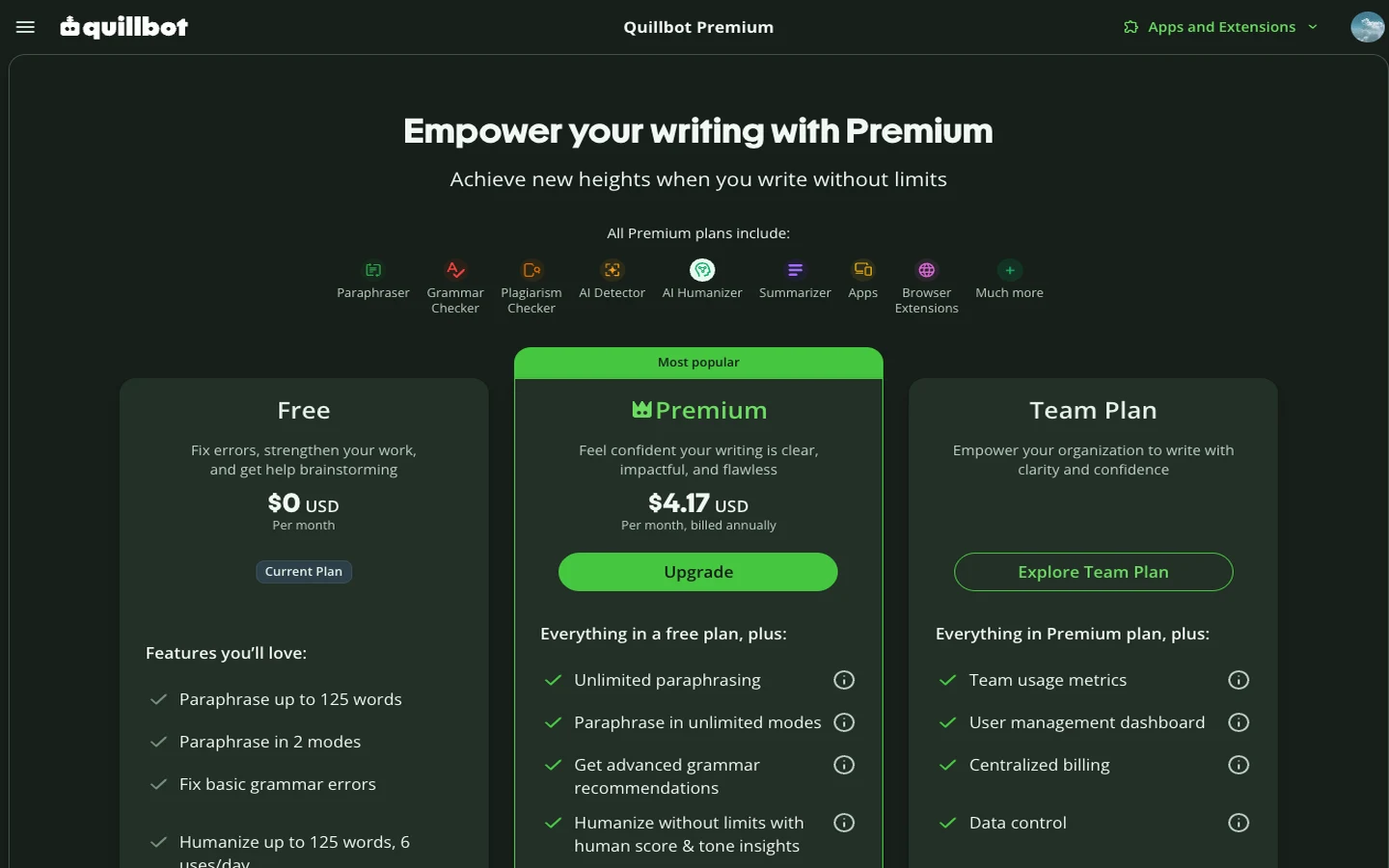
This review was produced independently by the Belreos editorial team. See how we score and test AI tools. Looking for more options? Browse all AI Writing Tools tools on Belreos.