AI Art Generators
Text-to-image AI tools for creating stunning artwork, illustrations, and visual assets from natural language prompts.
verdict
Text-to-image AI tools for creating stunning artwork, illustrations, and visual assets from natural language prompts.
The three we'd actually pay for.

Midjourney is the aesthetic quality benchmark for AI image generation. In every community comparison thread across r/StableDiffusion, r/midjourney, and r/AIArt, the recurring verdict is consistent: no competitor definiti…

Reve is a Palo Alto AI startup that launched its first public image model in late 2024 and released Reve 2.0 on June 3, 2026. The tool sits at app.reve.com and takes a different architectural path from most text-to-image…

Ideogram is an AI image generator with one clear specialty: it produces text inside images that actually reads correctly. Where Midjourney or FLUX will mangle a logo headline into gibberish characters, Ideogram renders i…
Top in AI Art Generators
 3.0/5
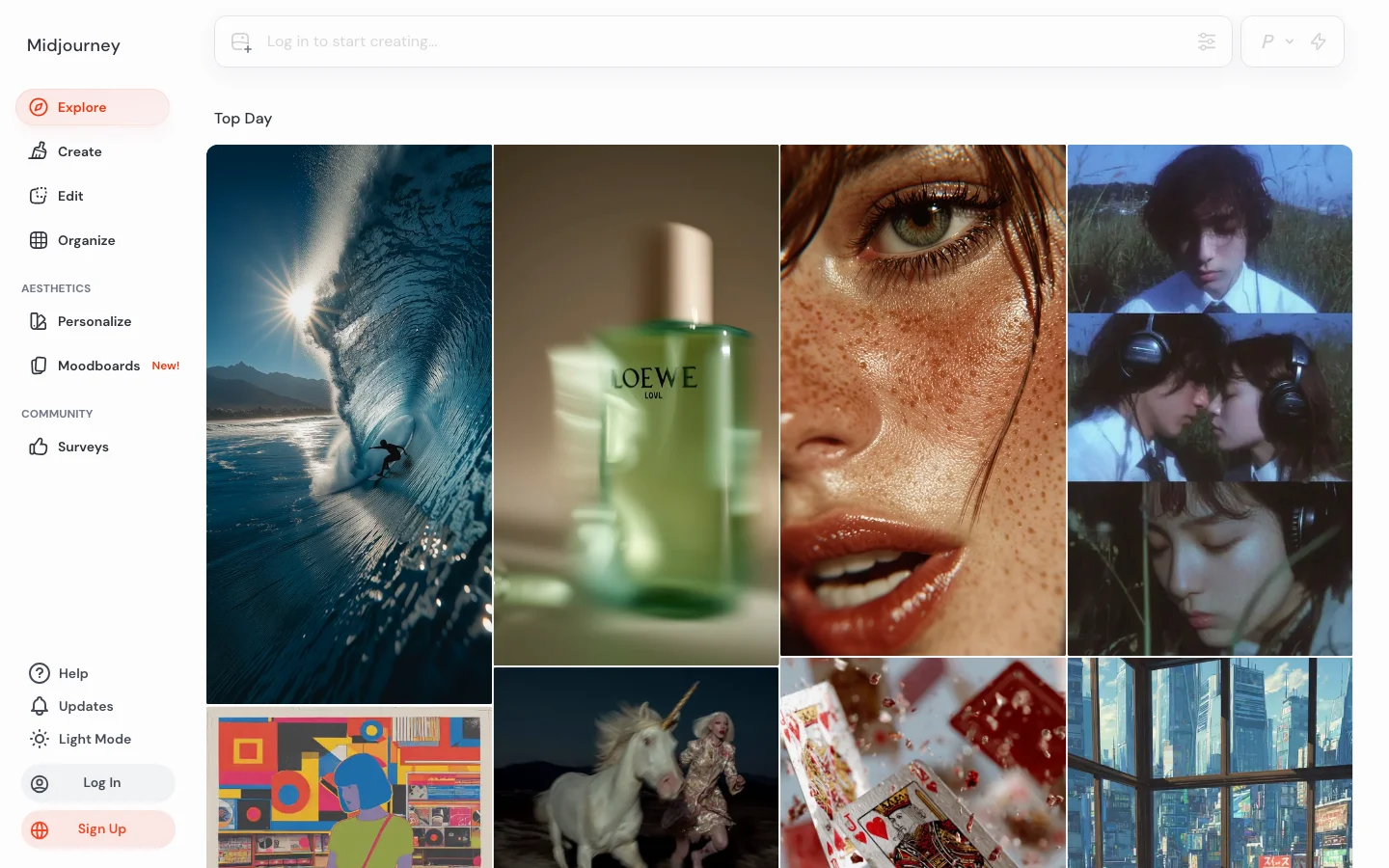
3.0/5Midjourney is the aesthetic quality benchmark for AI image generation. In every community comparison thread across r/StableDiffusion, r/midjourney, and r/AIArt, the recurring verdict is consistent: no competitor definitively beats Midjourney on photorealism, painterly styles, and compositional sophistication for general-purpose creative work. V6.1 remains the stable workhorse that experienced users trust for predictable professional output. V7, released in early 2025, introduced personalization by default and meaningfully improved anatomical accuracy and hand rendering, though it received a split reception from veteran users who found it a regression for stylized work. Brand recognition compounds the moat. Midjourney is the default name that non-technical buyers say when they mean AI art. Agencies and clients reference it by name in creative briefs, reducing friction for AI-generated work in proposals. The Image-to-Video feature generates 5-second clips extendable to 21 seconds, giving Midjourney a credible entry into motion content without leaving the platform. What Makes Midjourney Different The V7 personalization system is Midjourney's most significant competitive moat. After approximately five minutes of preference ranking, users get a personal style profile that shapes all subsequent outputs. The longer you use the platform, the more tuned your results become. This compounding advantage rewards consistent users in a way that erodes the argument for switching platforms on model quality alone. No competitor has replicated personalization at this platform level. The Layers and Editor canvas feature extends Midjourney toward inpainting, outpainting, and compositing without leaving the interface. The community-driven Style Ranking system lets users shape the model's aesthetic direction, with the top 1,000 raters earning free fast GPU hours each month. Style Reference and Character Reference tools launched in 2024 have become standard workflow components for character consistency across a project. Midjourney's web interface at midjourney.com now handles most generation workflows. Discord remains available and is still preferred by many power users for batch generation speed, but new users no longer need a Discord account to get started. The unified gallery, search, and prompt history tools in the web interface meaningfully reduce friction compared to the 2023 Discord-only era. Midjourney Pricing Plans 2026 Midjourney uses a subscription model with fast GPU hours as the core resource. Plans as of 2026: Basic at $10/month (200 fast GPU minutes), Standard at $30/month (15 fast GPU hours plus unlimited relax mode), Pro at $60/month (30 fast GPU hours plus stealth mode for private generation), and Mega at $120/month (60 fast GPU hours). Annual billing reduces each plan by approximately 20 percent. There is no confirmed free tier as of 2026. Midjourney ran a limited free trial in 2022 and briefly in 2023 before discontinuing it. Verify current access at midjourney.com before assuming a trial is available. The Basic plan at $10/month is one of the lower entry points for a premium AI image subscription, though 200 fast minutes goes quickly for active users who generate at volume. Stealth mode on Pro and Mega plans keeps your generations private and out of the public community gallery. This matters for commercial work where clients or competitors should not see early creative exploration. Standard plan users generate publicly unless they explicitly set a job to private, which counts against fast hours at a higher rate. Midjourney vs Adobe Firefly The comparison between Midjourney and Adobe Firefly reflects two fundamentally different product decisions. Midjourney optimizes for aesthetic quality and model power. Adobe Firefly optimizes for commercial safety and Creative Cloud integration. Firefly's training on licensed and public domain images means every output is commercially safe with legal indemnification. Midjourney's ongoing Disney and Universal copyright lawsuit, filed June 2025, is a material risk that IP-sensitive agencies are monitoring. For output quality on photorealism, painterly styles, and cinematic composition, Midjourney leads by a margin that the Firefly team has not closed as of mid-2026. Firefly excels for in-context editing tasks inside Photoshop and Illustrator, where Generative Fill has become a genuinely useful part of professional design workflows. If your work is output-only generation, Midjourney wins on quality. If your work requires commercial IP indemnification or tight Creative Cloud integration, Firefly wins on safety and workflow fit. For game asset generation and concept art depth, Leonardo AI is the stronger option over both, with purpose-trained models and a deeper fine-tuning system. For AI video at meaningful scale, see the AI video category rather than Midjourney's Image-to-Video feature. Is Midjourney Worth It in 2026? For creative professionals whose primary need is visual quality and aesthetic range, Midjourney is worth it. Illustrators, concept artists, marketing designers, and agencies producing campaigns where output fidelity is the brief will find no subscription that delivers comparable results at the $10-$60/month price range. The V7 personalization system creates a compounding return on investment that grows with platform tenure. It is the wrong choice for several specific buyer profiles. Developers building AI generation into applications will hit the no-public-API wall immediately and should look at Flux, DALL-E 4, or Stable Diffusion. Teams needing commercial IP indemnification must use Adobe Firefly. Game studios requiring purpose-trained game asset models and LoRA fine-tuning get better results from Leonardo AI. Video production teams needing camera control and native audio should evaluate RunwayML or Kling AI instead. The structural friction points have not resolved. No public API remains a deliberate product decision. The privacy gap (users cannot delete individual images from public gallery) has not been addressed despite repeated community requests. Content filtering on commercial fashion and lifestyle work remains aggressive and inconsistent. These are known tradeoffs, not bugs being fixed. Browse the full AI art generators category to compare Midjourney against all major alternatives. Frequently Asked Questions Does Midjourney still require Discord in 2026? No. Midjourney launched a full web interface at midjourney.com that handles image generation, gallery management, and billing without Discord. Discord remains available and many power users prefer it for speed and batch generation workflows, but new users can sign up and start generating entirely through the web app. Discord is no longer a prerequisite. How much does Midjourney cost in 2026? Plans run from $10/month (Basic, 200 fast GPU minutes) to $120/month (Mega, 60 fast GPU hours). The Standard plan at $30/month includes unlimited Relax mode generations for users who can tolerate queue wait times, making it the best value tier for moderate-volume users. Annual billing saves roughly 20 percent across all plans. There is no confirmed free tier as of 2026. Can I use Midjourney commercially? Paid subscribers on any plan can use Midjourney outputs commercially, including for client work and product sales. The key exception is the ongoing Disney and Universal copyright lawsuit filed June 2025, which introduces legal uncertainty about training data. Midjourney does not provide commercial IP indemnification. For client work requiring legal indemnification, Adobe Firefly's Generative AI terms include explicit commercial coverage that Midjourney does not offer. Verify the current Terms of Service at midjourney.com before using outputs in high-stakes commercial contexts. Is Midjourney V7 worth the upgrade from V6.1? It depends on your use case. V7's improved anatomical accuracy and hand rendering are genuine advances, and the personalization system is V7-native. For photorealism and character work, V7 is the better model. For stylized illustration and abstract work, many experienced users have stayed on V6.1, finding V7 pulls toward a naturalistic rendering style they do not want. Both versions are available on all plans, so you are not forced to choose. Run your standard prompts on both and compare outputs before committing to a workflow. Midjourney vs DALL-E 4 vs Flux for creative work? Midjourney leads on aesthetic quality and cinematic composition for general creative work. DALL-E 4, bundled in ChatGPT Plus, is convenient but positions below Midjourney on stylistic range. Flux (open weights from Black Forest Labs) is the leading alternative for developers who need API access or local inference. Flux 1.1 Pro approaches Midjourney quality in specific photography and realism tasks. For pure aesthetic output without API requirements, Midjourney remains the benchmark. For programmatic integration, Flux or DALL-E 4 are the practical choices. If Midjourney's price puts you off Midjourney starts at $10/month and has no free trial. If you want to test AI image generation before paying anything, two alternatives are worth knowing about. Leonardo AI gives you 150 free tokens per day -- a daily reset, not a one-time trial. That works out to around 30 high-quality images daily on a free account with no credit card required. OpenArt starts at $12/month and includes access to multiple generation models (Flux, SDXL, and others), so it costs less and gives you more model variety if you work across different styles. Both have full reviews in the Belreos catalog.
 4.0/5
4.0/5Reve is a Palo Alto AI startup that launched its first public image model in late 2024 and released Reve 2.0 on June 3, 2026. The tool sits at app.reve.com and takes a different architectural path from most text-to-image generators: instead of mapping your prompt directly to pixels, it first builds a structured "layout" (objects, regions, text blocks, spatial relationships) and then renders from that plan. The practical result is a model that handles in-image typography and multi-element compositions noticeably better than most alternatives at a similar price point. As of June 2026 it ranks #2 on the Arena text-to-image leaderboard (1,280 ELO from 3,455+ votes), behind OpenAI's GPT Image 2. Reve 1.0 previously held #1 on the Artificial Analysis quality index before GPT Image 2 displaced it. The company raised $350 million in a Series B at a $1.9 billion valuation from Top Harvest Capital in November 2025, bringing total funding to ~$390 million. Key Features Native 4K outputReve renders at 4K x 4K (16 megapixels) natively, with no upscaling step. You get true 4K pixels without the soft edges and ringing artifacts that appear when smaller images are enlarged after the fact. This makes it one of the few models where you can generate a poster, billboard, or product mockup and immediately send it to print without a separate upscaling pass. Layout-first architectureThe model separates planning from rendering. It analyzes your prompt into a scene with discrete elements (subject, background, text blocks, lighting) before it touches a single pixel. You can then click into any element, rewrite a sign, swap a background, or reposition a subject without regenerating the whole image. The editor built into app.reve.com treats the image as structured rather than flat. In-image text renderingReadable text inside generated images has historically been one of the hardest problems in this space. Reve handles it better than most: reviews and hands-on tests consistently show legible multi-word signage, labels, posters, and logos in correct English (and in multilingual compositions). Competitors including Midjourney and older Stable Diffusion checkpoints still produce garbled letters on complex text. Reve and Ideogram are the two models where accurate in-image text is a design feature rather than an occasional lucky outcome. Lossless iterative editingBecause the underlying representation is structured, editing one element doesn't degrade the rest of the image. This differs from inpainting approaches in tools like Adobe Firefly or some OpenArt workflows, where repeated touch-ups can introduce softness or color drift across the full canvas. Broad content permissivenessReve accepts a wider range of creative briefs than Google or OpenAI's models, including violent imagery and suggestive content that those platforms decline. Whether this is a pro or a con depends entirely on what you're making. Pricing Reve uses an "energy" system rather than per-image credits. Each generation consumes a portion of your energy pool, which varies by resolution and complexity. Prices below are from June 20, 2026 research; verify current prices at app.reve.com/pricing before relying on these figures. PlanPriceEnergyBest For Free$0Daily-refreshing poolEvaluation, occasional use Lite$7.99/mo5x the free daily amountRegular personal use Pro$19.99/mo100x the free daily amountHeavy use, commercial work Free tier privacy caveat: Free-tier outputs can be shown publicly in Reve's Inspiration tab and can be used to train Reve's models. From the terms of service: "Output that you create using a Free Account may be made available to and/or searchable by other users, including on Reve's Inspiration page." Free users also grant Reve and other users a perpetual license to reproduce and create derivative works from their outputs. Paid users can opt out of training in account settings. Who It's For Reve works well if you're designing materials where readable text matters (posters, product packaging, event graphics, social media templates), need print-resolution output without a separate upscale step, or work iteratively across multiple editing rounds. It's probably not the right fit if you need API access for automation, rely on consistent artistic style across many generations, or prefer a dedicated mobile app. Verdict Reve 2.0 is a credible challenger in a crowded market. Its layout-first approach genuinely improves iterative editing, and its in-image text rendering puts it in a short list of tools (alongside Ideogram) where typography can actually be trusted. The native 4K output is a real differentiator for print and high-resolution workflows. The caveats are real too. It drops prompt details without warning, its style fidelity is inconsistent, and there's no API for teams that want to automate anything. The free tier's privacy terms are aggressive enough that you should know about them before generating anything you care about. At $7.99/month for Lite or $19.99/month for Pro, Reve sits at a price point where the risk of trying it is low. If you work with text-heavy designs or need 4K output without a separate upscaling step, it's worth a serious look. If you're chasing maximum photorealism, GPT Image 2 still benchmarks ahead. FAQ Is Reve free to use?Yes. Reve has a free tier with a daily-refreshing energy pool, enough to generate a handful of images per day. The catch is that free outputs can appear publicly in Reve's Inspiration tab and may be used to train its models. Paid plans (from $7.99/month) remove the public display and let you opt out of training. How does Reve compare to Midjourney?Reve and Midjourney target different use cases. Midjourney has a stronger aesthetic style and a larger community of preset styles to pull from. Reve's edge is in-image text rendering, native 4K resolution, and structured editing: areas where Midjourney is weaker. If you need readable text inside your images or print-resolution output without a separate upscale, Reve is the stronger pick. Does Reve have an API?No. As of June 2026, Reve does not offer a public API. All generation happens through the web interface at app.reve.com. Can I use Reve images commercially?Paid subscribers (Lite and Pro) retain rights to their outputs for commercial use under Reve's terms. Free tier users grant Reve a broad license to reuse their outputs. If you're creating commercial work, use a paid plan and review the current terms at app.reve.com/terms. What is "energy" in Reve?Energy is the resource you spend when generating or editing images. The free tier gets a daily pool that refreshes automatically. Lite gives you 5x that daily amount and Pro gives 100x. More complex generations and larger outputs typically cost more energy.
 4.0/5
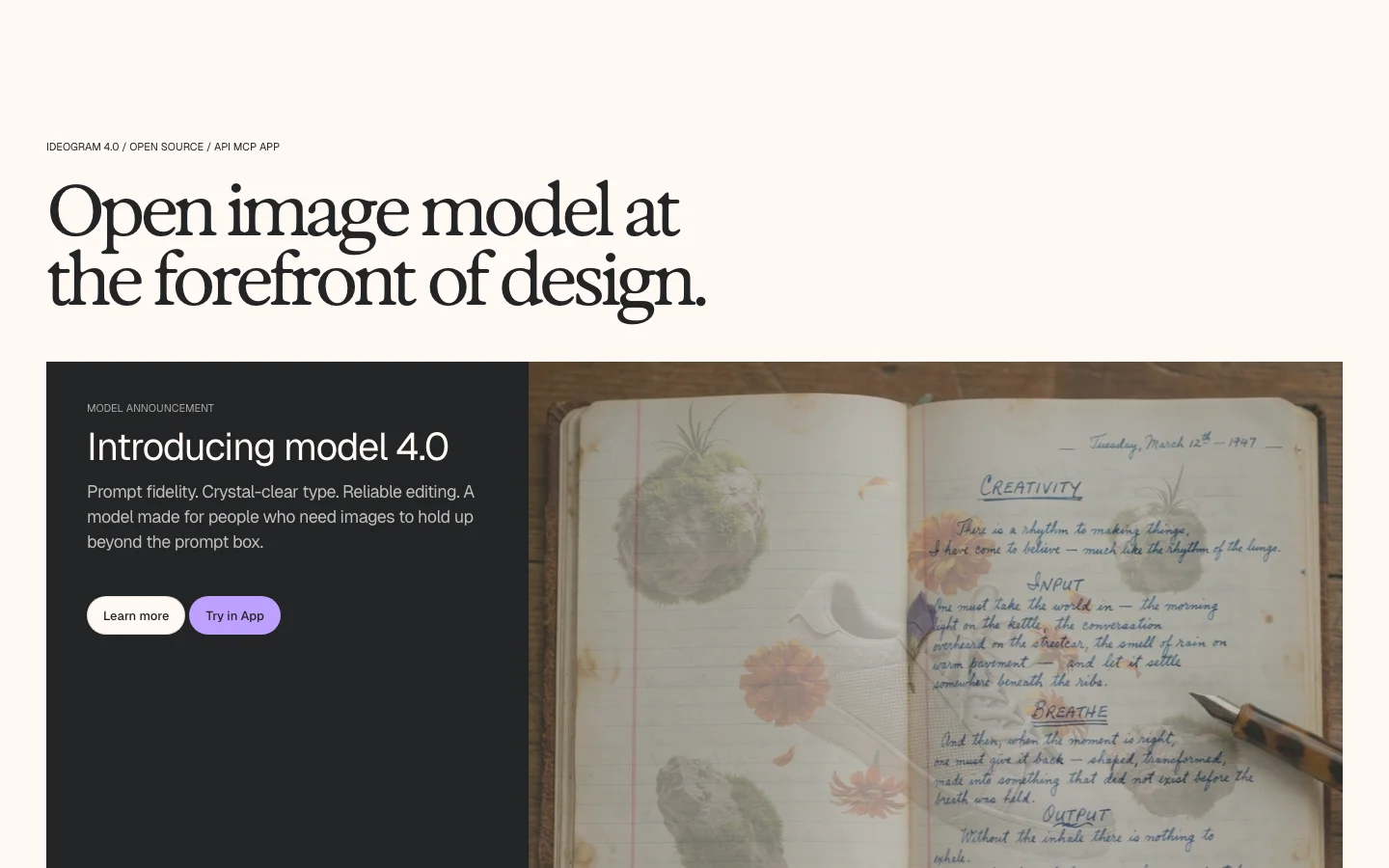
4.0/5Ideogram is an AI image generator with one clear specialty: it produces text inside images that actually reads correctly. Where Midjourney or FLUX will mangle a logo headline into gibberish characters, Ideogram renders it legibly. That makes it the go-to tool for designers producing social banners, event posters, product mockups, and brand assets where copy has to land precisely. Version 4.0 (June 2026) pushes that further with a structured JSON prompting interface: you can specify bounding boxes, font color palettes, and per-element styling in the prompt itself, getting something closer to a repeatable design template than a one-off render. It generates natively at up to 2048 x 2048 pixels. The bigger story for 4.0 is that Ideogram released the weights publicly on Hugging Face. That makes it the first frontier-class open-weight text-to-image model, but the license terms are narrower than "open" implies. More on that below. Key Features In-image text renderingIdeogram scores 0.97 on the X-Omni English OCR benchmark, which measures how accurately generated images reproduce the text in the prompt. In practice: headlines, short body copy, and multi-word labels render correctly rather than drifting into garbled characters. The model handles multilingual text better than most alternatives. Structured JSON promptingYou can pass layout instructions as JSON: bounding box coordinates for text blocks, hex color palettes, and element-level style overrides. This is most useful for teams producing design templates at volume. It is a technical feature; casual users will use the standard text prompt interface. Native 2K outputImages generate at up to 2048 pixels per side with flexible aspect ratios, without an additional upscaling step. Practical for print work and large-format display. Open weights (quantized)Ideogram released two quantized checkpoints on Hugging Face: ideogram-4-nf4 (fits on a single 24 GB GPU) and ideogram-4-fp8. The model architecture is a 9.3B-parameter single-stream Diffusion Transformer trained from scratch. Inference code is Apache 2.0. API accessAvailable on Plus and higher plans, and separately via pay-per-image API pricing ($0.10 per image for Ideogram 4.0 Quality, $0.025 for 2a Turbo as of June 2026). Pricing (as of June 2026) PlanMonthly billingAnnual billingPriority credits/month Free$0$0~10/week (slow queue only) Plus$20/mo$15/mo1,000 Pro$60/mo$42/mo3,200 + API access EnterpriseCustomCustomCustom One Ideogram 4.0 Quality generation costs 6 priority credits. At Plus ($20/mo monthly), that is roughly 167 Quality-mode generations per month. Free-tier images are posted publicly to Ideogram's community gallery; you cannot keep them private on the free plan. Credits do not roll over. The Open-Weight License: Read This Before Downloading The weights on Hugging Face (ideogram-4-nf4 and ideogram-4-fp8) are governed by the Ideogram Non-Commercial Model Agreement, not an open-source license. The inference code is Apache 2.0 and you can use it freely. The model weights are a different matter. Under the Non-Commercial Model Agreement, commercial use requires a separate paid commercial license from Ideogram. There is no revenue threshold exemption and no small-business carve-out. How It Compares Ideogram sits in a different lane than most image generators. Midjourney produces better photorealism and atmospheric imagery but handles in-image text poorly and has no open weights. Leonardo AI offers more fine-tuning flexibility but is not purpose-built for design typography. OpenArt gives broader model access for power users. The closest direct comparison is Reve 2.0 (also released June 2026, also targeting the text-rendering gap). For a broader view of the category, see the best AI art generators roundup. Verdict Ideogram 4.0 is the strongest AI image generator for design work that includes readable text. If your output lives in social graphics, marketing templates, or any format where typography has to be accurate, it earns a serious look. The structured JSON prompting is genuinely useful for teams running at volume, not just a feature for the press release. Two real friction points: free-tier images are public (deal-breaker for client work), and credits expire monthly with no rollover. If those constraints fit your workflow, it is competitive at every tier. FAQ Is Ideogram 4.0 free to use?There is a free tier that gives you 10 slow-queue credits per week. Free-tier images are automatically posted to Ideogram's public community gallery; you cannot keep them private. Paid plans start at $15/month on annual billing ($20/month billed monthly). Can I use the Ideogram 4.0 open weights commercially?No, not without a separate paid commercial license. The weights on Hugging Face are under the Ideogram Non-Commercial Model Agreement, which prohibits commercial deployment. The Apache 2.0 license covers only the inference code, not the weights. How does Ideogram handle text in images?Ideogram 4.0 achieves a 0.97 OCR accuracy score on the X-Omni English benchmark, the highest of any current AI image generator. The structured JSON prompting interface lets you specify bounding box positions and color palettes for text elements, making templated design work repeatable. What GPU do I need to run Ideogram 4.0 locally?The nf4 quantized checkpoint fits on a single 24 GB GPU. The fp8 checkpoint supports broader hardware including Apple Silicon via MPS. Full-precision weights are not publicly available. Does Ideogram roll over unused credits?No. Unused priority credits expire at the end of your billing cycle. This is one of the most common complaints from subscribers who generate images irregularly.
 3.0/5
3.0/5
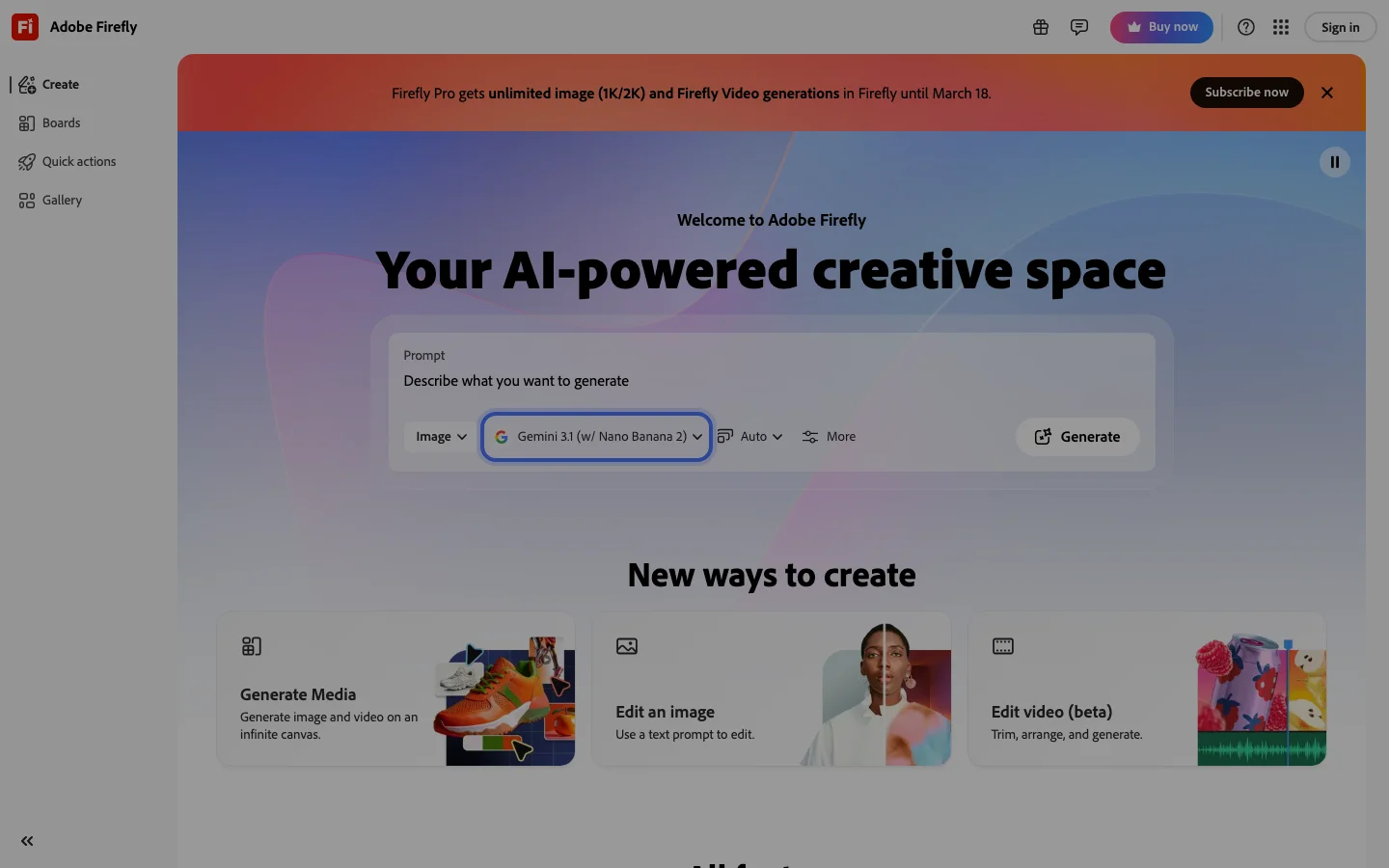
Adobe Firefly is the commercially safe AI image generation platform for professional designers and agencies, and that specific value proposition is the only reason it belongs in a serious tool comparison. Every other major AI image generator (Midjourney, DALL-E 3, Flux, Stable Diffusion) was trained on web-scraped content with unresolved copyright exposure. Firefly was trained exclusively on licensed Adobe Stock imagery and public domain material. More importantly, Adobe backs that training with IP indemnification: if Firefly output is used in client work and a copyright claim arises, Adobe covers the legal liability. No other major AI image tool offers this. For agencies running client campaigns, packaging designers, and marketing teams producing commercial assets at scale, this indemnification removes a genuine legal risk that every competitor carries unacknowledged. The integration argument is equally concrete. Generative Fill lives inside Photoshop and Illustrator as a native panel: no export, no tab-switch, no friction against deadline-driven client workflows. A designer already in Photoshop can select a region, type a prompt, and iterate without leaving the application. The Harmonize feature (launched Adobe MAX 2025) automatically matches lighting and color between composite layers, removing a manual step that previously required Color Match adjustments or manual masking. Custom Firefly Models (also Adobe MAX 2025) let teams upload their own visual work to generate assets in their established house style. The most significant 2026 development: Adobe integrated Gemini 2.5 Flash Image and FLUX.1 Kontext as selectable partner models inside Photoshop Generative Fill in March 2026; users now choose between Firefly, a Google model, or a Black Forest Labs model in the same panel. Adobe's strategy has shifted from competing on model quality to providing a commercially safe platform wrapper around best-in-class partner models. The quality gap is honest and documented. Community verdict on standalone Firefly output is consistently harsh: prompt adherence is poor ("the more you prompt the worse it gets"), resolution is insufficient for print at standard output sizes, and the model has not received the meaningful quality improvements that Midjourney and DALL-E 3 have shipped. Firefly does not appear in AI generation leaderboards. The credit system enforcement was tightened in 2025 to block all generative features after credit exhaustion with no warning, including for paid subscribers mid-session. The "Unlimited Generative Fill" plan tier still generates throttling messages in practice, which is a misleading plan name that has generated sustained community complaint. Heavy Firefly users have documented workarounds including switching to partner models (Gemini, Flux) when Firefly credits exhaust. Firefly makes sense as an embedded layer in an existing Creative Cloud workflow where legal compliance and client-work indemnification are non-negotiable requirements. It does not make sense as a standalone AI image generator for users prioritizing output quality, prompt control, or cost efficiency. The right buyer is a Creative Cloud subscriber at an agency or brand with active client work who needs to document that their AI-generated assets are commercially safe. The wrong buyer is a freelancer, content creator, or developer who wants the best visual output per dollar. Firefly is primarily bundled with Creative Cloud subscriptions (~$75/month for All Apps); standalone Firefly plans exist at lower price points. Verify current pricing at firefly.adobe.com. Frequently Asked Questions Is Adobe Firefly legit and safe to use? Adobe Firefly is a legitimate product from Adobe Inc., a publicly traded company with over 40 years in the creative software industry. It is one of the most commercially safe AI image generators available: Adobe trained Firefly exclusively on licensed Adobe Stock content and public domain material, and provides legal indemnification for output used in client work. Your data is handled under Adobe's enterprise privacy terms, which are among the most scrutinized in the software industry. How much does Adobe Firefly cost in 2026? Firefly is primarily bundled with Adobe Creative Cloud subscriptions. All Apps runs approximately $75 per month, which is the highest entry cost in the AI image generation category. Standalone Firefly plans exist at lower price points for users who do not need the full Creative Cloud suite. All plans include a monthly generative credit allowance; credits reset each billing cycle and unused credits do not roll over. Verify current plan pricing at firefly.adobe.com as Adobe has adjusted credit allocations multiple times. Is Adobe Firefly worth the subscription? For Creative Cloud subscribers at agencies or brands producing client work, yes. The IP indemnification alone justifies the cost. Adobe legally covers liability if Firefly output generates a copyright claim in commercial work, which no other accessible AI image tool provides. For anyone outside that specific context (freelancers, content creators, developers who want raw image quality), Firefly is not worth the premium. Output quality lags behind Midjourney and DALL-E 3, and community consensus on prompt adherence is consistently harsh. It earns its seat at the table only through legal safety, not visual capability. Does Adobe Firefly have a free trial or free plan? Yes. Adobe offers a free tier for Firefly that includes a limited monthly generative credit allowance, accessible at firefly.adobe.com without a Creative Cloud subscription. Existing Creative Cloud subscribers also receive Firefly credits included in their plan. The free tier is functional for testing but credit exhaustion blocks all generative features mid-session with no warning. Evaluate how quickly you burn through credits before committing to a paid plan.
OpenArt is an AI image and video generation platform built by former Googlers. It started as a Stable Diffusion prompt discovery tool before expanding into a 100+ model creative suite. The SD Prompt Book (1,400+ upvotes on r/StableDiffusion) and a LoRA training guide that landed on HackerNews established the platform's credibility among serious AI artists before it sold a single subscription. The users who are now the loudest critics are not newcomers who misunderstood the product. They are the users who were there first, who built their workflows on OpenArt over years, and who expected better than a UI overhaul that buried 120 folders of organized work overnight. The platform's technical value proposition is real. OpenArt aggregates 100+ models: Stable Diffusion variants, Flux, Kling, Veo3, Seedream, Nano Banana, under one account, which is a genuine differentiator against single-model tools like Midjourney. For Kling AI video generation at the ~$30/month tier, OpenArt delivers 125 Kling 2.6 (1080p, 5s) videos and 168 Kling o1 credits per month, more than Higgsfield (120), Freepik (82), or Krea (37). For buyers specifically researching Kling credit volume, OpenArt is the best-value entry point. The Consistent Character feature (upload a reference image and generate the same character identity across scenes) is actively used in UGC creator and social media content pipelines. Paired with HeyGen for lip sync, it forms a complete AI character video workflow. LoRA custom model training is also available on mid-tier plans. For creators who want to generate, train, edit, and export in one place, no other platform at this price aggregates all four under one login. Competitor Leonardo.ai offers a more stable UI; Higgsfield offers more image credits at the same price; ComfyUI and RunPod offer self-hosted freedom with no UX rug-pulls. The execution problems are structural enough to shape the recommendation. Character Creator 2.0 launched to immediate backlash: users documented that the new version delivers generic outputs regardless of reference input, doubled the credit cost, and required users to pay to upgrade existing characters just to use them in video generation, affecting anyone with large existing character libraries. The credit loss bug is independently documented across multiple subreddits: credits deducted for failed generations, no refund on email contact, and a recurring pattern where the platform works well on the free tier and starts malfunctioning after payment. OpenArt's annual plan pricing creates compounding risk. The 40 one-time free trial credits are insufficient to evaluate a multi-generation workflow, and annual commitments of $700-$800/year are generating public buyer regret at a high enough rate that it has become a visible Reddit thread type. The platform is not a scam; it is a capable tool that is currently burning through its community goodwill faster than it is earning it back. OpenArt is featured in our best AI art generators comparison. Browse all tools in the AI art generators category or compare it directly with Leonardo AI. ## Is OpenArt AI Legit and Safe? OpenArt is a legitimate company, not a scam. It was founded in 2022 by a team of former Google engineers, including co-founders Zhen Li and Zongyi Li, and is headquartered in San Francisco. The platform launched publicly as a Stable Diffusion prompt discovery tool and grew organically within the AI art community before moving into paid subscriptions. Its SD Prompt Book reached over 1,400 upvotes on r/StableDiffusion, and its LoRA training content was featured on HackerNews, both signals of genuine community credibility. On data handling: OpenArt's terms of service state that users retain ownership of the images they generate. The platform uses uploaded reference images to run the Consistent Character and LoRA training features, but does not claim rights to your output or source images for redistribution. Generated images on paid plans are not used to train the model without consent. The legitimate concern is not fraud, it is execution. Credit loss bugs after payment, support response times measured in weeks, and the Character Creator 2.0 rollout that retroactively gated existing work behind new costs, these are documented patterns across independent Reddit threads. OpenArt is a real product that has earned real community frustration. The trust assessment: safe to use on a monthly plan, risky to commit to annually until the platform stabilizes. Compare alternatives at Leonardo AI and Adobe Firefly before making an annual commitment. ## OpenArt Pricing and Subscription Plans 2026 OpenArt uses a credit-based subscription model across four tiers. Pricing as of April 2026: **Free** ($0/month): 40 one-time credits on signup. Suitable for testing only, insufficient for evaluating multi-step workflows. **Starter** (~$12/month billed monthly, ~$8/month billed annually): Basic credit allocation covering standard Stable Diffusion and Flux image generation. Does not include Kling video credits or LoRA training. **Hobbyist** (~$30/month billed monthly, ~$20/month billed annually): The main tier for serious users. Includes Kling 2.6 video credits (approximately 125 clips at 1080p/5s per month), access to 100+ models, and LoRA custom model training. Commercial use is permitted on this tier. **Pro** (~$67/month billed monthly, ~$45/month billed annually): Higher credit volume, priority generation queue, and expanded model access including newer video models like Veo3 and Seedream as they are added. The credit system means actual generation counts vary by model. A single Kling 2.6 video costs more credits than a standard image. The free trial (40 credits) is not enough to meaningfully test video workflows before committing. Monthly plans are the lower-risk entry point given the documented annual plan regret on Reddit at the $700-$800/year price point. Verify current pricing at openart.ai before purchasing, as credit allocations have changed with each model addition. ## Frequently Asked Questions **Is OpenArt AI legit?** Yes. Founded in 2022 by former Google engineers in San Francisco, with an established Reddit and HackerNews community presence. User complaints center on execution quality (credit bugs, UI changes), not legitimacy. **Is openart.ai safe to use?** The platform itself is safe and follows standard data practices - you retain image ownership. The risk is financial: credit-loss bugs and slow support mean lost credits can go unresolved. Stick to monthly billing to limit exposure. **What are OpenArt's subscription plans in 2026?** Four tiers: Free (40 one-time credits), Starter (~$12/month), Hobbyist (~$30/month), and Pro (~$67/month). Annual billing cuts prices by roughly 30-35%. The Hobbyist tier is where most paid users land because it includes Kling video credits and LoRA training. **How much does OpenArt cost?** $12 to $67 per month depending on tier, with annual billing dropping to $8-$45/month. Annual plans run $700-$800 upfront, which has generated significant buyer regret on Reddit. Start monthly. **Do I need an OpenArt account to try it?** Yes, there is no guest mode. Signup is free and gives you 40 one-time credits, enough for basic image tests but not for evaluating video generation or LoRA training.

Leonardo AI is a browser-based AI image and art generation platform acquired by Canva in July 2024. It remains the leading hosted tool for game developers, concept artists, and creative teams needing depth beyond what single-model tools provide. The founding team and CEO JJ Fiasson continue running Leonardo as an independent product while Canva integrates the underlying technology into Magic Studio. The honest assessment is that nothing has broken post-acquisition, and the product roadmap has continued shipping at pace. The Phoenix AI model, Leonardo's in-house flagship, handles multi-subject prompt adherence and functional in-image text generation at a level that Midjourney cannot reliably match. Logos, banners, and posters where legible text is the point are practical use cases in Leonardo that remain unreliable in most competing tools. The Real-time Canvas updates as you type, which compresses iteration time for concept development. What Makes Leonardo AI Different Leonardo AI is the deepest hosted creative suite in the AI image generation market. Where Midjourney gives you a prompt box and Adobe Firefly gives you commercial safety, Leonardo gives you a multi-model library spanning Phoenix, KinoXL, anime presets, and purpose-trained game asset models. On top of that base sits a full canvas with inpainting, outpainting, and compositing; ControlNet-style pose and depth guidance; a fine-tuning system for training custom LoRA models on your own reference images without touching code; and the Real-time Canvas. The game developer community has converged on Leonardo AI as the category leader for game asset generation: textures, character sheets, tilesets, and concept art. No competitor offers purpose-trained game asset models at this depth for a hosted subscription. Game studios that would otherwise run local Stable Diffusion pipelines use Leonardo for the hosted LoRA library, fine-tuning system, and API access that integrates into production asset pipelines. The Phoenix model's text-in-image generation is genuinely useful for branded content creation. Generating a product banner where the brand name renders legibly is a repeatable workflow in Leonardo that requires significant prompt engineering workarounds in Midjourney and is hit-or-miss in DALL-E 4. For design teams generating marketing assets at scale, this is a practical workflow advantage rather than a niche capability. Leonardo AI Pricing Plans 2026 Leonardo AI uses a token-based pricing model where generation costs vary by model, resolution, and features enabled. This makes spend less predictable than a flat monthly fee, which is the most consistent documented community complaint. The free tier provides approximately 150 tokens per day, giving real access to most models and features for evaluation. Paid plans as of 2026: Essential at $12/month (8,500 tokens), Premium at $30/month (25,000 tokens), and Ultimate at $60/month (60,000 tokens). Token consumption varies by model. Standard Phoenix generations cost around 1.5 tokens per image at base settings. Premium models and high-resolution outputs consume significantly more. Advanced features like Alchemy upscaling and image-to-image with high strength consume additional tokens per operation. For power users running high volumes across multiple models, the token math adds up quickly. A grey market of token resellers pricing at "90% off retail" has emerged on Reddit, which signals the official pricing is unsustainable for some user segments. The API is available on paid plans and is one of the key reasons game studios and content operations choose Leonardo over Midjourney. Programmatic access to fine-tuned custom models through the Leonardo API is a capability that Midjourney does not offer on any plan. Verify current token allocations and pricing at leonardo.ai/pricing as these have been adjusted multiple times. Leonardo AI vs Midjourney for Creative Work The choice between Leonardo AI and Midjourney depends almost entirely on your primary use case. For general-purpose photorealism, painterly styles, and cinematic composition, Midjourney leads on aesthetic quality. For game asset generation, concept art with reference consistency, branded text-in-image work, and programmatic API integration, Leonardo leads on depth and flexibility. Midjourney's V7 personalization system is a compounding moat that Leonardo has not replicated. The longer you use Midjourney, the more tuned your results become. Leonardo's LoRA fine-tuning system is the closer equivalent, requiring more upfront investment (uploading reference images, configuring training runs) but delivering model-level customization rather than a preference ranking system. For commercial use, both tools have copyright uncertainty. Midjourney has an active Disney and Universal lawsuit. Leonardo's Canva acquisition introduces its own IP questions as Canva integrates Leonardo's training data into its commercial suite. For commercial safety with legal indemnification, Adobe Firefly is the only major tool that covers client work explicitly. Browse the full AI art generators category for a complete comparison. Is Leonardo AI Worth It in 2026? For game developers and concept artists, Leonardo AI is worth it. The purpose-trained game asset and character art models are a genuine moat. Phoenix's multi-subject prompt adherence and functional text-in-image generation make it practically useful for logos and banners. The Real-time Canvas and browser-based fine-tuning system are compelling for studios that want LoRA training without GPU infrastructure investment. For casual users who want the best-looking image per prompt with minimal learning curve, Midjourney produces better aesthetic results with less tuning. Leonardo rewards users who take time to learn the model library and fine-tuning system. The depth that makes it valuable for professionals also makes it more complex to onboard for non-technical users. The content filter behavior is the one area where the honest assessment is negative. The loudest sustained complaint in r/leonardoai is paid Artisan-tier users blocked on words like "city," "nightmare," and "sheer gown." This is not occasional friction. It is "censorship out of control," per the community's own language, and some experienced users have left over it. If content filter unpredictability is a dealbreaker for your workflow, test the free tier against your specific use cases before committing to a paid plan. Frequently Asked Questions Is Leonardo AI free in 2026? Yes, Leonardo AI has a free tier that provides approximately 150 tokens per day. The free tier gives real access to most models and features, including the Real-time Canvas and Phoenix model, making it genuinely useful for evaluation rather than just a demo. Some advanced features like Alchemy upscaling and certain fine-tuning capabilities are gated to paid plans. Sign up at leonardo.ai to test the current free allocation against your actual use case before subscribing. What is the Leonardo Phoenix model upgrade? Phoenix is Leonardo's in-house flagship model, replacing earlier models as the primary recommendation for most generation tasks. The key advances are multi-subject prompt adherence (following complex prompts with multiple characters, objects, and settings more accurately) and functional text-in-image generation (rendering legible text like logos, signs, and banners inside generated images). For game asset work, KinoXL and the purpose-trained game asset models remain strong alternatives to Phoenix for specific tasks. Phoenix is the starting point for new users; explore the model library from there. Leonardo vs Midjourney for commercial use Both tools allow commercial use on paid plans, but neither provides legal indemnification for copyright claims on generated outputs. Midjourney has an active copyright lawsuit from Disney and Universal filed June 2025. Leonardo's Canva acquisition introduces additional questions about training data and IP as the platforms integrate. For client work requiring explicit commercial coverage, Adobe Firefly's terms include legal indemnification that neither Leonardo nor Midjourney provides. Verify current terms at leonardo.ai/terms before using outputs in high-stakes commercial contexts. Does Leonardo AI train on user images? By default, images you generate on Leonardo may be used to improve the platform's models unless you opt out or are on a plan that includes privacy settings. The fine-tuning datasets you upload for LoRA training are treated separately and are not shared publicly. The Canva acquisition has prompted community concern about data practices as Canva integrates Leonardo into Magic Studio. Review the current privacy policy at leonardo.ai and check your account settings for privacy and training opt-out options before uploading sensitive reference material. Leonardo AI pricing tiers explained Leonardo uses tokens as the billing unit, with consumption varying by model, resolution, and features. The free tier provides roughly 150 tokens per day. Paid tiers as of 2026: Essential at $12/month (8,500 tokens), Premium at $30/month (25,000 tokens), and Ultimate at $60/month (60,000 tokens). Token usage is the unpredictable variable: a standard Phoenix generation at base settings costs around 1.5 tokens, but premium models and Alchemy upscaling consume significantly more. Test your typical workflow on the free tier to understand your actual token consumption before selecting a plan.
One category review a month. The good ones.
What we reviewed, what we dropped, what's worth your money. No sponsored slots.