AI Video Editing Tools
AI-assisted video editing platforms that automate cutting, captioning, color grading, and post-production workflows.
verdict
AI-assisted video editing platforms that automate cutting, captioning, color grading, and post-production workflows.
The three we'd actually pay for.

Opus Clip is an AI video tool that turns long-form video into short, vertical clips for TikTok, Instagram Reels, and YouTube Shorts, using automatic transcription and an AI model to pick clip boundaries and score each re…

Descript is an AI-powered audio and video editor built around a simple idea: you edit media by editing the transcript. Instead of scrubbing through waveforms and timelines, you read the words, delete the ones you do not …

Vozo AI is a web-based video localization and translation platform built around three tasks: AI video dubbing of existing content into other languages, syncing the speaker's lip movements to match the new audio track, an…
Opus Clip is an AI video tool that turns long-form video into short, vertical clips for TikTok, Instagram Reels, and YouTube Shorts, using automatic transcription and an AI model to pick clip boundaries and score each result for likely engagement. It's priced on a credit system where 1 credit equals 1 minute of the source video you upload, not 1 minute of finished clip, which is the single most important thing to understand before you subscribe. That credit mechanic is the real story behind Opus Clip's pricing, more than any single feature. Upload a 60-minute podcast and you pay for all 60 minutes of processing, whether you end up keeping 1 clip or 20 from it. Belreos confirmed this directly: a 5-minute, 4-second source video cost exactly 5 credits, rounded down, and the credit balance dropped the instant the job was submitted, not when it finished. If you're deciding whether a plan's credit allowance will actually cover your workflow, that's the number to do the math against, not the plan's advertised price. Who Opus Clip Is For Opus Clip fits creators who already have long-form source material such as podcasts, interviews, webinars, or lectures, and want an automated first pass at short clips rather than manually scrubbing through footage themselves. Long-form creators who upload heavily but only keep a small slice of it as finished clips should think twice before committing to a paid tier, since a low keep-rate against a long upload is the worst-case math the credit system produces. Anyone testing the product for the first time should use the free trial's 10 credits deliberately: at the mechanic confirmed above, that's roughly 10 minutes of source video across the whole 7-day window, not 10 clips. There's also a separate free-forever plan with 60 credits a month, six times the trial's 10-credit total, which can be confusing if you're comparing the two: the trial exists to show you Pro-tier features for a week, while the free-forever plan is the standing baseline once that week ends. What Opus Clip Actually Does Source import: paste a YouTube URL or upload a file; Opus Clip reads the exact source duration and shows a credit estimate before you submit. AI clip selection with Virality Score: every clip gets a 0 to 100 score shown under its thumbnail, included even on the free trial. The scoring methodology itself isn't explained anywhere in the interface. ClipAnything: a content-detection mode built for genres beyond talking-head podcast footage, which is a genuine point of difference from clippers that only handle interview-style video well. Auto-generated headlines: each clip gets an AI-written title suggestion. In testing, one of six headlines oversold its clip's content rather than describing it accurately; the rest matched their clips' transcripts (see below for the full breakdown). Export: free-tier HD download at no extra credit cost, direct social publishing, and an Adobe Premiere Pro XML round-trip for further editing. Hands-On Test: One Clip Run, One Video, Free Trial Belreos tested Opus Clip on a brand-new free-trial account on 2026-08-17, generating one batch of clips from one 5-minute, 4-second source video, a TED-Ed talk on bilingualism. Opus Clip produced 6 clips, with Virality Scores of 99, 85, 84, 80, 70, and 60. Belreos read each clip's full word-level transcript in the editor, rather than only watching the output, to check where each clip actually started and ended. Clip boundary check, one 5:04 source video, 6 generated clips Virality ScoreDurationResult 991:14Clean open and close, complete sentences on both edges 850:27Opens mid-sentence on a dangling clause with no subject; closes clean 841:42Clean open and close 800:30Clean open and close, but the opening line nearly duplicates the 84-score clip above 700:19Clean open and close, but the AI-generated headline ("She Learned Two Languages Before She Could Speak") is plausible-sounding, not literally accurate to the transcript 600:19Grammatically clean, but opens on a pronoun ("her") introduced only in a different clip, a continuity gap rather than a cut problem Methodology note: every clip-accuracy figure in this review, including "5 of 6" and "1 of 6," comes from this single run on this single account. Nothing here is aggregated across multiple tests, video types, or account tiers. The result: 5 of 6 clips were cut cleanly on both edges, but only 2 of 6 were free of any defect once headline accuracy, duplication, and continuity are also counted. 1 of 6 opened mid-sentence. Of the remaining five, three carried a smaller issue: one clip's opening line nearly duplicated another clip's, one clip opened on an unintroduced pronoun with no antecedent in its own transcript, a continuity gap rather than a factual error, and one clip's AI-generated headline oversold what its own transcript actually said. Opus Clip Pricing in 2026 Opus Clip's in-app upgrade screen quotes lower prices than its public marketing page: $12 for Starter, $23 for Pro monthly, and $138 for Pro annual, all below the numbers displayed on opus.pro's public pricing page. Opus Clip pricing: public marketing page vs. in-app upgrade screen and subscription-plans API, both checked 2026-08-17. The in-app screen and API returned identical numbers whether the request was anonymous or signed in. PlanPublic page priceIn-app + API priceCredits/monthCredit expiry Free forever$0$060Resets monthly 7-day trial$0$010 total7 days Starter$15/month$15 struck through, $12/month15060 days Pro, monthly$29/month$29 struck through, $23/month30060 days Pro, annual$208.80/year ($17.40/month)$138/year ($11.50/month)300 (3,600 granted upfront)12 months BusinessContact salesContact salesCustomNot stated That's a defect that works against OpusClip, not against you: the public page makes the tool look more expensive than its own upgrade screen does. But it still misleads anyone who prices Opus Clip from the public page alone and walks away without checking the in-app numbers. OpusClip's public page shows list prices; its in-app screen shows promo prices with the list struck through. Price the tool from the in-app screen, not the public marketing page. Belreos did not find the debit timing disclosed on either the public pricing page or the in-app upgrade screen. In testing, Belreos's balance dropped from 10 to 5 credits the instant a job was submitted, while it was still sitting at 0 to 7 percent progress with 5 to 6 minutes left on the clock. Whether a failed job returns its credits was not tested, since the one job submitted completed successfully. The Free-Tier Watermark: What Belreos Could and Couldn't Confirm Free-tier watermarking is advertised and long-standing: OpusClip's own marketing pages describe free exports as watermarked, and Wayback Machine snapshots going back more than a year show the same claim. Starter's plan page also lists "Remove Watermark" as a feature you get only by paying, which only makes sense if the tier below it is watermarked. That's the strongest evidence in this review for the free tier specifically, and it comes from OpusClip's own claims, not from a Belreos test. What Belreos actually tested was different, and it produced a contradiction Belreos cannot resolve. The export panel's preview for the free-trial account used in this review displayed a visible watermark badge. But the file downloaded from that same account, a demo-project export rather than one of the 6 clips generated for the accuracy test above, carried no watermark at all when Belreos checked it frame by frame with ffmpeg: frames pulled at 3 seconds, and at the 30th, 1,200th, and 2,400th frames across the full 87.8-second clip, all four corners, at the file's actual 1080x1920 resolution. No watermark at any of the four checkpoints: no logo, no text, no ghosting. The preview showed a watermark; the downloaded file from the same account did not. Belreos cannot explain that mismatch and is not resolving it here. That result says something about a Pro-trial export, not about the Free tier. A true Free-tier export was not tested in this review, and given the advertising and Wayback evidence above, the safer assumption is that free exports do carry a watermark. The same file also showed AI captions rendering correctly, including styled text with an emoji ("LOVE" with a green heart), on a bass-guitar music performance rather than talking-head footage. As a demo-project export rather than one of the six tested clips, it shows captions and emoji rendering on non-talking-head footage, but it is not test evidence that ClipAnything performs well across genres, and it doesn't settle the watermark question either way. Limitations of This Review Several claims that come up around Opus Clip could not be confirmed firsthand in this pass, and Belreos isn't presenting them as fact: Free-tier watermark: Belreos tested a Pro-trial account, not the free-forever plan. Free-tier watermarking is advertised on OpusClip's own marketing pages and has appeared in Wayback Machine snapshots for over a year, but no actual Free-tier export was downloaded and checked in this review. Refund on a failed job: untested, since the one job submitted in testing completed successfully and never triggered a refund scenario. Post-cancellation lockout: a widely repeated claim describes a lockout period after cancelling a paid subscription. This wasn't testable on a free-trial account, since there was no active paid subscription to cancel. A different, directly observed mechanism exists alongside it: individual clip projects on the trial account carry their own countdown badge reading "6 days before expiring," a project-level expiration, not the cancellation-lockout claim. The two shouldn't be conflated. Support: human or bot first: Opus Clip's support widget offers a message form, a help center, a separate "Agent Opus" help center, and a Discord link, but whether a submitted message routes to a human or a bot first wasn't tested. Third-Party Ratings Trustpilot and Product Hunt both allow direct data collection, and Belreos checked both on August 19, 2026: Trustpilot rates Opus Clip 4.0 out of 5 across 467 reviews, and Product Hunt rates it 4.51 out of 5 across 78 reviews. Capterra shows 3.6 out of 5 from only 5 reviews, and TrustRadius shows 10 out of 10 (5.0 on a 5-point scale) from only 2 reviews; both samples are too small to draw a conclusion from and are noted here for completeness, not as evidence. G2 was not collected for this review. Weighted by review count, Trustpilot and Product Hunt together put the crowd average at roughly 4.1 out of 5, above Belreos's 3.0 rating. Three findings from this review account for most of that gap: only 2 of 6 test clips came back free of any issue once headline accuracy, duplication, and continuity are counted; the public pricing page understates every paid tier's real in-app price; and the free-tier watermark question ended in an unresolved contradiction rather than a confirmed answer. A star rating on Trustpilot or Product Hunt does not weigh any of those three. Is Opus Clip Worth It? Opus Clip's clip-selection engine held up well on cut quality but not on overall polish: 5 of 6 clips were cut cleanly on both edges, though only 2 of 6 came back free of any issue once headline accuracy, duplication, and continuity are also counted. ClipAnything's broader genre support is a real point of difference from clippers built only for talking-head podcasts. The credit economy is arithmetic: you pay for every minute of source video you upload the instant you submit it, not for what you keep. Long-form creators who upload heavily but keep only a small slice as finished clips get the worst of that math and should run the numbers before committing. Separately, price the tool from OpusClip's in-app upgrade screen, not its public marketing page: the public page quotes higher numbers on all three paid tiers than the in-app screen does. If you upload long source video and keep most of it as clips, the credit math works in your favor, since you're paying close to full price for footage you actually use rather than for footage you discard. If you keep only a small slice of a long upload, do that math against your own habits first. Opus Clip Alternatives Vizard is the closest structural competitor, also metering by source-video minutes rather than clip count. Its actual pricing could not be confirmed this pass, so there is no dollar comparison here. Klap is a direct competitor in the same clipping category and worth checking as an alternative, though its pricing and metering model were not confirmed this pass. Submagic leans toward captioning short videos you already have rather than generating clips from long-form source, a different job than what Opus Clip does. CapCut is a general-purpose video editor with AI features added on, not a purpose-built clipper, and it offers a free tier. Belreos verifies pricing first-party and hands-on tests tools before publishing those claims. None of these four have been through that process yet. If you want a full manual editor instead of AI-driven clip selection, Descript is worth a look. Vozo AI is another AI video editor in the same category. Frequently Asked Questions How does Opus Clip's credit system actually work? Opus Clip charges 1 credit per minute of the source video you upload, not per finished clip, and the charge posts the moment you submit the job rather than when it completes. A 5-minute source video costs 5 credits whether you keep 1 clip from it or all of them. Is Opus Clip free to use? Opus Clip has two free options: a standing free-forever plan with 60 credits a month and no credit card required, and a separate 7-day trial that gives access to Pro-tier features like the Virality Score with 10 credits, also no card required. Beyond either, the cheapest paid plan is Starter, listed at $15/month on the public page and quoted at $12/month on the in-app upgrade screen and pricing API, monthly billing only, with 150 credits that expire after 60 days. Does Opus Clip watermark free exports? Almost certainly yes on the free-forever tier, based on OpusClip's own marketing claims, over a year of consistent Wayback Machine snapshots, and Starter's "Remove Watermark" feature line, which only makes sense if the tier below it is watermarked. Belreos's own test complicates the picture rather than confirming it: the export preview for the trial account used in this review showed a watermark badge, but the file actually downloaded from that same account had none, and Belreos cannot explain the mismatch. A true Free-tier export was not independently tested. How accurate is Opus Clip's AI clip selection? 5 of 6 clips opened and closed on complete sentences in Belreos's hands-on test, but only 2 of 6 came back free of any issue once headline accuracy, duplication, and continuity are also counted. 1 clip opened mid-sentence on a dangling clause. A separate clip opened on an unintroduced pronoun with no antecedent in its own transcript, a continuity gap rather than a factual error, and another clip's AI-generated headline oversold what its transcript actually said. Is Opus Clip worth the price in 2026? Opus Clip is worth considering if you regularly produce long-form video and want a fast first pass at short clips, since its core clip-selection engine performed well in testing and the free trial gives real access to Pro-tier features before you pay. It's a harder sell if you upload long source videos but only keep a small fraction as clips, since the credit meter charges for the full source length regardless of what you keep, and you should price the tool from its in-app upgrade screen rather than its public marketing page, which currently quotes higher numbers on all three paid tiers.
 3.0/5
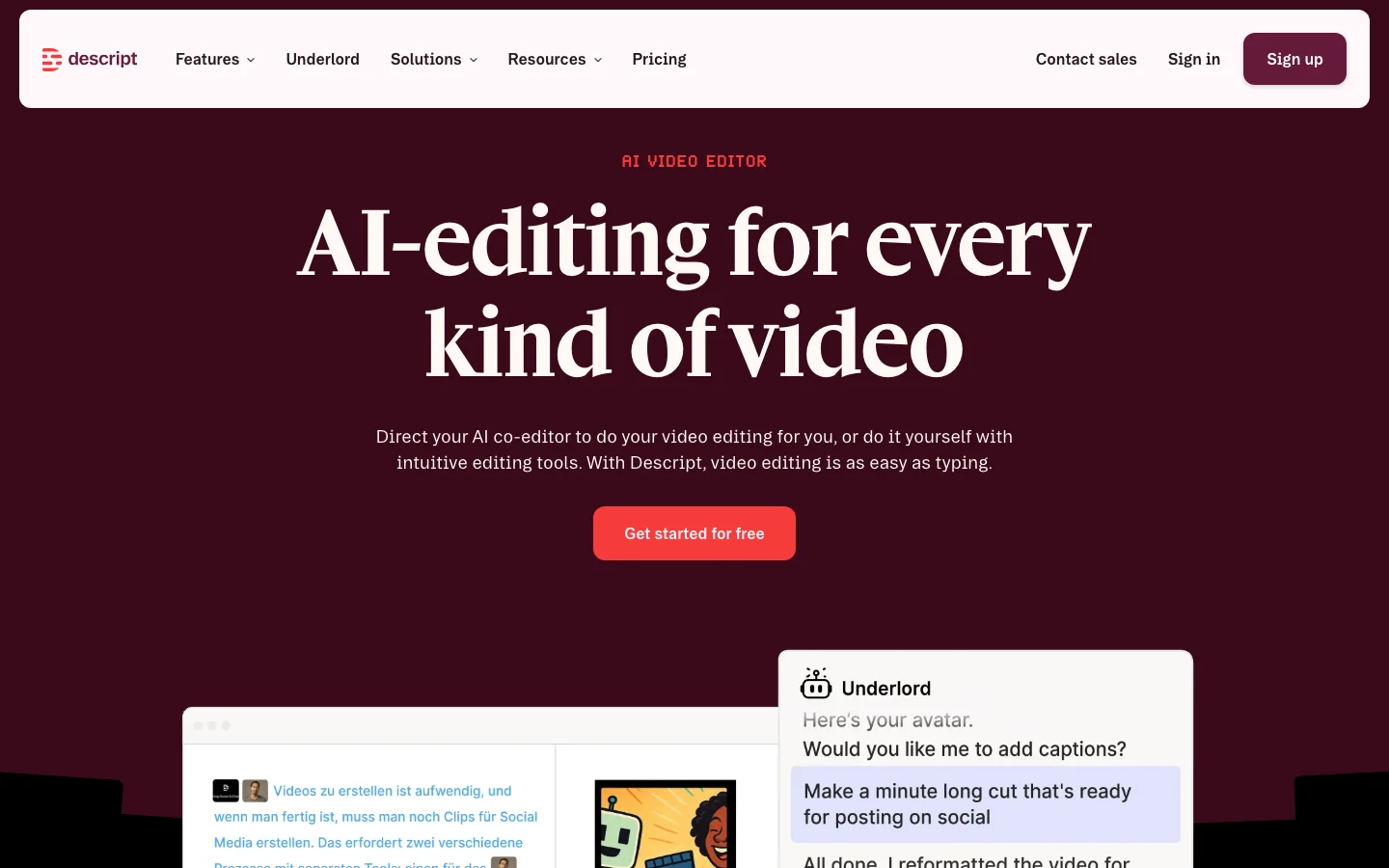
3.0/5Descript is an AI-powered audio and video editor built around a simple idea: you edit media by editing the transcript. Instead of scrubbing through waveforms and timelines, you read the words, delete the ones you do not want, and the audio and video follow. After testing it across podcast editing and video content workflows, this core concept genuinely changes how you approach editing spoken content. For podcasters and video creators who work primarily with talking-head material, it removes most of the friction that makes traditional timeline-based editing slow. The feature set extends well beyond transcript editing. Overdub lets you clone your own voice with AI and fix audio mistakes without re-recording, a capability podcasters consistently cite as a primary reason they stay with Descript. Filler word removal ("um," "uh," "like") works with one click and is the single most praised feature across user reviews. Studio Sound handles noise removal and audio enhancement. Underlord, the AI assistant, automates tasks like creating highlight clips, writing show notes, and generating chapter markers. Descript Rooms, built on the SquadCast acquisition, handles remote guest recording. And an API now in early access opens automation through Zapier and Claude/MCP integration. Pricing restructured to a credit-based model in 2025 and the community reaction has been consistently negative. The free plan is too limited to finish a real project. Hobbyist starts at $16/month billed annually ($24 monthly), Creator at $24/month annually ($35 monthly), Business at $50/user/month annually ($65 monthly). Descript has no lifetime-deal option: every plan is a recurring subscription, billed monthly or annually. Credits get consumed by both successful and failed AI tasks, meaning Underlord can drain your budget on work it does not complete. One user reported a quote of over $1,200/month for heavy text-to-speech usage. For standard podcast editing the pricing is workable, but anyone relying heavily on AI features needs to track credit burn carefully. Descript pioneered transcript-based editing and that core innovation remains genuinely useful. The tool is best-in-class for the podcast and online course workflow it was designed for. Underlord is unreliable enough that users describe it bluntly in community threads, and the credit pricing has created real churn among long-term subscribers. Competitors including CapCut, Adobe Premiere with AI features, and Riverside.fm are absorbing some of that outflow. If you are evaluating AI video editing tools, compare Descript with Vozo AI for a different approach to AI-assisted editing, or explore ElevenLabs if voice generation quality is your primary concern. What Makes Descript Different Most video editors treat the timeline as the primary interface. You scrub through footage, find the section you want to cut, and mark in and out points. Descript inverts this: the transcript is the primary interface, and the timeline is secondary. You read the transcript like a document, select the words or sentences you want to remove, hit delete, and both the audio and video are cut. For anyone who edits spoken content, this is a fundamentally faster workflow. The practical impact is significant for podcasters and course creators. A 60-minute recording might generate 9,000 words of transcript. Finding a rambling section by skimming text takes seconds. Finding the same section by scrubbing a waveform takes minutes. Multiply that across every edit in a 60-minute episode and the time savings compound. This is why Descript retains loyal users even as they complain loudly about pricing: the editing paradigm is genuinely better for spoken content than anything else on the market. Beyond the transcript core, several features distinguish Descript from other AI video editors: Overdub (AI Voice Cloning): You train a voice model on 10 minutes of your own audio. After that, you can type corrections directly into the transcript and Overdub generates audio in your voice. No re-recording, no audio mismatches, no retakes. For podcasters who record alone and catch mistakes in post, this is genuinely useful. No close competitor offers this natively at the same quality level. Studio Sound: One-click noise removal and audio enhancement powered by AI. Upload a recording from a noisy home office and Studio Sound strips the background, normalizes levels, and improves clarity. The known limitation is that it adds subtle reverb artifacts when applied to very short sections, which some users find worse than the original problem. Eye Contact Correction: Available on Creator and above, this feature uses AI to adjust your gaze in recorded video so you appear to be looking at the camera even when reading notes or looking at a second screen. It is imperfect at extreme angles but works well for standard webcam recordings. Underlord AI Agent: Underlord is meant to automate the tedious parts of editing: removing filler words, shortening silences, generating highlight clips for social media, writing show notes, and building chapter markers. In practice it is less reliable than the marketing suggests. The community reaction is split: some users get consistent value from filler removal and silence shortening; others report Underlord failing tasks without warning and consuming credits for incomplete work. AI Speakers (Text-to-Speech): Descript offers a library of AI-generated voices for narration, voiceovers, and commentary. Useful for adding narration to screen recordings without recording audio yourself. The credit cost becomes a serious concern at production scale. Descript Rooms: Remote recording for podcast guests, built on the SquadCast infrastructure Descript acquired. Records each participant on separate tracks, at high quality, in-browser. The integration means you can go from remote recording to finished edit without leaving Descript. API Access: An API opened in early access in 2026 allows importing files, triggering Underlord workflows, and integrating with Zapier or Claude/MCP for automated production pipelines. The developer community has responded positively, though the API is early and feature coverage is limited. The result is a tool that covers the full podcast and online course production workflow: remote recording, transcription, editing, filler removal, noise cleanup, captions, social clips, and publishing, without switching between applications. For the right use case, replacing five separate tools with one is a meaningful operational simplification. Descript Pricing Plans 2026 Descript switched to a credit-based pricing model in 2025. Each AI action, including transcription, Overdub, Underlord tasks, and AI Speakers, consumes credits from your monthly allocation. The shift away from simple minute-based plans created significant frustration because credits are less predictable than minutes, and because failed Underlord tasks still consume credits even when they produce no usable output. Free Plan The free tier gives you access to Descript with very limited AI credits. It is realistic as a trial window to test the transcript editing interface, but there is not enough credit allocation to complete a full podcast episode or course module from recording to publish. If you want to genuinely evaluate Descript, you will need at least a Hobbyist subscription. Hobbyist: $16/month billed annually ($24 monthly) The entry paid tier. Includes transcript editing, basic Underlord access, captions, and screen recording. AI credit allocation is limited. Suitable for occasional content creators publishing one or two pieces per month who do not rely heavily on AI automation. Overdub voice cloning is not included at this tier. Creator: $24/month billed annually ($35 monthly) The tier where Descript becomes a serious production tool. Creator adds Overdub voice cloning, expanded Underlord credit allocation, AI clip generation, Eye Contact correction, and Green Screen background removal. This is the recommended tier for podcasters publishing weekly and YouTube creators with regular upload schedules. The $24/month price is comparable to a single Riverside.fm subscription, a single Otter.ai subscription, and a Canva Pro subscription combined, which gives context to the "all-in-one" value proposition. Business: $50/user/month billed annually ($65 monthly) Business adds a larger AI credit pool, team collaboration features, priority support, and API access. At $50/user/month billed annually ($65 monthly) it is meaningfully more expensive than Creator for solo operators. The tier makes sense for production agencies or marketing teams where multiple editors need access and the credit volume justifies the per-seat cost. If you are a solo podcaster or solo YouTuber, Creator is almost certainly enough. Enterprise: Custom pricing Enterprise provides volume credit allocations, SLA guarantees, dedicated onboarding, and compliance documentation. Aimed at media companies and large marketing operations with high-volume production requirements. Get a quote from Descript's sales team for specifics. What to Watch for with Credits The credit model has practical implications worth understanding before you subscribe. Underlord tasks that fail mid-process still consume credits. AI Speakers (text-to-speech) burns credits at a rate that becomes expensive for high-volume narration work: users with production-scale TTS workflows report quotes exceeding $1,200/month when using Descript for this purpose. If text-to-speech is central to your use case, evaluate Murf AI or ElevenLabs as dedicated alternatives with predictable pricing. For editing podcasts and videos where TTS is occasional, the Creator tier credit allocation is workable. Descript vs Traditional Video Editors The honest comparison between Descript and traditional NLEs (non-linear editors) is not "Descript is better." It is "Descript is better for specific workflows and worse for others." Descript vs Adobe Premiere Pro Premiere Pro is a professional production environment for highly produced video: multicam with complex color grading, visual effects, advanced audio mixing, and broadcast output. If your workflow involves multiple camera angles, motion graphics, significant color work, or cinematic production values, Premiere is the right tool and Descript is not a replacement. Where Descript wins is the editing speed for spoken content. A podcast episode that takes 90 minutes to rough cut in Premiere might take 30 minutes in Descript if the edit is primarily dialogue-based. Premiere has added AI features (auto-transcription, remix, enhance speech) but they are additions to a complex interface, not the primary interface. Descript vs Final Cut Pro Final Cut is Mac-only, one-time purchase ($299), and faster for timeline-heavy workflows on Apple hardware. Similar comparison to Premiere: better for visually complex production, slower for transcript-based dialogue editing. The one-time pricing is an advantage over Descript's subscription for low-volume creators. Descript vs CapCut CapCut is the strongest competitive threat to Descript in the short-form content space. CapCut is free for most features, mobile-native, has a large template library, and produces social-ready content quickly. For YouTube Shorts, TikTok, and Instagram Reels, CapCut is faster and cheaper. Descript is stronger for long-form content (full podcast episodes, 30+ minute YouTube videos, online courses) where transcript editing provides real advantage. If your primary output is short-form social content, CapCut is the more practical choice. For long-form spoken content, Descript wins. Descript vs Vozo AI For AI-first video editing within the Belreos catalog, Vozo AI takes a different approach, focusing on AI-generated video and short-form content rather than transcript-driven editing of recorded footage. They serve different primary use cases: Descript for editing real recordings, Vozo for generating and assembling AI-native video content. The bottom line: if your content is primarily dialogue-based (podcast episodes, online courses, talking-head YouTube videos, webinar recordings), Descript outperforms traditional NLEs on editing speed by a significant margin. If your content is visually complex or short-form social-first, the traditional tools or CapCut are likely better fits. Is Descript Worth It in 2026? It depends on which tier you are evaluating and how you use AI features. For podcasters publishing weekly, the Creator tier at $24/month delivers real value. Transcript editing is faster than waveform editing for dialogue. Filler word removal works consistently and is the feature users cite most often as genuinely useful. Overdub handles the "I need to re-record this sentence but I am already at the edit stage" problem that every podcaster eventually hits. If you publish one episode per week, the time savings over a year likely exceed the subscription cost by a meaningful margin. For online course creators, the value calculation is similar. Transcript editing, captions, and Overdub for correcting narration errors are genuinely useful. Eye Contact correction helps if you are reading from notes while recording. Studio Sound cleans up audio from home office environments. Where the value calculation gets complicated is with Underlord. If you are subscribing primarily for AI automation, specifically for automated social clip generation and AI-written show notes, the reality is more frustrating than the marketing. Underlord's clip generation still requires significant manual curation, and failed Underlord tasks consume credits. Several users report feeling the AI layer is "mostly useless" in its current state, with the transcript editing and Overdub carrying the actual value. The 2025 pricing restructure also shifted the value calculation for legacy users. Former plan holders who migrated reported paying roughly 26% more for equivalent access. That sting is real, and it explains the churn discussion in the community. For new subscribers evaluating Descript fresh, the Creator tier at $24/month is priced reasonably against the combination of tools it replaces. For users who joined at lower legacy rates, the comparison is less favorable. If Descript is on your shortlist, start with the free tier to confirm the transcript editing interface works for your content type, then trial Creator for one billing cycle before committing. The interface is either a revelation or a frustration depending on your workflow, and it is worth verifying before committing annually. Frequently Asked Questions Is Descript worth the Creator tier price? For podcasters and course creators publishing at least twice a month, yes. The $24/month Creator tier includes transcript editing, Overdub voice cloning, filler word removal, captions, and expanded Underlord credits. The combined time savings on a regular publishing schedule typically exceed the subscription cost. For occasional creators publishing once a month or less, the Hobbyist tier at $16/month billed annually ($24 monthly) or a free trial cycle is a better starting point. How does Descript pricing compare to CapCut? CapCut is free for most features, which makes it difficult to compare directly. CapCut wins on price for short-form social content where its template library and mobile workflow are strongest. Descript wins on editing speed for long-form spoken content where transcript editing provides advantage CapCut does not offer. If you are primarily making YouTube Shorts or TikToks, CapCut is the more cost-effective choice. If you are primarily editing full podcast episodes or online course modules, Descript's paid tiers are justified by the time savings. Does Descript work for long-form videos? Yes, transcript editing actually scales better with longer content than traditional timeline editing does. A 90-minute interview is faster to rough cut in Descript than in Premiere because you can read through the transcript and make selections in text rather than scrubbing 90 minutes of waveform. The known limitation for long-form content is that Underlord's automated clip generation for social media still requires substantial manual curation: the AI suggestions are a starting point, not a finished output. Plan for manual review of any AI-generated clips. What AI voices does Descript offer in 2026? Descript offers AI Speakers, a text-to-speech library of AI-generated voices for narration and voiceover work. The more distinctive feature is Overdub: you can create an AI model of your own voice by training on roughly 10 minutes of your existing recordings. Overdub lets you type transcript corrections that are then synthesized in your voice, useful for fixing errors in recorded audio without re-recording. For broader AI voice generation needs, dedicated tools like ElevenLabs offer more voice variety and higher output quality, though Overdub's personal voice cloning remains a unique offering for the editing use case. Can I export broadcast-quality video from Descript? Descript exports standard video formats at resolutions up to 4K on paid tiers. For podcast video content (talking head, screen recordings, multi-track remote interviews), the export quality is suitable for YouTube and social platforms. Where Descript is not a replacement for Premiere or Final Cut is in the post-production layer: color grading, visual effects, complex audio mixing, and broadcast master file delivery. If your output requires those capabilities, Descript fits earlier in the workflow (recording, transcript editing, rough cut) and you hand off to a traditional NLE for finishing. Does Descript replace traditional video editors? For podcast and online course workflows, it replaces most of what creators actually do in traditional NLEs: rough cutting, filler removal, silence shortening, caption generation, and basic audio cleanup. For cinematic video production requiring color grading, visual effects, advanced audio design, or broadcast output specifications, it does not. Many professional video creators use Descript for the transcript-based rough cut stage and finish in Premiere or Final Cut for color and audio polish. The two tools serve different parts of the production workflow rather than being direct replacements.
 3.0/5
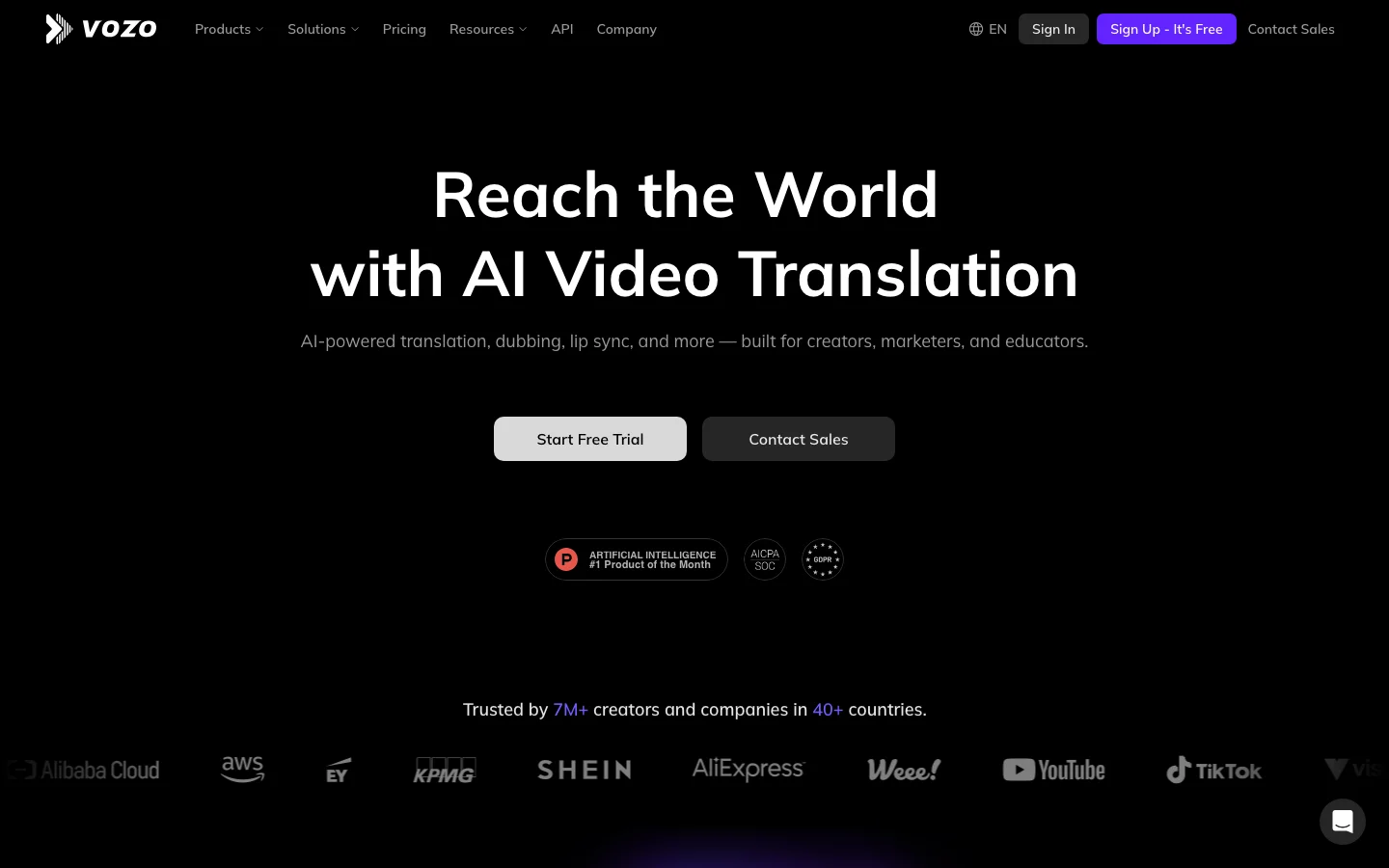
3.0/5Vozo AI is a web-based video localization and translation platform built around three tasks: AI video dubbing of existing content into other languages, syncing the speaker's lip movements to match the new audio track, and generating short-form video content from scratch. The core workflow (upload a clip, select a target language, review and edit the translated script line by line, then export) is genuinely differentiated from tools that simply overlay translated subtitles. The platform claims support for 110+ languages, a proprietary lip sync system (marketed as LipREAL), and voice cloning that preserves the original speaker's tone rather than substituting a generic AI voice. A companion mobile app, Blink by Vozo, targets solo Instagram and TikTok creators with AI zoom, background noise removal, and subtitle editing, a separate product serving a different use case. The honest caveat: Vozo has almost no organic Reddit presence as of early 2026. In a category where HeyGen is mentioned by name in nearly every relevant thread, Vozo does not appear unprompted in r/videography, r/VideoEditing, or professional communities. The promotional posts that do mention it (primarily r/bestai2025) show the signature pattern of coordinated marketing: same tools cross-promoted across multiple posts by overlapping accounts. This does not mean the product is bad, but it does mean the enthusiastic claims about lip sync superiority and tone fidelity cannot yet be independently verified from user experience. Treat the marketing copy as a hypothesis, not a proven outcome. Rask AI, another direct competitor in video translation, has a larger user base but lacks Vozo's monthly pricing flexibility. Where Vozo has a genuine, verifiable edge is pricing structure. HeyGen requires an annual subscription to access 4K export, a real friction point that comes up repeatedly in organic user threads. Vozo's $29/month Creator tier with no annual lock-in is a concrete differentiator for anyone with a one-time project, a short-term need, or a budget that cannot commit to annual SaaS spend. For that specific buyer (a videographer needing to dub one client interview, a content creator testing multilingual reach before scaling), the monthly pricing model alone makes Vozo worth evaluating against HeyGen. Go in with realistic expectations about lip sync quality: the category-wide pain point (sync fails on complex expressions, multiple speakers, robotic delivery) applies to every tool here until proven otherwise. Vozo is listed in the AI video editing category alongside HeyGen and similar localization tools. For broader context on AI video in 2026, see our AI video generation tools comparison. Frequently Asked Questions Is Vozo AI legit and safe to use? Vozo AI is a real product. The lip sync, video translation, and voice editing features function as described. However, organic user validation is essentially absent from independent communities in 2026: near-zero Reddit presence, and the promotional activity that does exist follows coordinated marketing patterns (r/bestai2025 posts). This does not make it a scam, but it does mean you cannot verify real-world performance claims from third-party sources the way you can with HeyGen, which has substantial independent community discussion. For a tool handling video content and user data, the lack of organic proof is worth factoring in. How much does Vozo AI cost in 2026? Vozo AI's Creator plan is priced at $29 per month with no annual lock-in requirement, explicitly a differentiator against HeyGen's annual subscription model for buyers who want monthly flexibility. The 110+ languages claim covers most use cases, but per-language pricing variation has been reported, meaning the total cost can exceed the stated monthly figure depending on language pair. Verify current plan pricing at vozo.ai, and confirm whether per-language surcharges apply to your target languages before subscribing. Is Vozo AI worth the subscription? If your specific need is AI video dubbing without annual lock-in, and the $29 per month Creator tier undercuts what HeyGen or Magic Hour AI would cost you, Vozo AI may be worth a trial. The sentence-level script editing (fixing individual translated lines without reprocessing the full video) is a practical differentiator over blunter translation tools. The case weakens significantly without independent user validation to confirm the LipREAL and VoiceREAL quality claims. HeyGen is the higher-confidence choice for anyone who needs proven community validation alongside lip sync capability. Does Vozo AI have a free trial or free plan? Yes, Vozo AI offers a free trial that allows you to test the full dubbing workflow before committing to a paid plan. Testing the trial is the minimum recommended step before any subscription, given the limited independent validation available for this platform. Upload a short video clip, run it through translation and lip sync in the language you need, and assess output quality directly. That hands-on test is more reliable than any marketing claim given the current state of third-party coverage.
One category review a month. The good ones.
What we reviewed, what we dropped, what's worth your money. No sponsored slots.