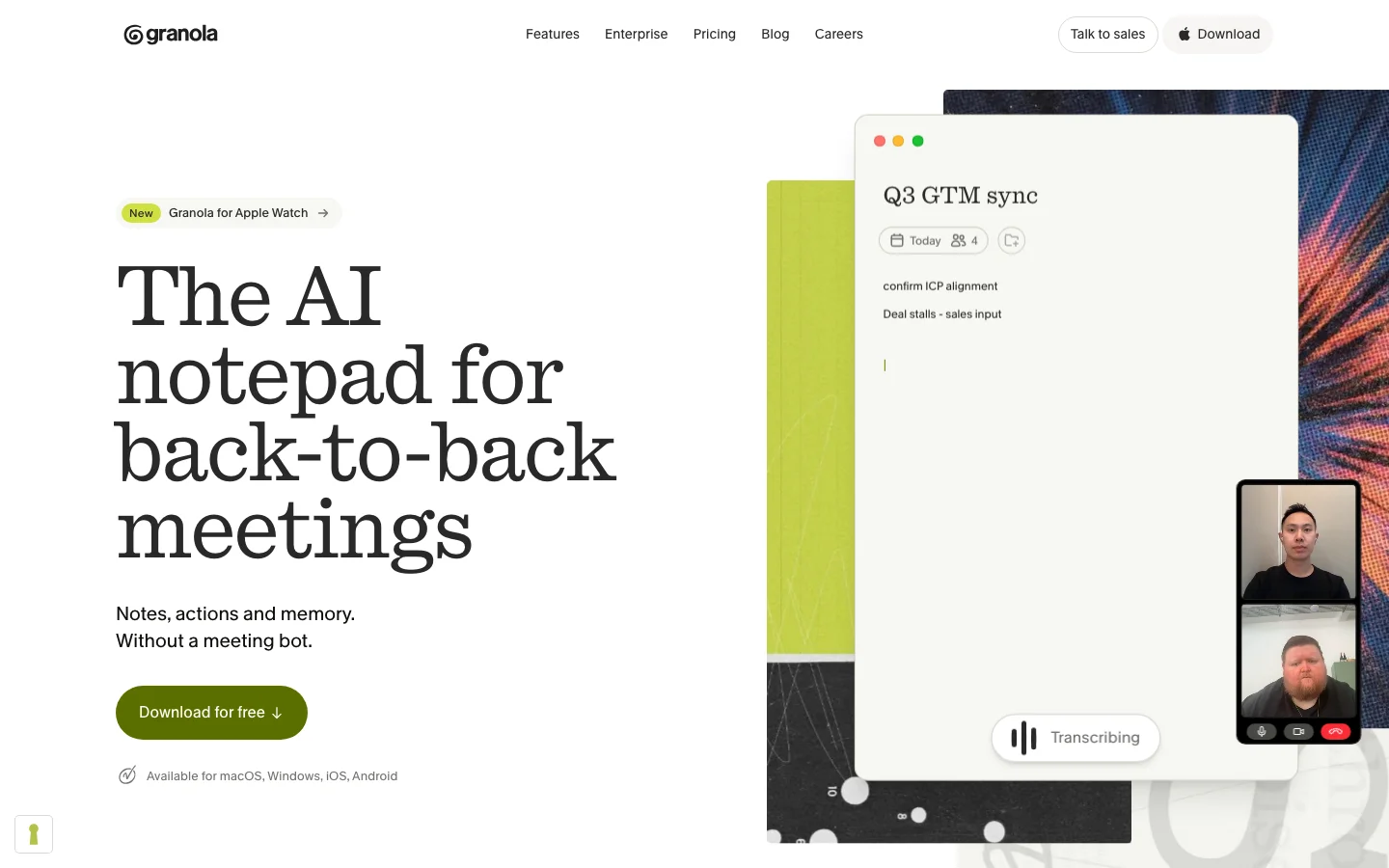
Granola is an AI meeting notepad that builds on the notes you type instead of dropping a bot into your calls. No visible recorder joins the meeting. The desktop app listens in the background, and Granola cleans up and expands your shorthand into a full set of notes afterward. For sensitive one-on-ones and client calls where a recording bot on-screen would be awkward, that bot-free approach is the whole point. Granola AI costs nothing on the Basic plan and $14 per user a month on Business.
The result reads like you wrote it, because you did. Granola augments your own typed notes rather than dumping a generic transcript summary, so the output matches your voice and priorities. The interface is clean and fast to adopt, integrations are solid, and it now runs on desktop, iOS, Android and Apple Watch.
There is one structural catch that decides whether Granola is right for you: it builds on the notes you take, so if you do not type during meetings, you get very little back. This is a tool for active note-takers, not a hands-off bot recorder.
Key Features
Bot-free captureNo recorder appears in the call. Granola listens through the desktop app and works from what you type, which makes it usable in confidential meetings where a visible bot would be a problem. The meeting-notes category is trending toward bot-free in 2026, and Granola is the standout example.
Notes that sound like youRather than producing a generic AI summary, Granola expands your own shorthand into complete notes. The output keeps your wording and your priorities, so you spend less time rewriting it into something usable.
Clean interface and strong integrationsThe interface is minimal. It slots into an existing productivity stack quickly and does not demand a lot of setup ceremony.
Desktop, phone and watch apps, with SOC 2 Type IIGranola expanded past its Mac-only origins. Its pricing page lists desktop, iOS, Android and Apple Watch apps on every plan, along with SOC 2 Type II certification, which means an outside auditor checked its data-handling controls.
What Granola AI Costs (as of October 14, 2026)
PlanPriceKey inclusions
Basic (Free)$030-day meeting history; AI chat limited to the Auto model
Business$14/user/moUnlimited history, model choice in AI chat, pre-meeting briefs, follow-up emails, Notion, HubSpot and Zapier integrations, API access
Enterprisefrom $35/user/moSingle sign-on, automatic user provisioning, HIPAA-compliant workspaces, training off by default, admin controls, usage analytics
The pricing is a flat per-seat model with unlimited notes on paid plans, which is simpler than the credit and token schemes some rivals use. The free tier limits history to a 30-day window rather than a fixed note count. The $14 is the monthly per-seat rate, and Granola publishes no annual discount. For annual or volume deals it sends you to sales.
For a team of five, Business comes to $70 a month. Enterprise comes to $175. Granola's own blog works out about 35 cents a meeting on Business, at 40 meetings a month.
On Basic you lose:
pre-meeting briefs and follow-up emails
the Notion, HubSpot and Zapier integrations
API access and model choice in AI chat
Where Granola Falls Short
The biggest limitation is the one built into the design. Granola improves the notes you type, so passive users who expected a hands-off recorder get almost nothing from it.
On privacy, Granola says it does not let outside model vendors such as OpenAI or Anthropic train on your data. Granola itself trains on anonymized data by default on Basic and Business, and each user can opt out with one click. Enterprise has training turned off by default. Audio is deleted after transcription on every plan.
How It Compares
Granola trades raw transcription depth for a cleaner, more personal note. Otter offers deeper live transcription, and its free plan includes 300 transcription minutes a month, but its bot joins the call. Fathom leads on free-tier generosity with unlimited recordings on Zoom and no card required. Fireflies focuses on conversation intelligence, pushing structured data into your CRM. tl;dv gives free unlimited recording but auto-deletes after three months. Granola's moat against all of them is the combination of bot-free capture and notes written in your own voice. For a deeper side-by-side of the alternatives named above, see our Fireflies vs. Fathom vs. Otter comparison.
On price, Granola's Business plan costs $14 a month, which is less than Fireflies or Otter charge on monthly billing. Both rivals are cheaper once you pay annually, and Granola publishes no annual price.
Entry paid plans per user, USD, as of October 14, 2026
ToolFree planBilled monthlyBilled annually (per month)
Granola BusinessYes, 30-day history$14not published
Fireflies ProYes$18$10
Otter ProYes, 300 minutes a month$16.99$8.33
Verdict
If you run a steady stream of one-on-ones and small-group calls and you already take notes during them, Granola is one of the best tools for the job. The bot-free capture is genuinely useful for sensitive conversations, and getting notes back in your own voice saves real cleanup time.
Skip it if you wanted a passive recorder that does the work while you sit back. The free plan's 30-day history window makes it more of an extended trial than a lasting free tier, so expect to hit the upgrade wall once your meetings age past a month. Granola raised a $125 million Series C in March 2026 at a $1.5 billion valuation, according to Tech.eu, so the company has real funding behind it.
FAQ
Does Granola record my meetings with a bot?No. Granola is bot-free. No recorder joins the call. The desktop app listens in the background and builds on the notes you type, which makes it a fit for sensitive one-on-ones and client calls where a visible bot would be awkward.
Is Granola free?There is a free Basic plan, but it only keeps a 30-day window of meeting history rather than an unlimited archive. The Business plan is $14 per user per month with unlimited history.
Does Granola work if I do not type during meetings?Not well. Granola builds on the notes you take, so passive users who expect a hands-off recorder get very little from it. It is built for people who actively take notes during calls.
Is there a Granola Android app?Yes. Granola's pricing page lists desktop, iOS, Android and Apple Watch apps on every plan.
Is Granola secure and private?Granola lists SOC 2 Type II certification on every plan, and says it deletes audio after transcription. It trains on anonymized data by default on Basic and Business, and each user can opt out with one click. On Enterprise, training is off by default.