Most AI video editor comparisons put the wrong tools in the same list. They rank a podcast transcription editor alongside a TikTok caption tool alongside a blog-to-video converter and then tell you one of them is the "best." That is not useful. These tools solve completely different problems for completely different people.
To find the best AI video editors for 2026, we spent three weeks pulling Reddit threads, Trustpilot reviews, pricing pages, and community sentiment across every major AI video editing tool on the market. The picture that emerged is clear: the AI video editing category in 2026 has fractured into two distinct buyer problems, and understanding which one you have is the entire decision.
Problem 1: You have footage and need to cut, caption, or repurpose it. Descript, CapCut, and Opus Clip fight here. They are editing tools in the traditional sense -- they take what you already recorded and help you produce something from it faster.
Problem 2: You have text or ideas and need video output. InVideo and Pictory own this space. You paste in a script or blog URL and get a video back. The output quality ceiling is lower, but the speed-to-publish for marketing teams is real.
Vozo AI sits in a third category -- video dubbing and translation -- but earns a spot in this roundup for creators who need localization as part of their editing workflow.
Here is where each tool actually lands.
| Tool | Best For | Price | Trustpilot | Our Rating |
|---|---|---|---|---|
| Descript | Podcast/interview editing | $24--50/mo | 3.3/5 (238) | 3.8/5 |
| CapCut AI | Short-form social content | Free--$8/mo | N/A | 4.0/5 |
| Opus Clip | Long-to-short repurposing | $15--29/mo | 4.0/5 (303) | 3.6/5 |
| Pictory AI | Blog/script to video | $25--119/mo | 3.6/5 (507) | 3.2/5 |
| InVideo AI | Volume marketing video | $20--48/mo | 2.5/5 (941) | 2.5/5 |
| Vozo AI | Video dubbing/translation | $29--99/mo | 4.8/5 (204) | 3.7/5 |
The Two Categories: Know Which Problem You Have
Before diving into individual tools, this distinction saves you from buying the wrong thing.
Footage editors (Descript, CapCut, Opus Clip) assume you already have video. You recorded a podcast, a stream, a webinar, a YouTube video, an interview. The AI helps you cut it, caption it, clean the audio, extract clips, and export for social platforms. The editing is real -- you are working with your own footage.
Script-to-video tools (InVideo, Pictory) assume you have text. You paste in a blog URL, a script, a set of talking points. The AI selects stock footage, adds voiceover, assembles a video. You are not editing footage -- you are generating video from words. The output looks like what it is: stock footage stitched together with AI narration.
Both categories have legitimate use cases. The problem is that most comparison posts treat them as interchangeable. They are not. A podcaster evaluating Descript should not be comparing it to InVideo. A marketing team evaluating Pictory should not be comparing it to Opus Clip.
We will cover the footage editors first, then the script-to-video tools, then Vozo AI as the dubbing specialist.
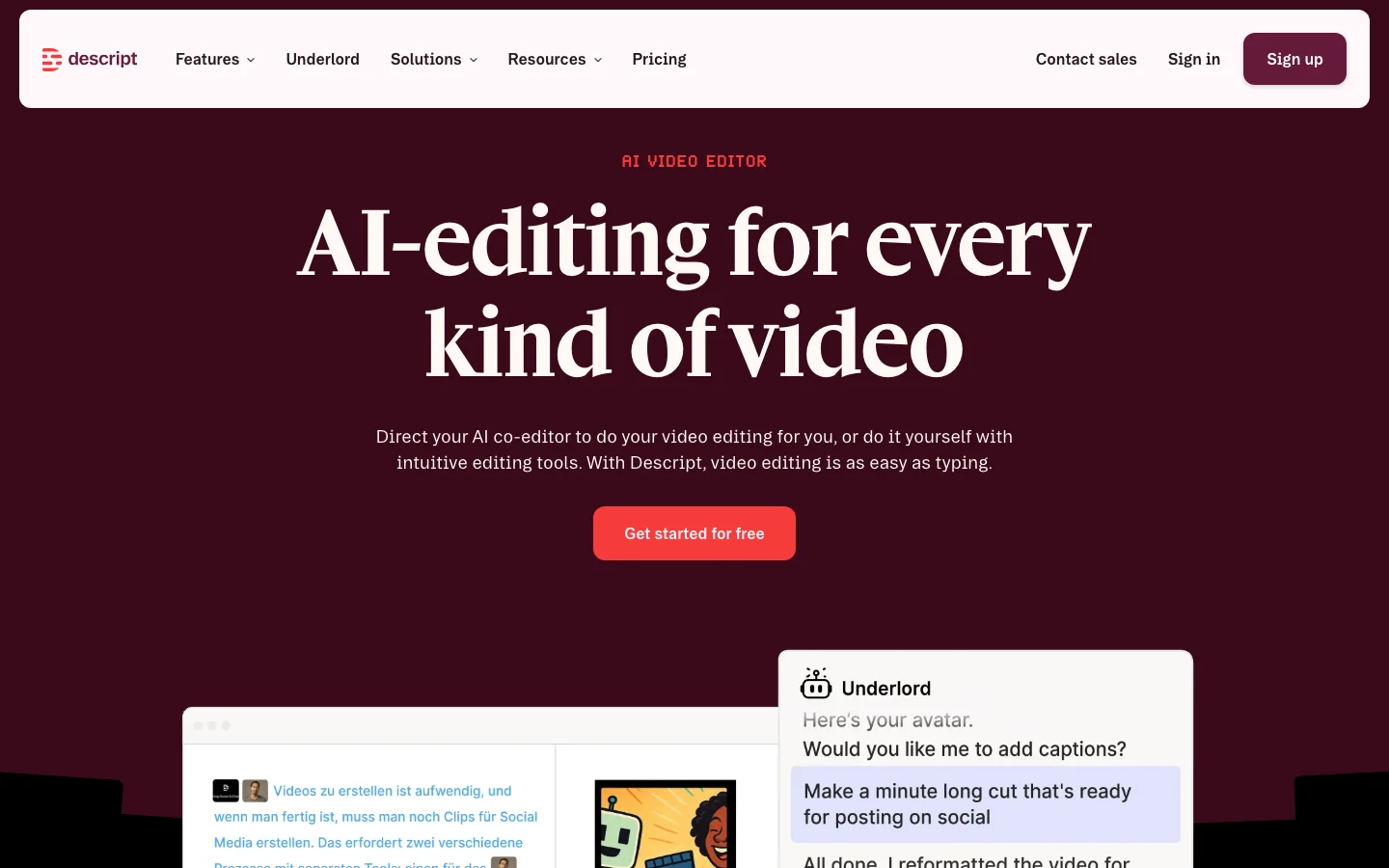
Descript: The Text-Based Editor That Podcasters Love (and Curse)
Rating: 3.8/5
Best for: Podcast producers, interview editors, educators turning recordings into social clips.
Pricing (verified March 2026): Free (watermarked) | Creator: $24/month | Business: $50/person/month | Enterprise: custom
Descript does something no other tool in this list can do: it transcribes your recording and lets you edit the transcript like a document. Delete a sentence from the text, and the corresponding video cut happens automatically. For anyone editing dialogue-heavy content -- podcasts, interviews, panel discussions -- this is a genuine workflow transformation.
The time savings are real and documented. Multiple independent Reddit users report cutting podcast editing time from 2.5 hours to 40 minutes. Production companies editing 300+ podcasts per month use Descript as their primary tool. The text-based editing concept is not marketing -- it is a fundamentally different interaction model that works.
Studio Sound, Descript's audio enhancement feature, legitimately cleans up poor-quality recordings. The common workflow in podcast communities is: record in Riverside, edit in Descript, final mastering in Audition or Audacity.
Where it falls apart. The AI automation features -- filler word removal, gap shortening, Edit for Clarity -- are described consistently as "80% accurate at best" by working users. Filler word removal cuts off the last word roughly 30% of the time, a bug that users report has persisted for over a year. AI gap shortening removes laughter and emotional content. The desktop app is described as "extremely unstable" on short clips by multiple reviewers.
One long-term subscriber summarized it on r/Descript: "The concept is amazing but the execution is buggy, glitchy, and laggy." Another: "This USED to be such a great tool... but the platform has changed significantly and not for the better."
The pattern is consistent across every honest review: the text-based editing core is excellent, the AI automation layered on top is a first pass that requires manual cleanup. If you go in expecting to remove all filler words automatically and ship the result, you will be disappointed. If you go in expecting a faster editing workflow that still requires your judgment, you will be satisfied.
The verdict: Descript is the best tool in this list for podcast and interview editing. Nothing else comes close for dialogue-heavy content. But treat the AI features as suggestions, not finished work. Budget time for review.
CapCut AI: The Free Tier King (with a ByteDance-Sized Asterisk)
Rating: 4.0/5
Best for: Short-form social creators (TikTok, Reels, Shorts) who prioritize speed and trend-matching.
Pricing (community-verified): Free tier (substantial, most features) | Pro: ~$8/month (removes watermarks, cloud features)
CapCut is the most feature-complete tool in this roundup by raw capability count, and most of those features are available for free. Auto-captions, background removal, AI avatar creation, auto-highlight extraction, trend-based templates, TikTok-optimized export -- all in the free tier. Multiple creators report using only the free tier for production work.
The auto-captions are rated as "excellent" by independent testers -- better than dedicated transcription tools for short-form content. Speed is the consistent praise: "Start with a rough idea and have something publishable in under 20 minutes." One ProductMarketing commenter with 54 upvotes called it "probably the most practical tool for everyday marketers."
A popular creator workflow combines Runway for generative clips with CapCut for captions, text overlays, and final polish. That combination gets mentioned repeatedly in community threads as the current best stack for creators who need both generated and edited content.
The ByteDance problem. CapCut is built by ByteDance, TikTok's parent company. This is not a footnote -- it is a material factor for a meaningful segment of potential users.
The US TikTok divestiture legislation could impact CapCut availability directly. A Hacker News thread with 57 points specifically discusses how "ByteDance's web of apps could get tangled up in TikTok ban" legislation. As of March 2026, no resolution has been confirmed. Enterprise teams, government-adjacent creators, and anyone with data security requirements in their procurement process cannot ignore this.
There are also template quality concerns: "A lot of the templates have that TikTok template feel, which doesn't always work if you're making brand or ad content." Meta has released a direct competitor called Edits (announced as a "blatant CapCut clone" on Hacker News), specifically positioned as a Western alternative for Instagram creators.
The verdict: If you are an individual creator comfortable with ByteDance data practices and you make short-form content, CapCut is the best free option available. Nothing else matches the feature-to-price ratio. If you have enterprise procurement requirements, data residency concerns, or regulatory exposure, look at Descript or Meta's Edits instead.
Opus Clip: The Clip Extraction Specialist
Rating: 3.6/5
Best for: Podcasters, streamers, and YouTubers who need automated long-to-short repurposing.
Pricing (verified March 2026): Free (limited credits) | Starter: $15/month (150 credits) | Pro: $29/month (full features, priority processing) | Business: custom
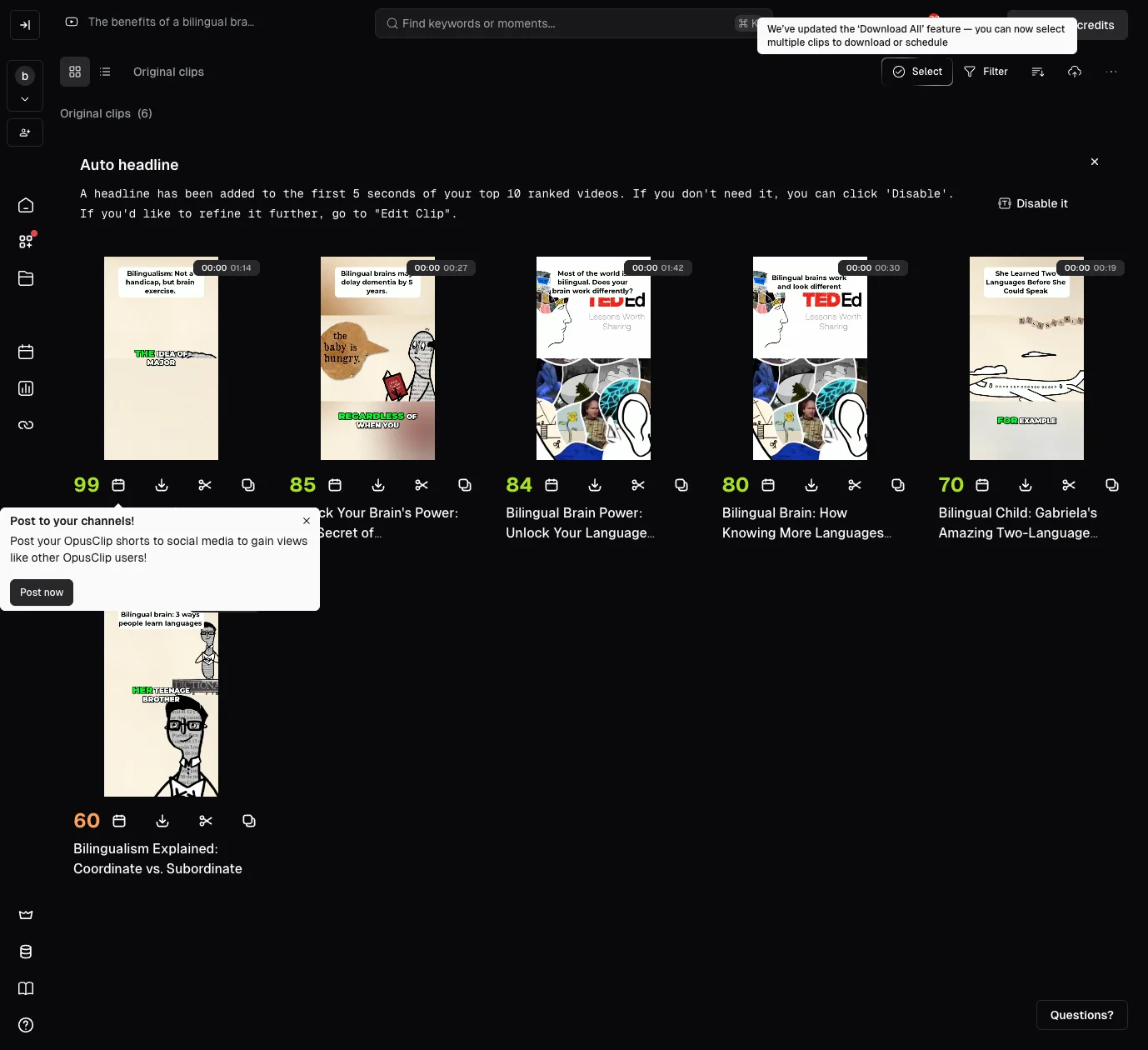
Opus Clip does one thing and does it faster than anyone else: take a long video and automatically find the moments most likely to perform as social clips. Upload a podcast, webinar, or livestream recording, and Opus Clip identifies highlights, cuts them to vertical format, adds captions, and exports clips ready for TikTok, Shorts, and Reels. It also rates each clip with a Virality Score.
For high-volume content producers -- people recording 3+ hours of content per week -- the time savings are meaningful even when the automation is imperfect. "Auto-chops long videos into short social clips. Massive time saver. One of the best for doing just that," per a DigitalMarketing thread cited by multiple independent reviewers.
The reality check. Opus Clip's AI finds phrases that look important in the transcript but struggles with actual clip timing. One detailed independent reviewer on r/opusclip put it plainly: "It can find phrases that look important in the transcript, but the actual clip often starts too early, too late, or cuts off at the wrong moment."
The Virality Score is inconsistent -- the same reviewer tested the same moment across separate uploads and got meaningfully different scores. The credit system draws regular complaints: the Starter tier's 150 credits is described as "barely enough for one week" of regular use. One r/Kick commenter: "I've been using Opus AI lately and honestly it's pretty disappointing. For the price they charge the credit limit is a joke."
Frequent UX changes frustrate power users: "Every time I thought I understood how to use it effectively they changed something and I had to figure it out from scratch." And the core critique: "You're not really avoiding editing, just replacing it with a rougher and more awkward version."
The verdict: Opus Clip is worth it if you produce consistent long-form content and want to automate the "find the good moments" step. Expect to manually clean up 20--40% of clips before they are publishable. This is not a replacement for editing -- it is a first-pass filter that gets you from a 60-minute recording to 8 rough clips in minutes instead of hours. The Pro tier at $29/month makes sense for weekly producers; the Starter tier is too credit-limited for serious use.
Pictory AI: The Text-to-Video Workhorse
Rating: 3.2/5
Best for: Content marketing teams, course creators, and educators who produce text-first content and need video output at volume.
Pricing (verified March 2026): Starter: $25/month (annual) | Professional: $45/month | Team: $119/month | Enterprise: custom
Pictory takes a blog post URL, a script, or a long-form video and produces a finished video with stock footage, voiceover (via ElevenLabs integration), captions, and music. The blog-post-to-video workflow is the most complete implementation of this concept on the market.
The ElevenLabs voice integration for AI narration is a real differentiator -- most text-to-video tools use inferior TTS that sounds robotic. Pictory's recent 2.0 update expanded AI credits and added annual plan bonuses. The tool is specifically strong in education, coaching, and course creation use cases. Captions are described as "native-looking" for social platforms.
Where it falls short. The output is what it is: stock footage stitched together. The AI makes generic choices about which visuals to pair with your text, and you have limited control over those selections. The result works for volume production -- marketing teams who need 10 videos a week from existing blog content -- but it does not work for anyone who needs authentic, crafted video.
Pictory has a lower community profile than Descript or CapCut in organic creator discussions. Most mentions appear in marketer and business-oriented subreddits, not creator communities. The "Pictory 2.0" rebrand has mixed reception -- some users see it as upsell pressure rather than genuine improvement.
Trustpilot: 3.6/5 across 507 reviews. Positive reviews cite ease of use and time savings. Negative reviews focus on credit exhaustion and video quality ceilings.
The verdict: Pictory is the right tool for teams that already write blog posts and want to add video without hiring an editor. The quality ceiling is real -- this is volume production, not creative work. If your standard is "good enough for LinkedIn and email newsletters," Pictory delivers. If your standard is "would a viewer choose to watch this," look elsewhere.
InVideo AI: The Volume Play (with a Trust Problem)
Rating: 2.5/5
Best for: B2B teams with specific use cases (multilingual explainers, training videos, product walkthroughs) and budget constraints.
Pricing (community-reported): Free (watermarked, limited) | Plus: ~$20--25/month | Max: ~$48/month | Business: custom
InVideo takes a text prompt, URL, or script and generates a complete video with voiceover, stock footage, and music. The stock library is large (claimed millions of assets), and 110+ language support makes it the broadest multilingual option in this category. The separate AI Editor mode writes complete scripts from a topic or URL before generating video.
For specific narrow use cases -- Amazon product description videos, explainer content, business intros -- InVideo fills a gap. The entry point is genuinely easy: "Paste in a script and the platform automatically generates a full video with voiceover, music, and visuals." Customer support is cited positively in recent reviews.
The trust problem. InVideo has a 2.5/5 on Trustpilot across 941 reviews -- the largest review count and the lowest rating of any tool in this roundup. At that sample size, this is statistically meaningful. This is not a few angry customers; it is a pattern.
The dominant complaints: billing transparency ("no warning before charging"), credit exhaustion ("I don't have enough credits after just subscribing"), and quality ceiling ("The video generation is, for the most part, very mid-level to basic quality. You will have to edit numerous times just to get a usable video, but it still will not be great"). One verified reviewer: "Terrible value, no transparency, and no warning before charging. SCAM!" Another: "Honest, great idea, horrible execution."
Community comparison threads reference InVideo but do not enthusiastically recommend it. It appears in marketing and business content, not in creator communities where tools earn organic advocacy.
The verdict: InVideo occupies the budget end of text-to-video with the broadest language support. If you need multilingual explainer videos at low cost and can tolerate a quality ceiling, trial it carefully -- watch the credit math before committing to a paid plan. The Trustpilot signal at 941 reviews is not something we can soften. Go in with realistic expectations or look at Pictory instead.
Vozo AI: The Dubbing Specialist
Rating: 3.7/5
Best for: Creators and studios who need video translation, dubbing, and lip-sync across languages.
Pricing (verified March 2026): Free (20 AI points, ~6 dubbing minutes) | Creator: $29/month (150 points, ~50 dubbing minutes) | Studio: $99/month (600 points) | Enterprise: custom
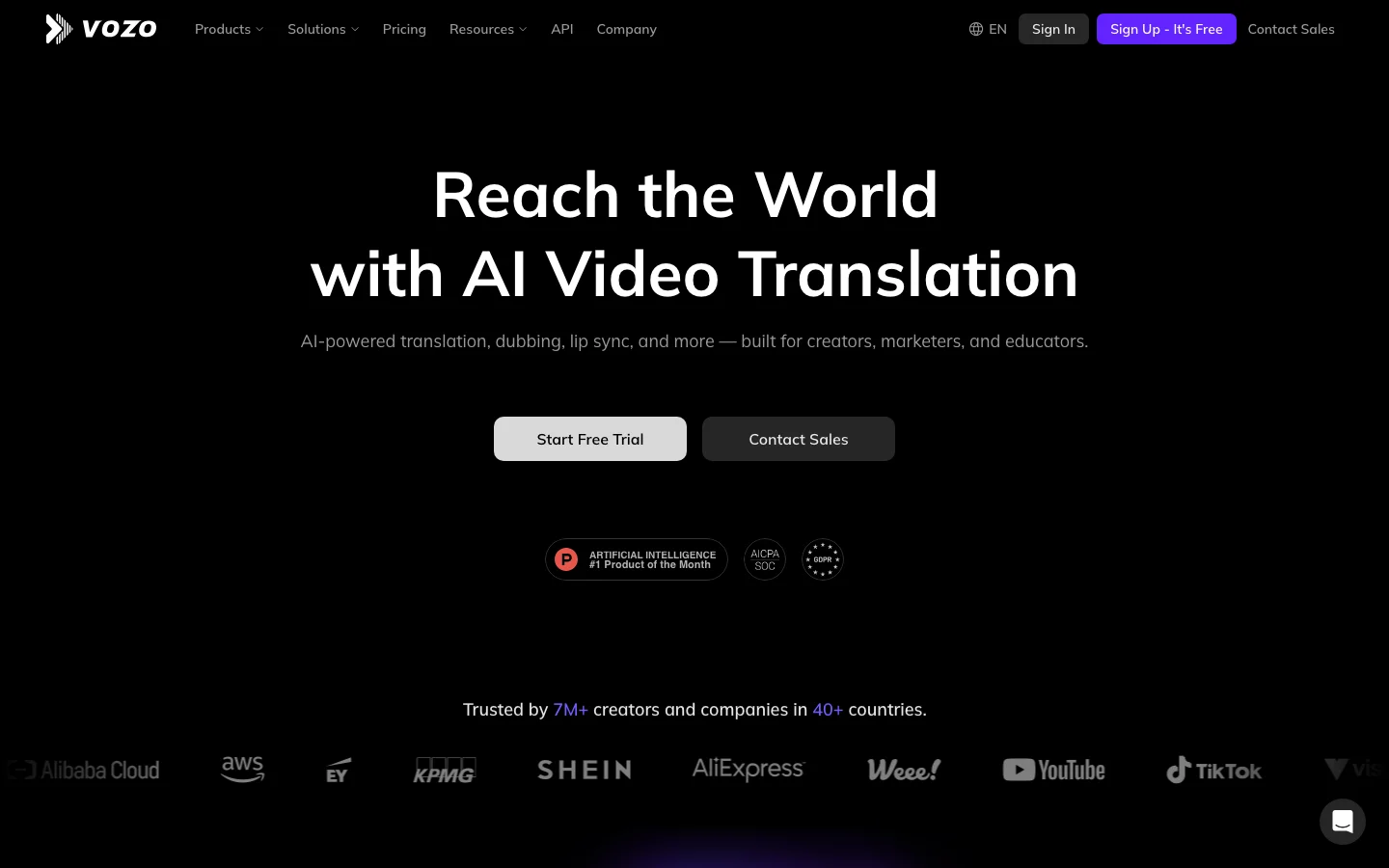
Vozo AI is not a video editor in the traditional sense. It takes existing video and applies AI translation with voice cloning and lip-sync technology across 110+ languages. If your editing workflow includes making content accessible in multiple languages, Vozo handles the dubbing step.
The key differentiator versus HeyGen (the other major player in this space): Vozo offers monthly subscriptions without annual lock-in. HeyGen requires an annual commitment for 4K export. For one-time projects or creators who need dubbing for a specific campaign, the $29/month Creator tier with no annual requirement is the meaningful difference.
Trustpilot: 4.8/5 across 204 reviews -- the highest-rated tool in this roundup by review score. We should be transparent about the context: Vozo's Reddit presence is thin, and some review patterns suggest coordinated marketing. A high score with limited organic community validation is a signal to note, not dismiss. It could mean a small, genuinely satisfied user base. It could mean the reviews are not fully organic. We flag it so you can weigh it yourself.
The LipREAL lip-sync technology, the Shorts Generator for long-to-clip repurposing, and the Talking Photo feature round out the platform. For creators already producing content in one language who want to reach multilingual audiences without re-recording, this is the most accessible entry point.
The verdict: Vozo earns its place in this list as the dubbing tool, not as a general editor. If localization is part of your video workflow, evaluate Vozo. If you just need to cut, caption, and export clips, the other five tools in this list are what you are looking for.
How to Choose: Match the Tool to Your Problem
You record podcasts, interviews, or panel discussions and need to edit efficiently. Descript. The text-based editing workflow is genuinely unique and saves hours per episode. Accept that AI automation features need manual review.
You produce short-form social content (TikTok, Reels, Shorts) and want speed. CapCut AI. Best free tier in the category, TikTok-native output. If ByteDance is a problem for your use case, look at Meta Edits or Descript.
You record long-form content and need clips for social media. Opus Clip. Fastest pipeline from long video to social clips. Budget for manual cleanup on 20--40% of output.
You write blog posts and want to repurpose them as video. Pictory. The blog-to-video workflow is the most complete, and the ElevenLabs voice integration is a real differentiator. Expect stock-footage quality, not cinematic quality.
You need high-volume video at the lowest cost with multilingual support. InVideo. But read the Trustpilot reviews (2.5/5 at 941 reviews) before committing, and trial the credit math carefully.
You need to dub or translate existing video across languages. Vozo AI. Monthly pricing without annual lock-in is the differentiator versus HeyGen.
You need professional-grade visual editing with AI enhancement. None of these tools. You want DaVinci Resolve, Premiere Pro, or Final Cut Pro with AI plugins. The tools in this list automate specific workflows -- they do not replace professional video editing software.
The Honest Ranking for 2026: Best AI Video Editors
- CapCut AI -- Best feature-to-price ratio for short-form creators. The ByteDance concern is real but the product is excellent.
- Descript -- The only serious option for text-based podcast/interview editing. Workflow transformation with known bugs.
- Vozo AI -- Niche leader in dubbing and translation. Not a general editor, but the best at what it does.
- Opus Clip -- Useful automation for high-volume long-to-short repurposing. Credit system and accuracy caveats apply.
- Pictory AI -- Solid text-to-video for marketing teams. Quality ceiling limits creative use.
- InVideo AI -- Broadest language support at the lowest price point. The 2.5/5 Trustpilot at 941 reviews speaks for itself.
One pattern across every tool in this list: the AI saves time but does not eliminate editing judgment. Every tool's marketing promises more automation than the product delivers. Descript's filler removal needs review. Opus Clip's highlights need manual timing fixes. Pictory's stock footage selections need curation. InVideo's output needs heavy editing to be usable.
The tools that are honest about this -- Descript and CapCut, mostly -- earn higher community trust than the tools that oversell the automation. Buy accordingly.
Pricing and review data current as of March 2026. AI tool pricing changes frequently -- confirm on vendor sites before purchasing.
Related: Full Vozo AI review | See all AI video editing tools
Related Comparisons
Looking for more AI tool comparisons? Check out our guides:
- Best AI Video Generation Tools 2026
- Best AI Voice Generator 2026
- Best AI Writing Tools 2026
- Best AI Art Generators 2026
- Best AI Tools for Small Business 2026
Browse more: AI Video Editing Tools | All AI Tools